www.bresser.de
restarting, the 3D printer connects to the computer via the set up W-LAN.
② Disconnecting the 3D Printer
Click [Print] > [ Disconnect] to disconnect the computer from the 3D Printer.
6.2.14 Tool menus
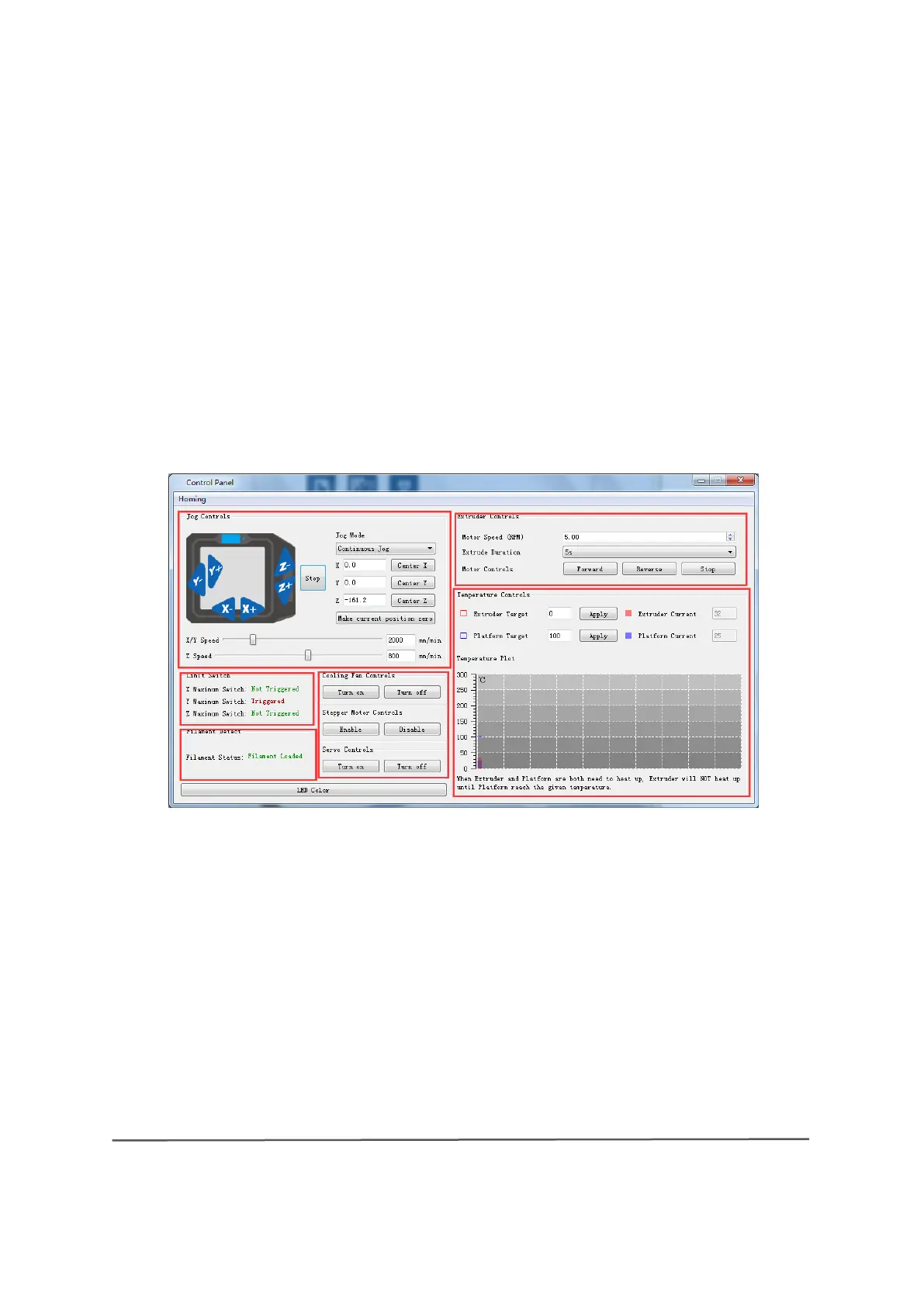
① Control Panel
After you have established a connection between your computer and the 3D
Printer, click [Tools] > [ Control Panel] to open the Control Panel.
● Jog Controls
A Jog mode: Select the distance for a single extruder/pressure plate movement
(i.e. the distance by which the extruder/pressure plate moves after a single click)
b. Six blue directional arrows:
Use these buttons to control the movements along
the X/Y/Z axes. The X/Y-axis buttons control the movements of the extruder and the
Z-axis buttons control the movement of the pressure plate. If you click on "X-", the
extruder moves to the left by a fixed distance. If, on the other hand, you click on "X+",
the extruder moves to the right by a fixed distance. Clicking "Y-" moves the extruder
forward by a specified distance, and clicking "Y+" moves the extruder backward by a
6-23



 To Next Page