www.bresser.de
(Windows) Follow the instructions for installing the software.
2. Start the software via the start menu or by clicking on the software icon. (see
6-1)
6-1
6.2 First steps with REXprint
6. 2.1 Selecting the device type
After starting REXprint, select the device type.
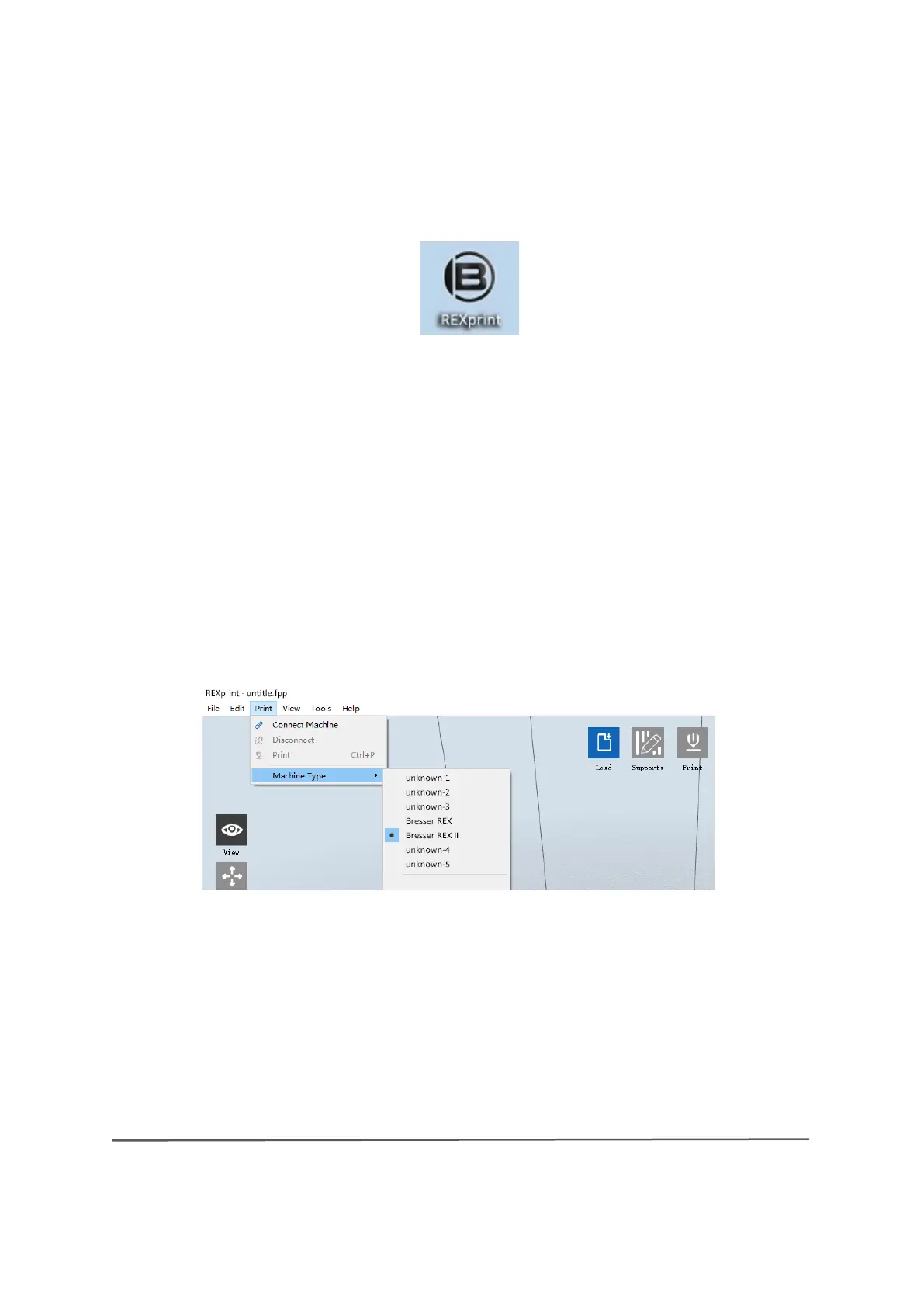
A dialogue box opens when you start REXprint. Select "BRESSER REX-II" from
the list of device types and click on [OK]. The device type can also be changed
via the software menu [Print] > [Machine type] . (see 6-2)
6-2



 To Next Page