5-2
GF Series
Installation and Operation Manual
X-TMF-GF Series-MFC-eng
Part Number: 541B137AAG
March, 2010
Section 5 Performance Checks
5-3 Zeroing the GF1xx
Many high density gases exhibit slight changes in zero output as a function
of inlet pressure. Gases such as tungsten hexafluoride and many fluoro-
carbons are especially sensitive to this problem. Since inlet pressure is a
potential source for zero errors, the pressure transducer on each GF1XX
should be correctly set to zero after installation. The zeroing process is
performed from the backlight LCD display on top of the GF1XX.
OEM tools using a microprocessor or computer for operating the GF1XX
should sequence the GF1XX off between processes. To accomplish this,
simply provide a zero set point. The GF1XX will shut off automatically.
Shut-off valves, whether upstream or downstream from the GF1XX, should
be programmed to turn on before the GF1XX is turned on and turned off
after the GF1XX is turned off.
5-3-1 Zeroing the GF1xx Pressure Transducer from the LCD Display Panel
1. Place the GF1XX under a strong vacuum with the GF1XX set to 100%
set point. Make sure that upstream valve is closed and the downstream
valve is open. Allow time for the upstream pressure to bleed off.
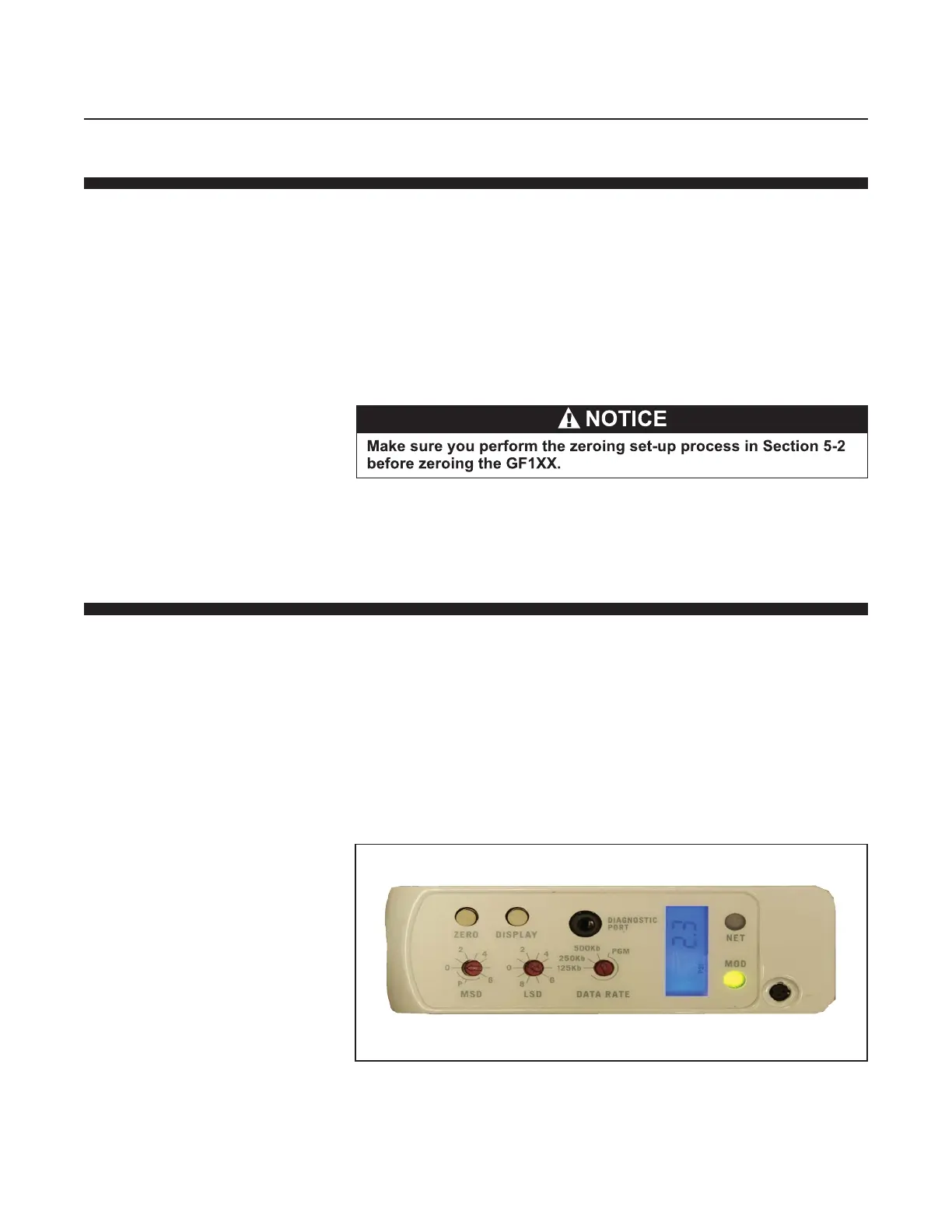
2. Looking at the top of the GF1XX, press the "Display" button, starting at
the MACID, four times to "PSI" or five times to "kPa" or until the LCD
displays the labels "PSI" or "kPa". The GF1XX will display pressure in
units of PSIA or kPa. Press and hold down the Zero button a minimum
of 5 seconds or until the display reads 0.000, with the last two digits
flickering at different values. The pressure transducer zeroing
procedure can be done while the display is either in PSIA or kPA output.
Refer to Figure 5-1.
Figure 5-1 Display with PSI Reading
After completion of the pressure transducer zeroing, the LCD display will
read 0.0 with the last two digits flickering as shown in Figure 5-2.


 To Next Page