Polycold Cryochiller Installation
Installation and Operation Manual Startup and Test
Brooks Automation
214072 Revision B 4-47
8. Let the unit stay in the Standby mode for 30 minutes for the "Polycold Stack" to reach operating
temperature. The Polycold Stack is the heat exchangers and other components that are encased
in insulating foam
9. Evacuate the vacuum chamber where the cryosurface is installed to at least 0.01 torr (1.33 Pa)
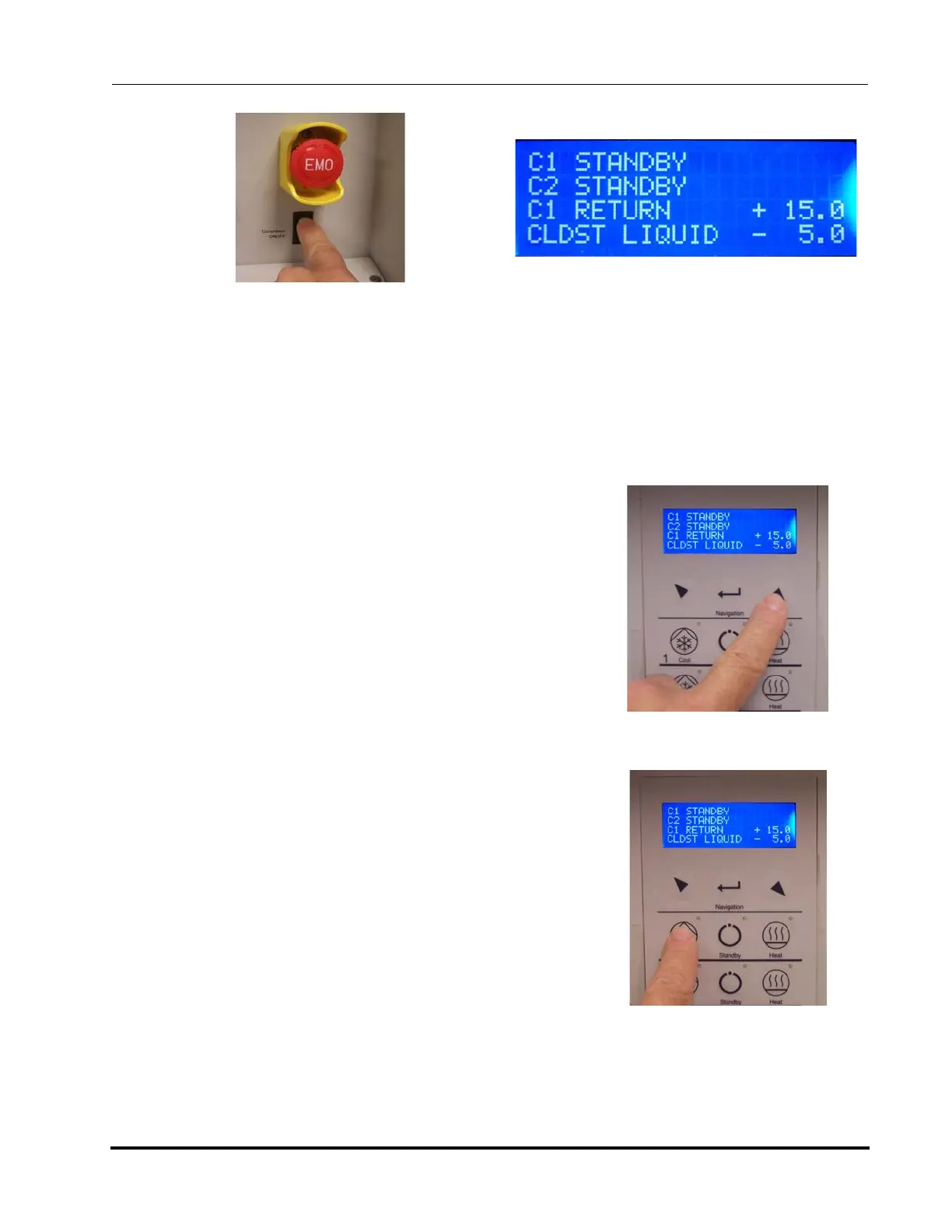
10. After the 30 minutes of Standby, scroll through the menu
to check the temperature and pressure parameters. See
Figure 4-41
• Circuit feed, return, coil in, and coil out temperatures
should be positive values.
• Coldest liquid temperatures should be below -80C.
11. Record the temperature and pressure parameter data.
12. Select Cool. See Figure 4-42.
• Wait 5 minutes if the refrigeration line plus coil is 6
meters (20 feet) or less.
• Wait 10 minutes if the refrigerant line plus coil is lon-
ger than 6 meters (20 feet).
• When pressed, the Cool LED blinks slowly.
13. Check the coil inlet and coil outlet temperatures to make
sure that they reach the desired temperatures.
14. Select Defrost. The unit automatically goes to Standby
when Defrost is complete.
15. Allow the unit to remain in Standby for 5 minutes.
16. Repeat the Cool, Defrost, and Standby cycle two or
three times.
17. For systems with dual refrigerant circuits, repeat steps 9
through 16 for channel 2.
18. Go to the Installation Checklist Table 4-1. Initial and date this task. Go to the next task on the check-
list.
Figure 4-39: Set Compressor Switch to ON
(Optional EMO shown)
Figure 4-40: Standby Mode
Figure 4-41: Check Parameters
Figure 4-42: Select Cool Mode



 To Next Page