Polycold Cryochiller Installation
Installation and Operation Manual Connect Electrical Power
Brooks Automation
214072 Revision B 4-15
9. Tighten each 1/4-20 (M6) terminal screw to 3.9 to 4.5 N-m (35
to 40 lb-in).
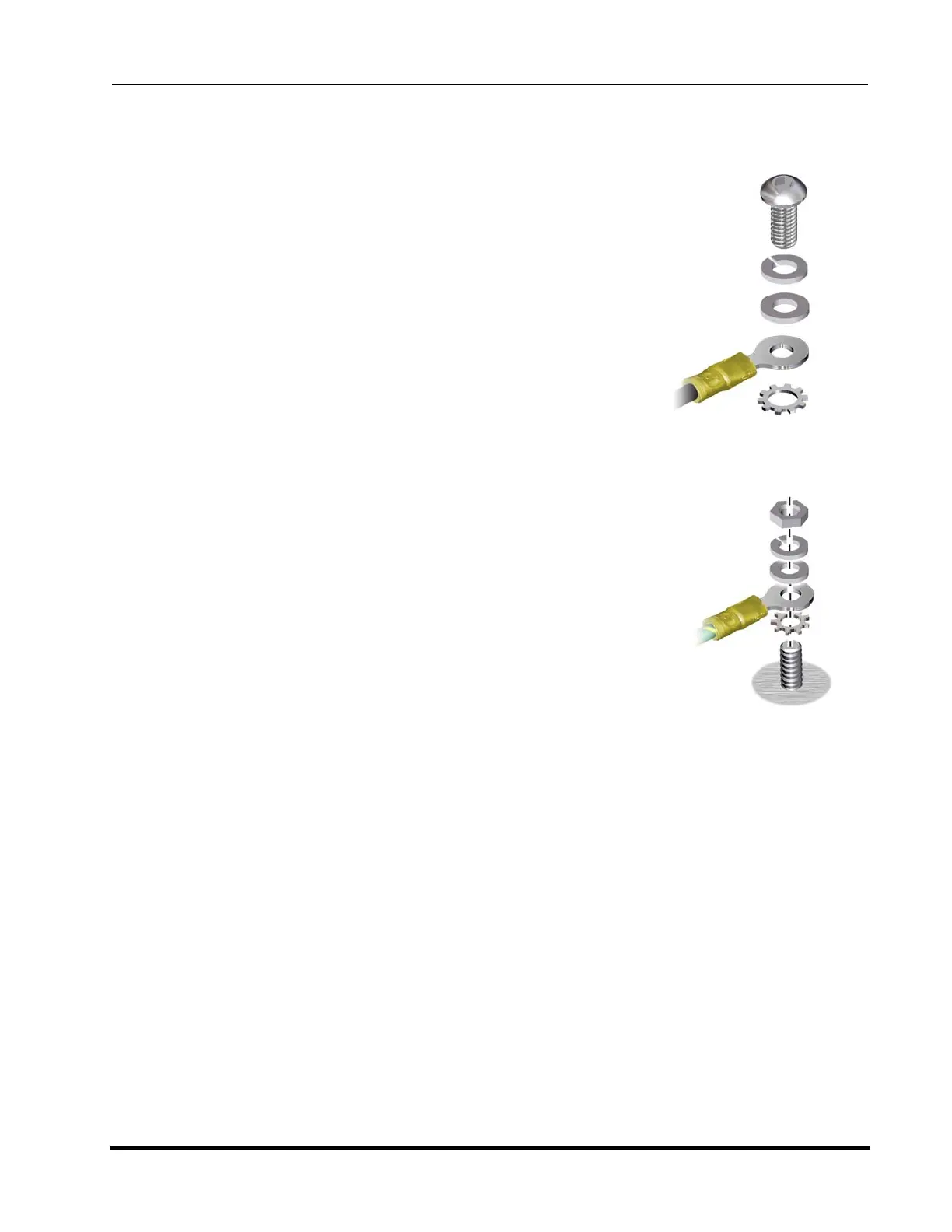
10. Connect the ground line of the power cable to the ground stud
using the hardware provided in the fastener sequence. Follow
the stack sequence below and shown in Figure 4-11.
• External star washer
• Terminal lug
• Flat washer - (optional)
• Lock washer - (optional)
• 1/4-20 (M6) Nut
11. Tighten the 1/4-20 (M6) ground nut to 4.5 to 5.1 N-m (40 to 45
lb-in).
12. After the power cable is fully connected, secure the power
cable to the track using cable ties. Holes are provided in the
cable track for inserting the cable ties.
13. If the Polycold Cryochiller is operating at maximum load and
the power rating is lower than 93% of the power setting
selected for the transformer tap setting, then it is recommended
that the input power to CB2 be wired in accordance to the
“Excepted Wiring Method” as found in Appendix C: CB2
Excepted Wiring on page 12-5 or contact Brooks as required.
14. Check the input voltage and compare to the voltage specified
on the system label. Adjust the tap settings, if required, to
accommodate the actual input voltage. See Input Power Trans-
formers on page 4-16.
Figure 4-10: Terminal Washer
Stack Sequence
Figure 4-11: Ground Washer
Stack Sequence



 To Next Page