21 | DEDisplay Remote // Display Central // Before the rst commissioning
12 Basics of the operating elements (buttons)
(1)
(5)
(2)
(3)
(4)
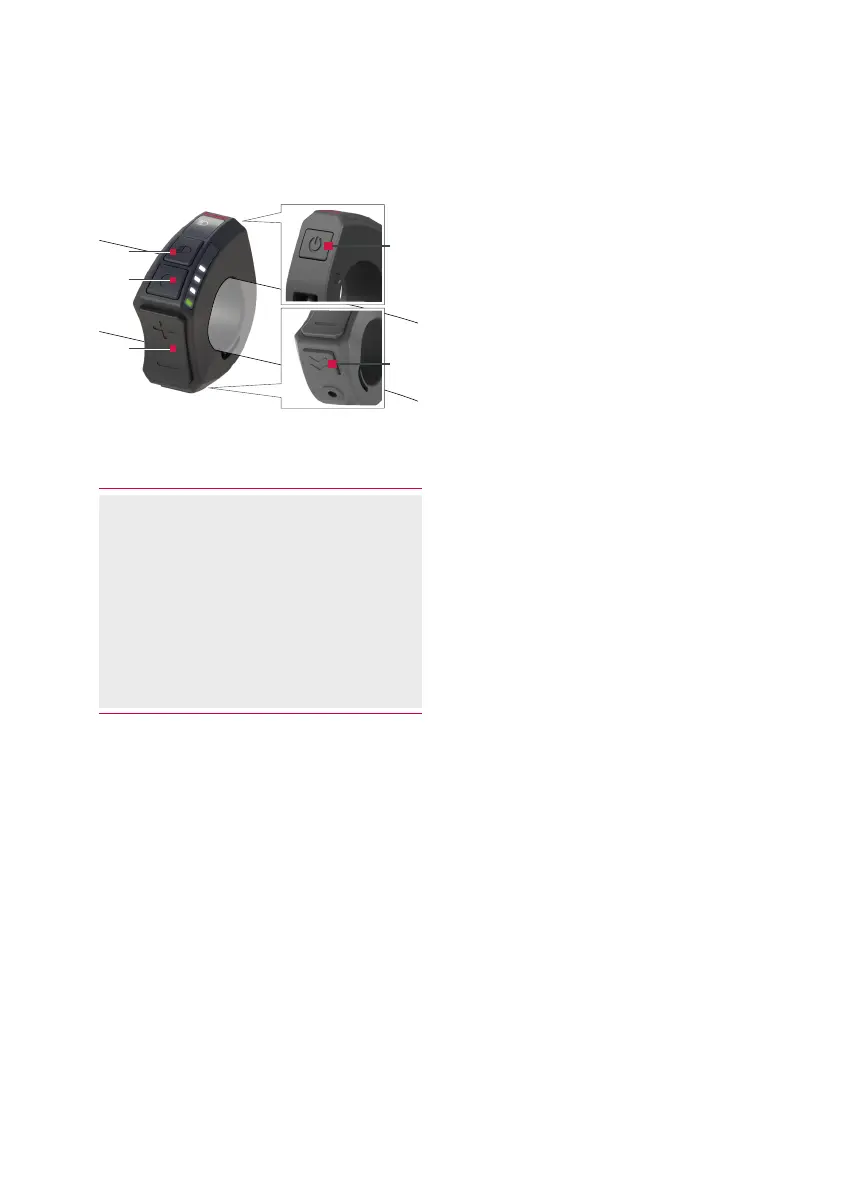
Fig. 2: Operating elements (buttons) of the control unit
(1) Button (On/Off)
(2) Button (Light)
(3) Button (Menu)
In case of the operation of the
control unit without the display
unit, the button is deactivated
(4) Buttons / (Plus/Minus)
(5) Button (push assist)
Button (On/Off)
› Press the button to switch the
Brose Drive System on or off.
Button (Menu)
In case of the operation of the control
unit without the display unit, the
button is deactivated.
› You can use the button to call
various information items while
cycling.
› If you are in a menu (e.g. Settings),
confirm any settings made with this
button.
Buttons / (Plus/Minus)
› Use the / buttons to increase
or decrease the support level.
› If you are in a menu (e.g. Settings),
you can scroll up or down in the
menu with these two buttons.
Button (Light)
› Use the button to switch the
lighting of your e-bike on or off
again. This function depends on the
model.
› If you are in a menu (e.g. Settings),
press the button to go back one
level. Changed settings are saved.
Button (push assist)
› Press the button to enable the
push assist function.



 To Next Page