27 | DEDisplay Remote // Display Central // Operation and handling
17 Brose E-Bike App (Bluetooth
®
connection)
Depending on the model, a mobile
device can be connected to the Brose
Display Remote via the Brose E-Bike
App.
∙ To establish a Bluetooth
®
connection,
follow the instructions in the Brose
E-Bike App.
INFORMATION
You can download the Brose E-Bike
App at www.brose-ebike.com. There
you will also find detailed information
on requirements and functions.
In order too reset existing Bluetooth
®
connections (paired devices) and to pair
or connect a mobile terminal again:
Brose Display Remote
∙ Hold down the and buttons for
10 seconds.
Mobile terminal
∙ Delete the Bluetooth
®
connection
to the Brose Display Remote in the
system settings.
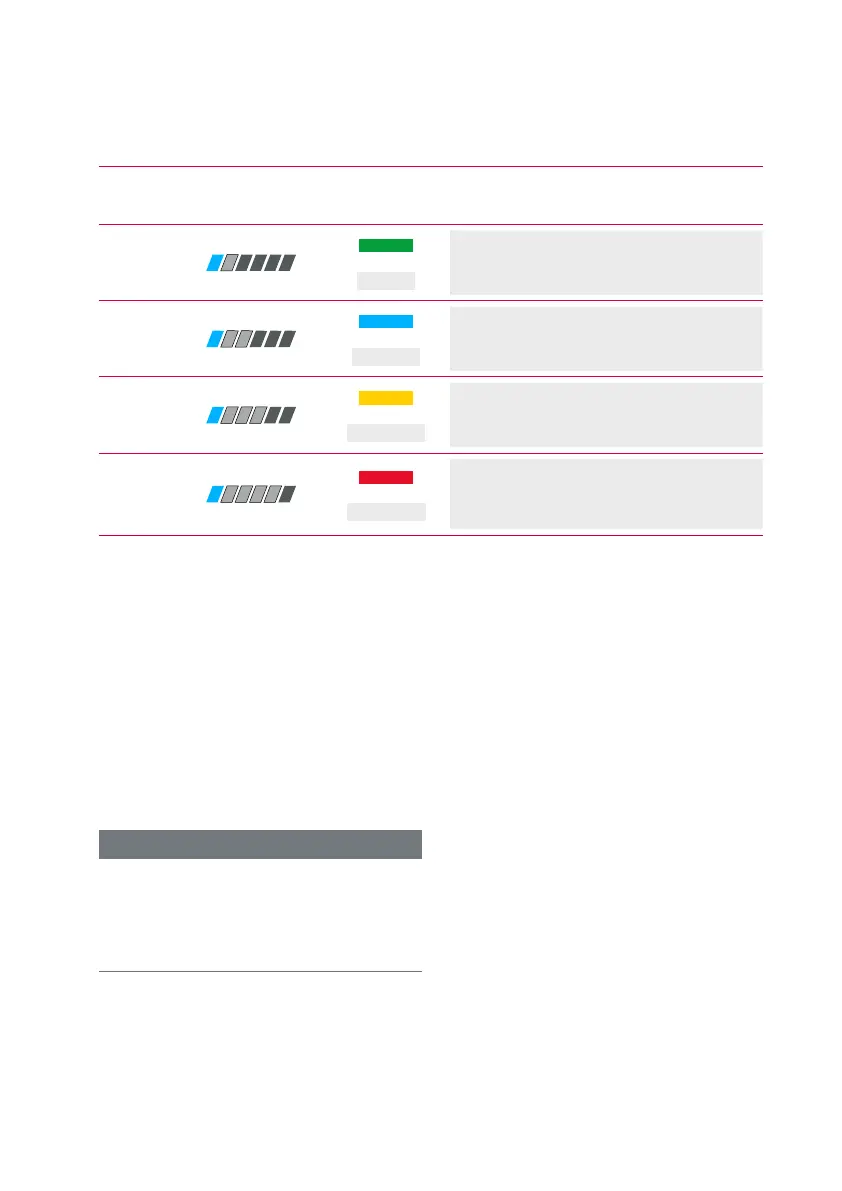
16.3 Overview of the support levels
Mode
Display of
Display Remote
Display of
Display Central
Description
ECO
/
ECO
Tangible support from the engine for
maximum efficiency and range.
TOUR
/
TOUR
Clearly noticeable support from the
motor, ideal for long trips.
SPORT
/
SPORT
Powerful support for sporty cycling.
BOOST
/
BOOST
Full support for sporty cycling, on
hilly routes and in city traffic with
normal battery range.



 To Next Page