DE | 22 Before the rst commissioning // Display Remote // Display Central
13 Basics of the displays
Display Remote control unit
(1)
(3)
(2)
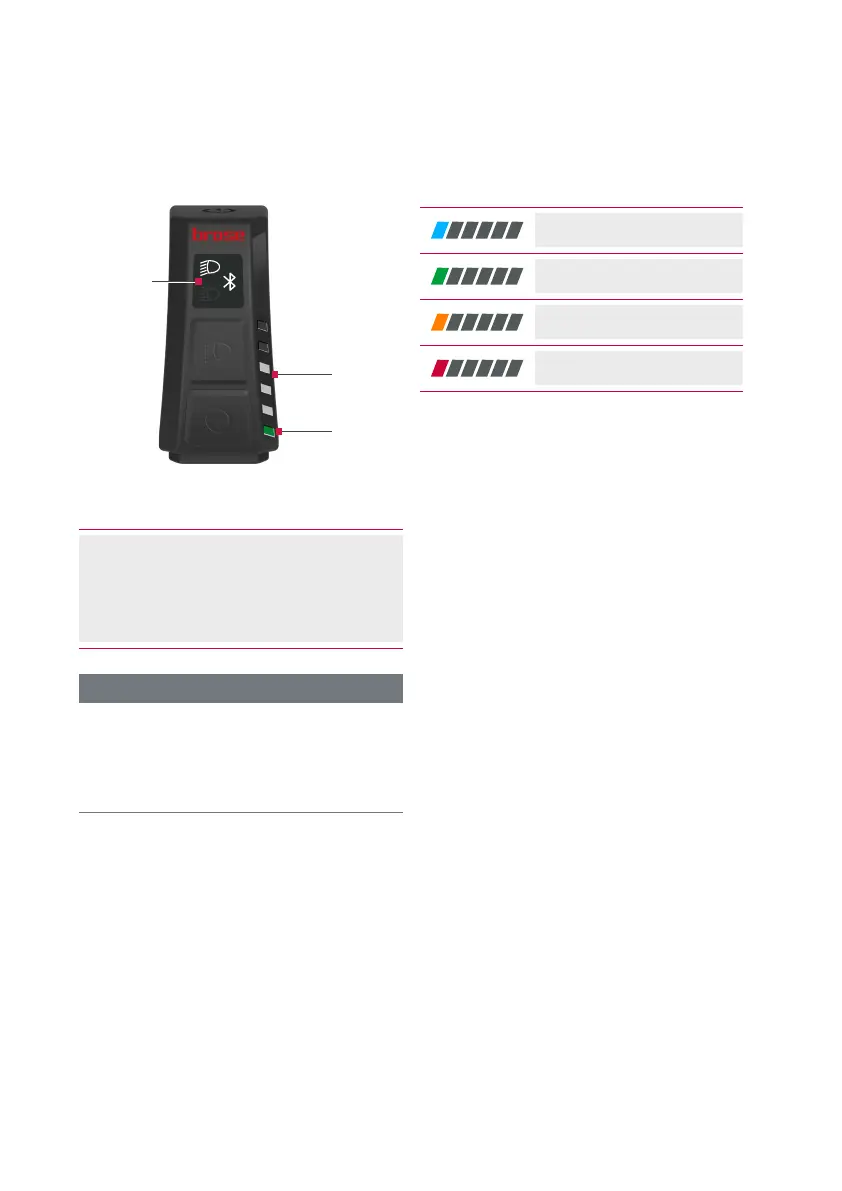
Fig. 3: Displays of the Display Remote control unit
(1) Lighting/Bluetooth display
(2) LED band (support level/charge
level)
(3) Status LED (e.g. error)
INFORMATION
During the operation of the Display
Central display unit, the displays on
the Display Remote control unit are
deactivated.
Support level
Charge level
Warning
Error
The colour of the status LED(3) indicates
the type of information currently
displayed on the LED band(2) .
In normal operation, the battery charge
level is displayed in the LED band.
Press the or button to display the
currently selected support level on the
LED band.



 To Next Page