S-7300A
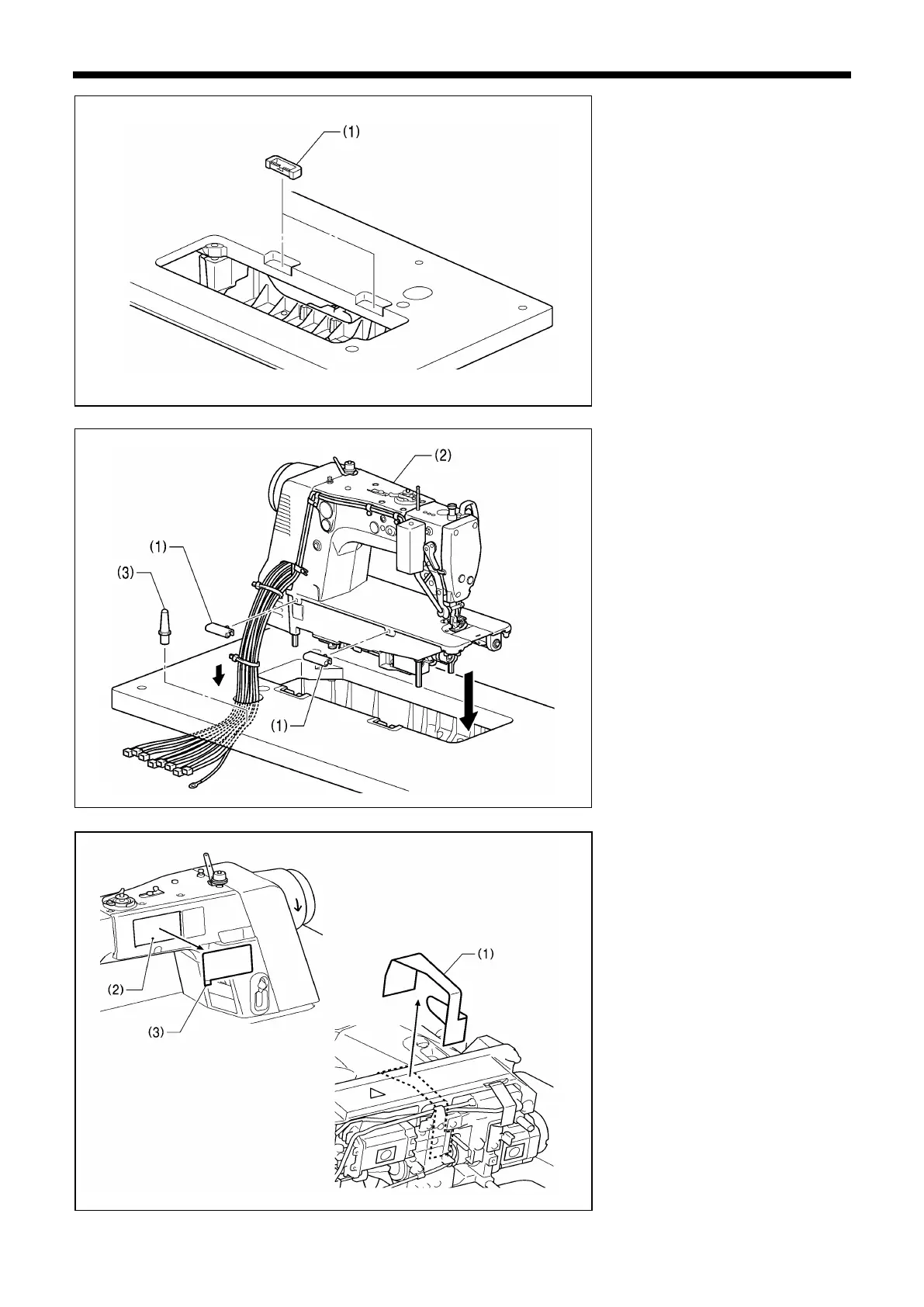
3. Rubber cushions
(1) Rubber cushions [2 pcs]
4. Machine head
(1) Hinges [2 pcs]
(2) Machine head
(3) Head rest
NOTE:
・Bind the cords together and pass
them through the cord hole.
・Tap the head rest (3) securely into
the table hole. If the head rest (3) is
not pushed in as far as it will go, the
machine head will not be sufficiently
stable when it is tilted back.
5. Machine head seal
1. Tilt back the machine head, and
then peel off the sticker (1).
2. Peel off the protective sheet (3) from
the operation panel (2).



 To Next Page