S-7300A
6. USING THE OPERATION PANEL (ADVANCED OPERATIONS)
6-6. Design stitch registration method
Up to 5 different types of design stitches (DS-1 to DS-5), each one consisting of several different pitch groups (up to a
maximum of 8 groups), can be registered.
A single group can be set to contain up to a maximum of 20 stitches with the same stitch pitch.
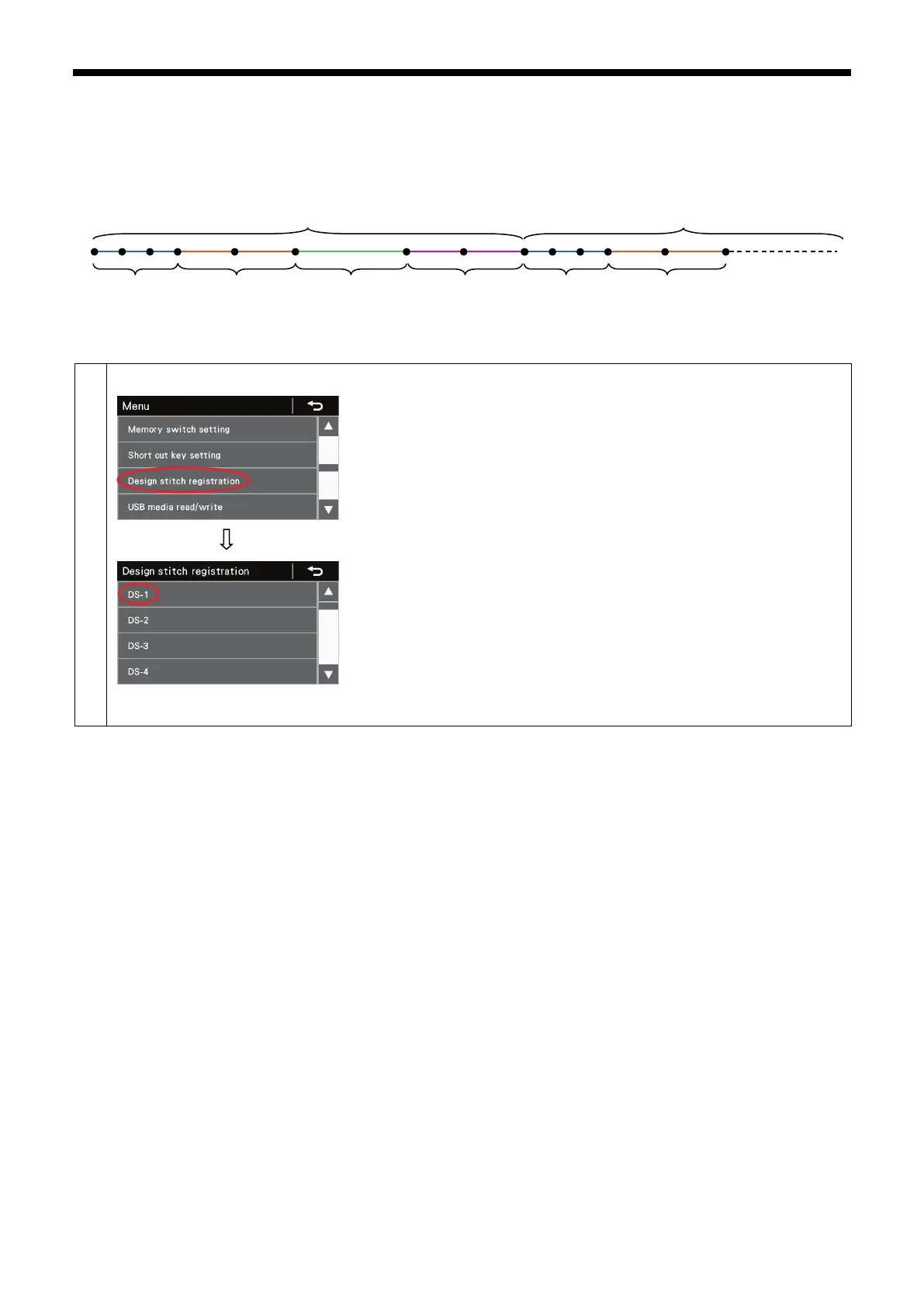
This section shows an example of how to register a design stitch which contains the following eight kinds of stitches into DS-1.
Switching to add/delete step mode
1. At the menu screen, select "Design stitch registration" to switch to the
design stitch registration (number selection) screen.
2. Next, select the design stitch number to be registered from DS-1 to DS-5.
1mm×3 stitch
2mm×2 stitch
4mm×1 stitch
2mm×2 stitch
1mm×3 stitch
2mm×2 stitch



 To Next Page