EasyManua.ls Logo

Brother S-7300A-403P - Operation Panel Icon Guide; Simple and Fixed Icons; Dynamic Touch Key Icons

Brother S-7300A-403P
108 pages
Print Icon
To Next Page IconTo Next Page
To Previous Page IconTo Previous Page
Loading...
S-7300A
5. USING THE OPERATION PANEL (BASIC OPERATIONS)
23
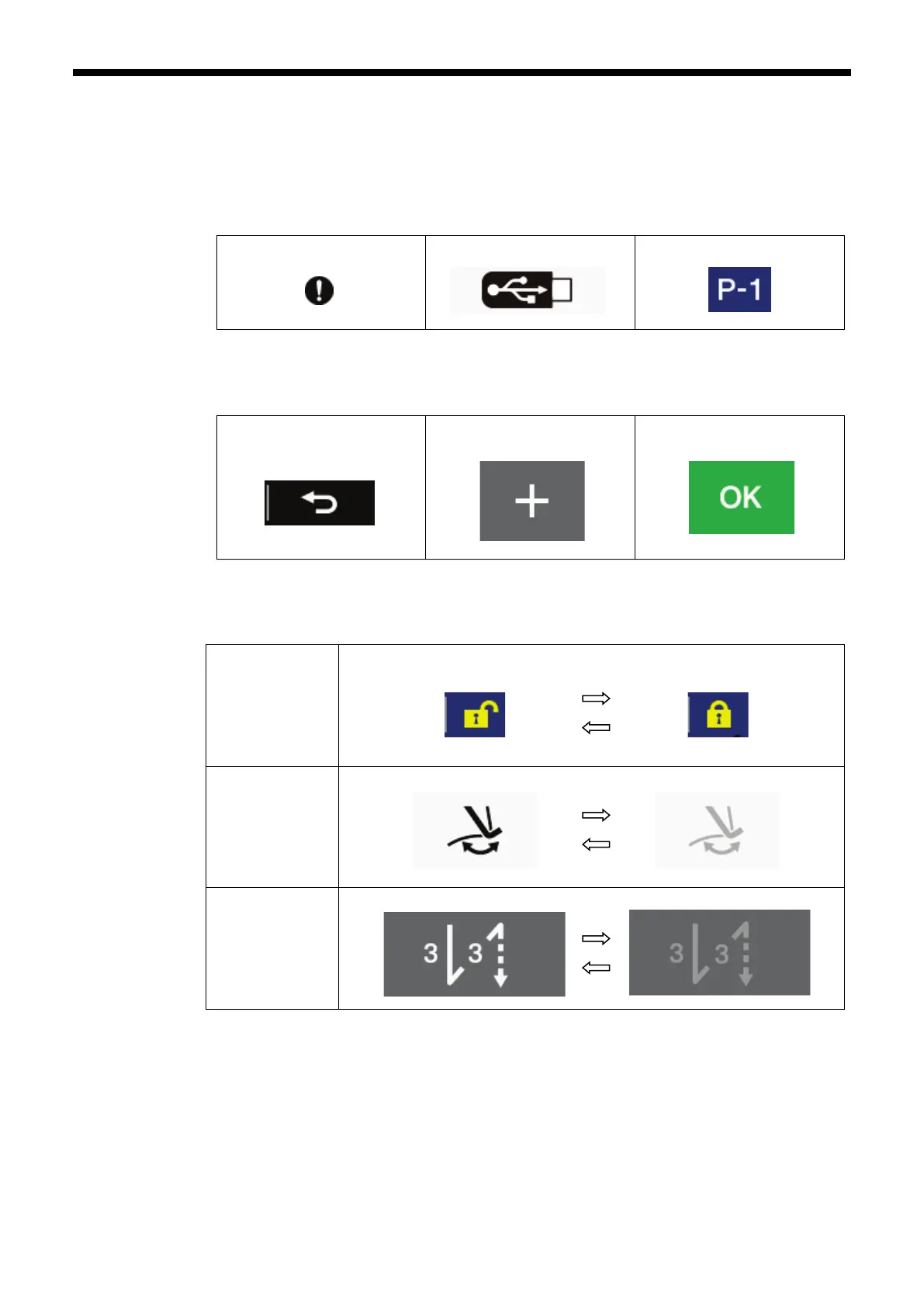
5-2-3. Types of icons
The icons which appear in the display can be broadly classified into the following three types.
Type A: Simple symbols
<Example>
Warning symbol
USB connector
Current program No.
Type B: Plain touch keys (symbol is always fixed)
<Example>
Return key
(Returns to the previous
screen)
+ key
(Increases a value)
OK key
(Confirms a value)
Type C: Touch keys which change their setting status (symbol) each time they are touched
<Example>
Lock key
Unlocked
Locked
Thread wiper key
Thread wiping enabled
Thread wiping disabled
Start backtack key
Start backtack enabled Start backtack disabled

Table of Contents

Related product manuals