S-7300A
6. USING THE OPERATION PANEL (ADVANCED OPERATIONS)
6-2. Editing steps
The number of stitches and sewing pitch can be changed separately for each step.
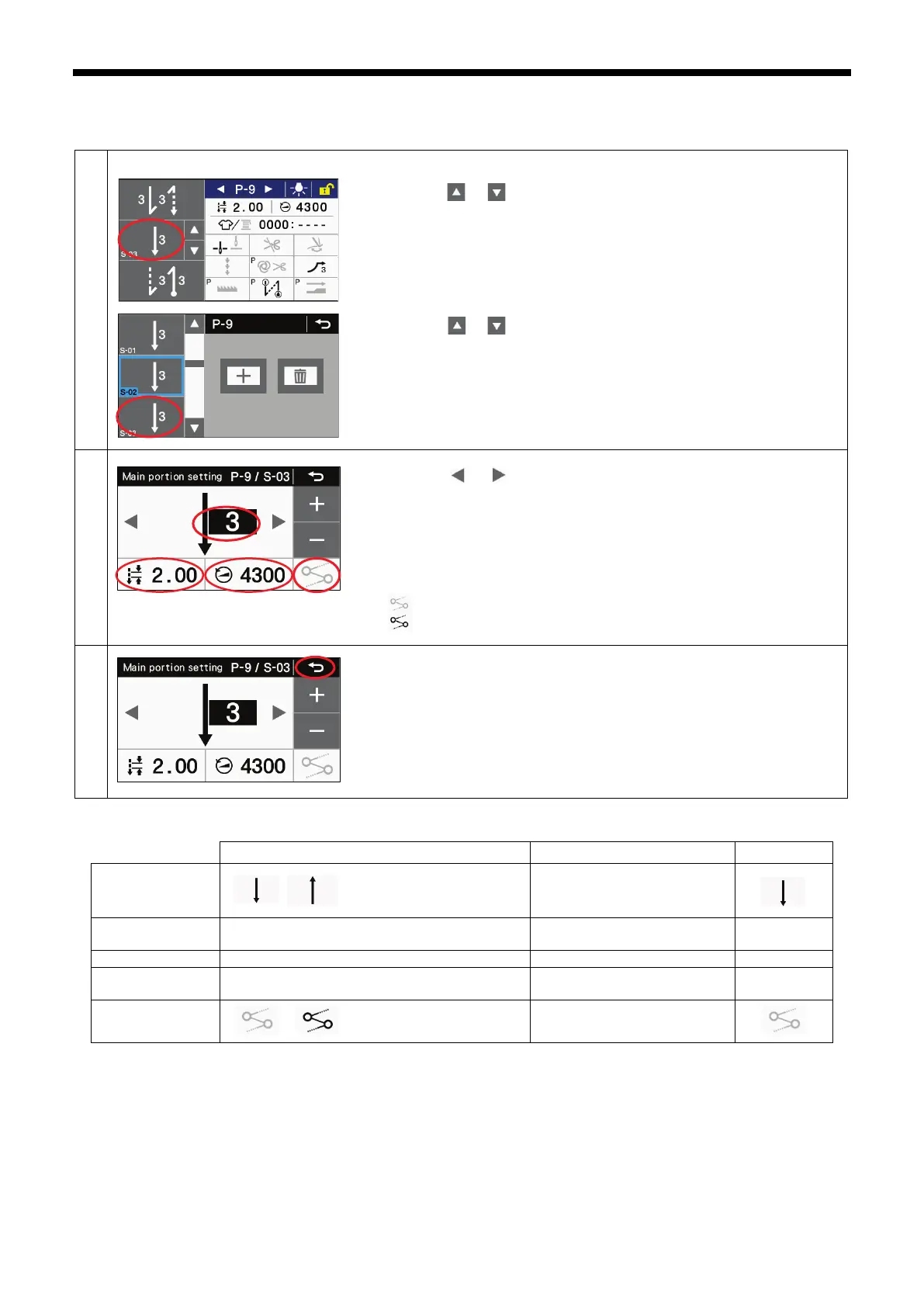
Switching to main sewing setting mode
From the detailed home screen
・ Press the or key to select the step number to be edited.
・
Keep pressing the main sewing key (1) to switch to main sewing setting
mode.
From add/delete step mode
・ Press the or key to display the number of the step to be edited.
・
Press the pattern (2) for the step number to be edited to switch to main
sewing setting mode.
Set the main sewing parameters.
(1) Press the or key to select the main sewing pattern.
(2) Press the stitch number key to select the number of stitches.
Use the + and - keys to change the number of stitches.
(3) Press the stitch pitch key to select the stitch pitch. Use the + and - keys to
change the value.
(4) Press the sewing speed key to select the main pattern sewing speed.
Use the + and - keys to change the value.
(5) Press the link key to switch linking between enabled and disabled.
: No linking with next step
: Linking with next step
Press the return key to return to the previous screen.
Main sewing parameters when several steps exist
pattern
-3 specifications: 220 - 5000 sti/min
-5 specifications: 220 - 4500 sti/min
-3 specifications: 0.05 - 5.00 mm, DS1 - DS5
-5 specifications: 0.05 - 5.00 mm, DS1 - DS5
(*1) For China: 4300 (sti/min)
For Japan and General Export: 4000 sti/min
For -3 specifications for Europe and America: 4700 sti/min
For -5 specifications for Europe and America: 4500 sti/min



 To Next Page