S-7300A
6. USING THE OPERATION PANEL (ADVANCED OPERATIONS)
6-10-2. 2nd correction pitch setting
Normally, correction sewing is carried out at the currently-set sewing pitch. However, when "Correction sewing at 2nd
correction pitch" is set for carrying out correction sewing, then correction sewing is carried out at the pitch which is set below.
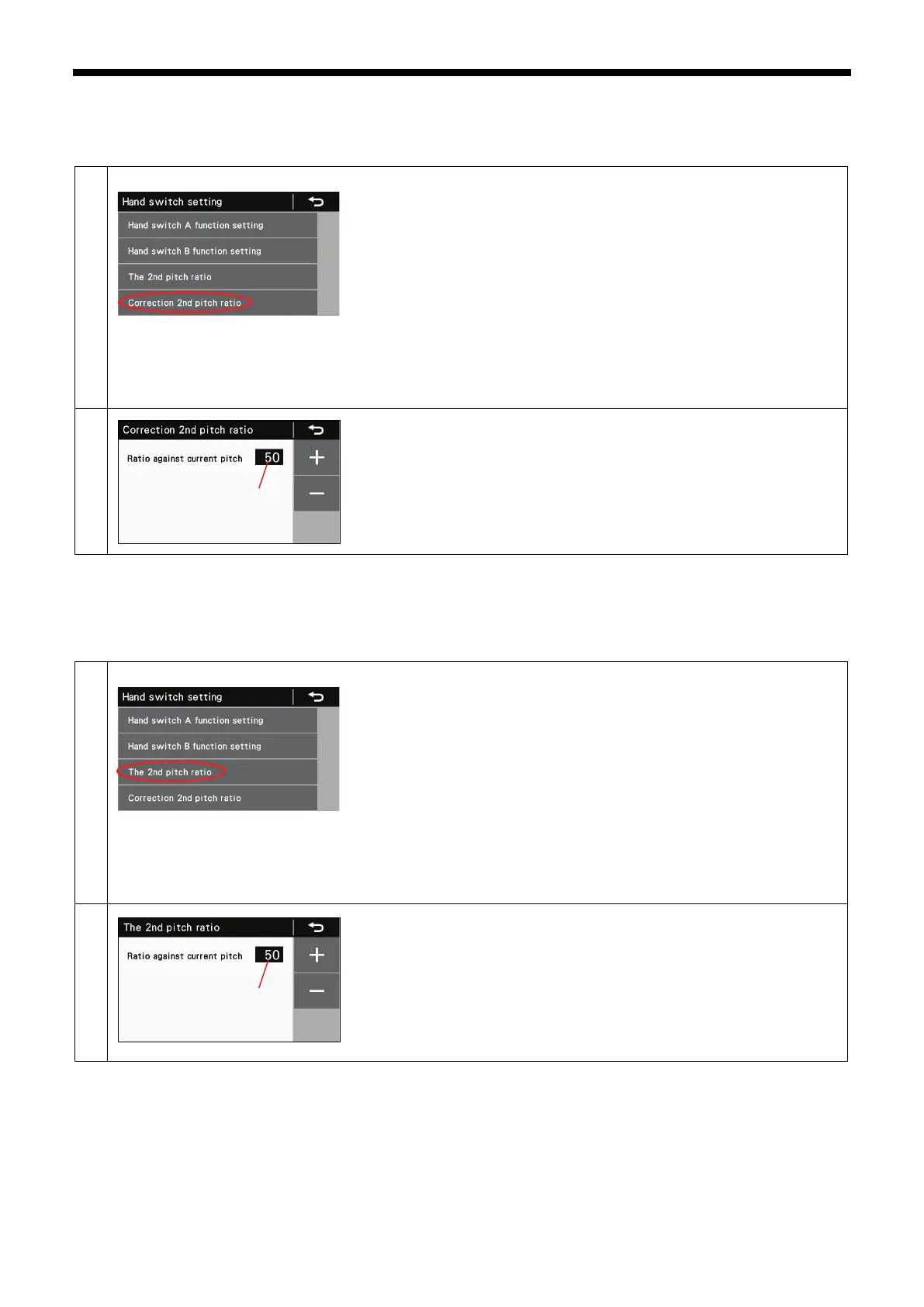
<Switching to correction 2nd pitch ratio screen>
At the hand switch setting screen, select "Correction 2nd pitch ratio".
Use the + or + key to set the ratio (1) with respect to the current pitch.
The setting range is from 10% to 250%.
・ Press the return key to return to the previous screen.
・ Press the menu key to return to the menu screen.
6-10-3. 2nd pitch setting
If "2nd pitch" has been set and the hand switch is pressed during sewing, the stitch pitch will change to the pitch set as follows.
<Switching to 2nd pitch ratio screen>
At the hand switch setting screen, select "2nd pitch ratio".
Use the + or + key to set the ratio (1) with respect to the current pitch.
The setting range is from 10% to 250%.
・ Press the return key to return to the previous screen.
・ Press the menu key to return to the menu screen.
(1)
(1)
(1)



 To Next Page