S-7300A
6. USING THE OPERATION PANEL (ADVANCED OPERATIONS)
6-12. Resetting all settings to their defaults
If the sewing machine stops operating normally, the cause may be that an incorrect setting may have been made for the
memory data by means of memory switches, for instance. In such cases, it may be possible to restore normal operation by
following the steps given below to initialize the stored data.
Switching to initialization mode and initialization method
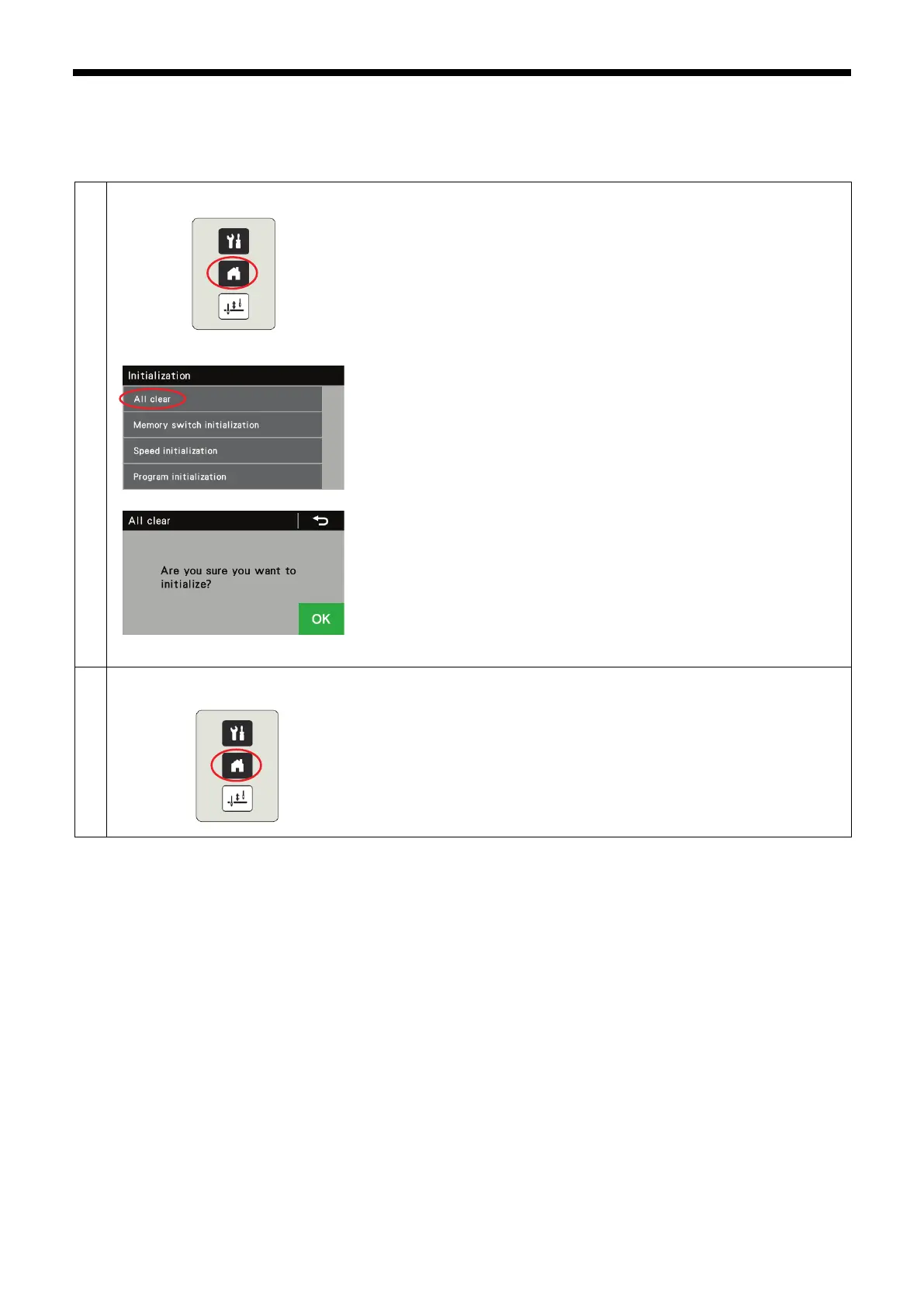
1. While pressing the home key, turn on the power to switch to the
initialization menu screen.
2. At the initialization menu screen, you can select the items to be initialized.
3.
When you select an item to be initialized, the "Are you sure you want to
initialize?" confirmation screen will be displayed. Press OK to carry out the
initialization.
When initialization is complete, the display will return to the
initialization menu screen.
To exit from the initialization menu screen
At the initialization menu screen, press the home key to close the initialization
menu and switch to the home screen.



 To Next Page