S-7300A
6. USING THE OPERATION PANEL (ADVANCED OPERATIONS)
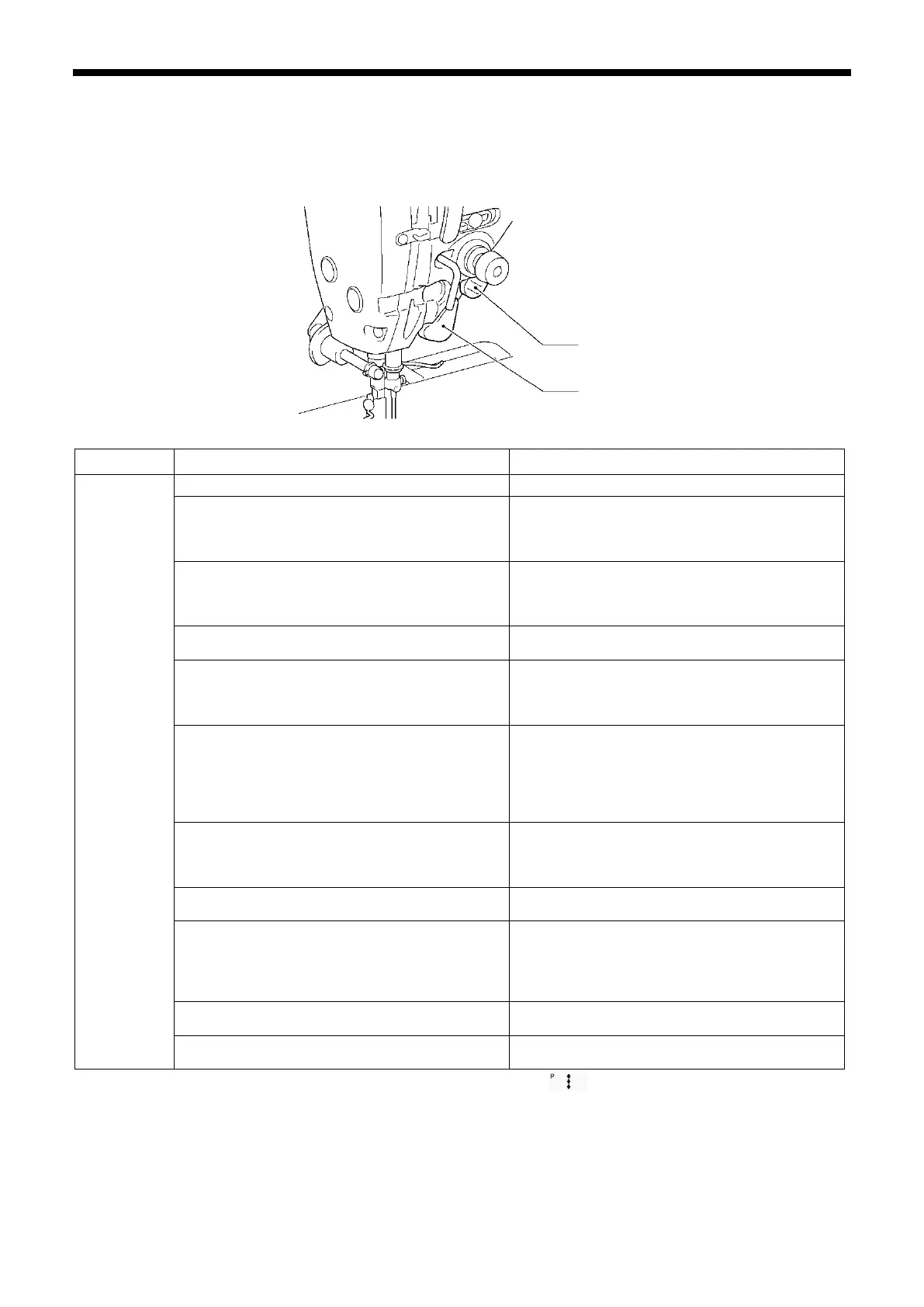
6-10. Hand switches
There are two types of hand switch: Type A and type B. The following functions can be assigned to each one.
* However, they cannot both be pressed at the same time. (The one which was pressed first will be activated.)
The input for hand switch A is in 8 steps, and the input for hand switch B is in 3 steps (off, half-pressed and fully-pressed).
(The operation of the hand switches will vary depending on the status of the correction sewing icon.)
Hand switch A (initial value: 1) Hand switch B (initial value: 1)
Settings for
correction
sewing
switch
1: <Single stitch correction sewing at 2nd correction
pitch>
Stops after sewing a single stitch
* Set the 2nd correction pitch separately.
1: <Single correction sewing>
Stops after sewing a single stitch
2: <Continuous correction sewing at 2nd correction
pitch>
If the switch is kept pressed, sewing continues.
* Set the 2nd correction pitch separately.
2: <One pitch /Continuous correction sewing>
Half pressed: Stops after sewing a single stitch
Fully pressed: If the switch is kept pressed,
3: <Single correction sewing>
Stops after sewing a single stitch
3: <Continuous correction sewing>
If the switch is kept pressed, sewing continues.
4: <Continuous correction sewing>
If the switch is kept pressed, sewing continues.
4: <Single stitch correction sewing at 2nd correction
pitch>
Stops after sewing a single stitch
* Set the 2nd correction pitch separately.
5: <Reverse single correction sewing>
Stops after sewing a single stitch
5: <One pitch at second correction pitch/ continuous
correction sewing>
Half pressed: Stops after sewing a single stitch
Fully pressed: If the switch is kept pressed,
sewing continues.
* Set the 2nd correction pitch separately.
6: <Reverse continuous correction sewing>
If the switch is kept pressed, sewing continues.
6: <Continuous correction sewing at 2nd correction
pitch>
If the switch is kept pressed, sewing continues.
* Set the 2nd correction pitch separately.
7: <Single correction sewing>
Stops after half stitch sewing
7: <Reverse single correction sewing>
Stops after sewing a single stitch
8: <Reverse one pitch/ reversed continuous
correction sewing>
Half pressed: Stops after sewing a single stitch
Fully pressed: If the switch is kept pressed,
9: <Reverse continuous correction sewing>
If the switch is kept pressed, sewing continues.
10: <Single correction sewing>
Stops after half stitch sewing
* These settings are enabled when the correction sewing icon is illuminated ( ).
Hand switch A
Hand switch B



 To Next Page