S-7300A
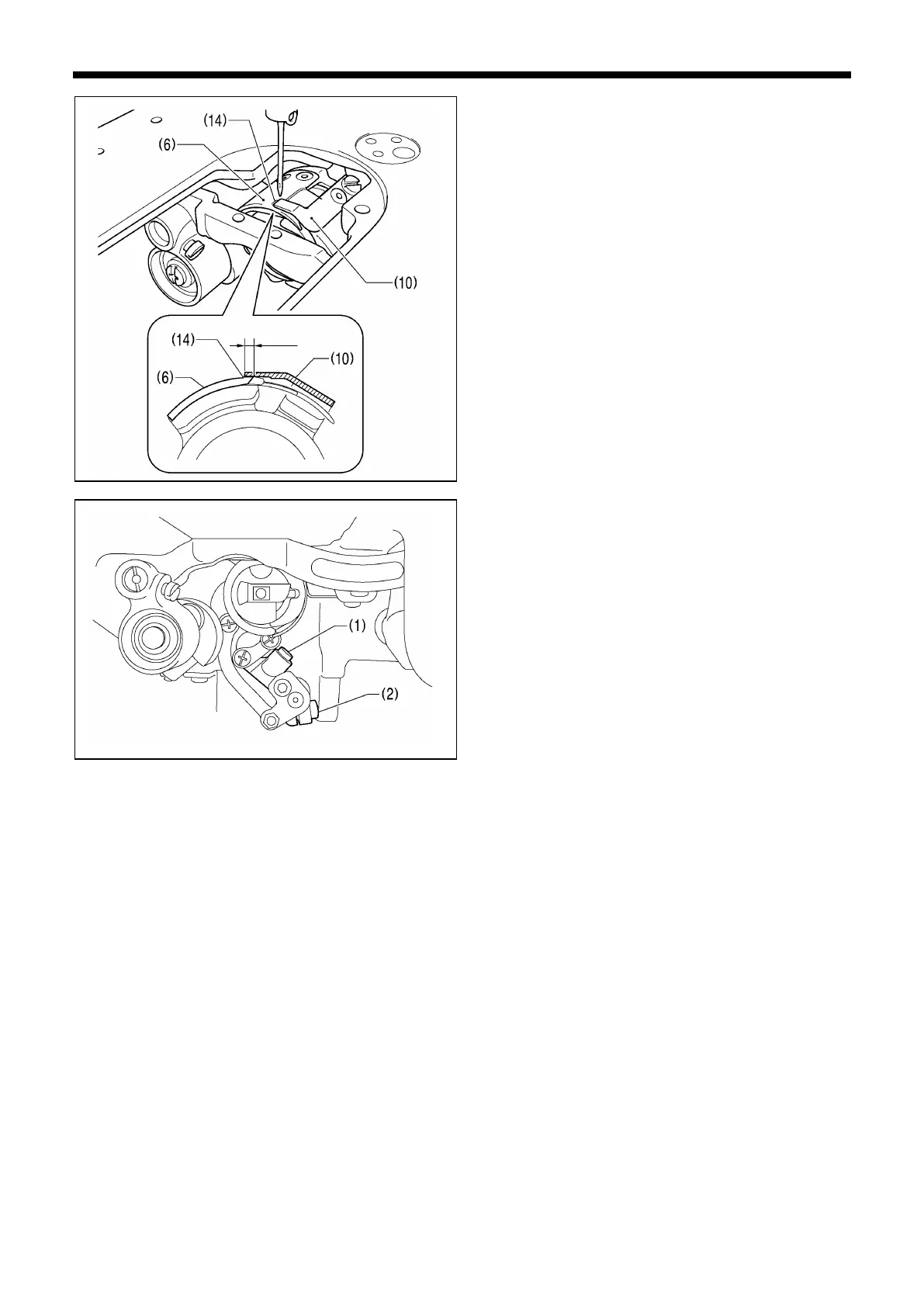
10. Set the maximum meshing amount for the upper and
lower knives to 2 mm.
* Turn the thread trimmer lever (1) to align the tip of the
upper knife (10) with the center of the index mark (14) on
the lower knife (6).
* Make sure that the tip of the upper knife (10) does not go
past the index mark (14).
11. Tighten the screw (2) of the thread trimmer lever (1).
* Make sure that there is no play in the thrust direction in
the forked shaft (15) of the thread trimmer lever (1) (see
illustration on page 8).



 To Next Page