SMART MATRIX FEEDER Operation
SMART MATRIX FEEDER 2-2
Navigation throughout the Display Windows
Many configuration/parameter setting functions of SMART MATRIX FEEDER system require a number of
parameters distributed among multiple
display windows.
All the “Window Selection”, “Parameter Selection within a Window” and “Parameter Setting” functions on
SMART MATRIX FEEDER terminal, can be carried out using exclusively the multi-function Rotary Selector,
through a navigation technique based upon “Pointing”, “Selecting” and “Value Setting” actions.
The following example explains this navigation technique.
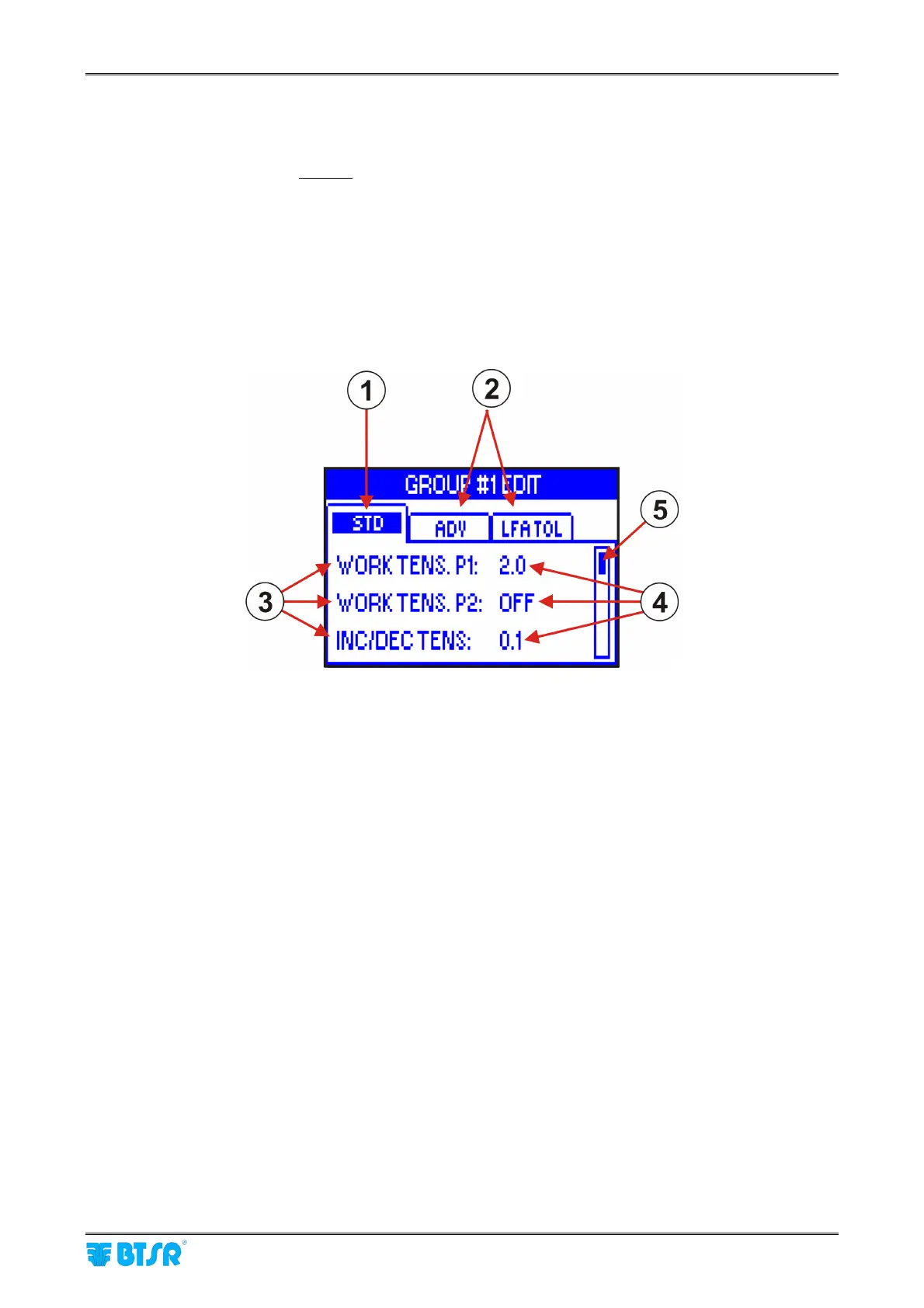
The example refers to the Style Parameters Programming function for ULTRAFEEDER devices, which
makes use of 3 windows (STD, ADV and LFATOL).
1 - Name (label) of currently selected window (foreground)
2 - Names (labels) of non-selected windows (hidden)
3 - Name of fields within the currently selected window
4 - Field values
5 - Scroll bar to view the remaining parameters



 To Next Page