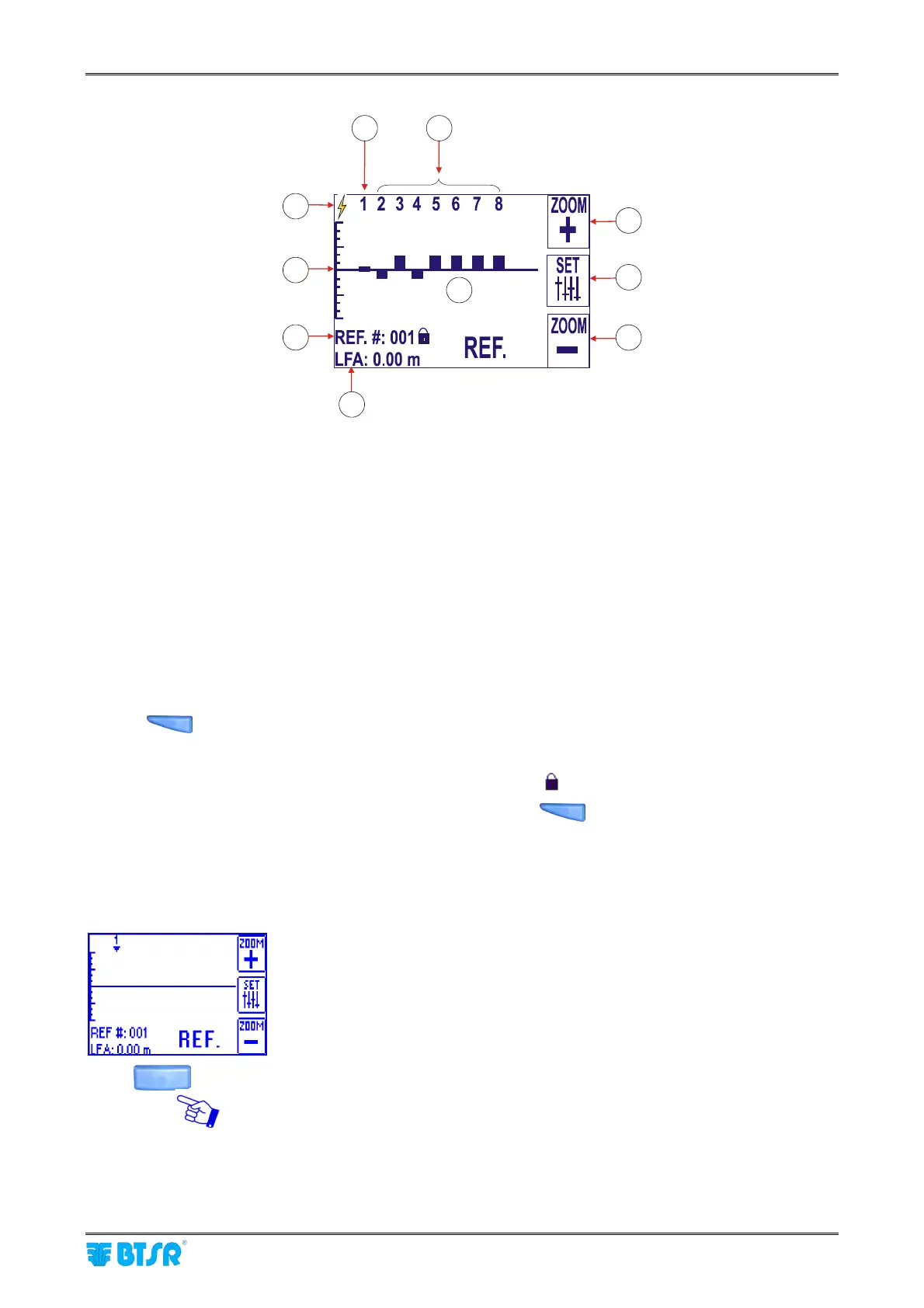
Graphics Display
SMART MATRIX FEEDER 2-43
W
9
7
4
5
8
6
1
2
3
10
1) ZOOM + button (with respect to the tension scale – 7) – when pressing this button, the current
visualization scale will be indicated.
2) Options setting button (circular/measure and type of PRX signal)
3) ZOOM – button (with respect to the tension scale – 7) – when pressing this button, the current
visualization scale will be indicated.
4) Currently selected device (which the bottom right indication refers to, e.g. REF.)
5) Devices under control 1~8 (to select the various devices, turn the rotary selector)
6) Histogram of LFA values with respect to the reference device.
7) Tension value visualization scale.
8) Identification number of the reference device (to change the reference device, select the desired device
turning the rotary selector and click to confirm). The device selected as reference could show
differences from one machine/revolution to the next one, thus affecting the other positions too. Pressing
the
button, you may lock at any time the Reference value, so that possible variations will be
ignored. Starting from this time, the LFA values of ULTRAFEEDER/ROLLING FEEDER devices will be
referred to such locked value.
The locked reference condition is indicated by a lock symbol (
).
To remove the “LOCKING” condition, simply press again the
button.
9) LFA value of selected devices.
10) Symbol indicating the synchronism signal, either external (PRX) or internally generated (AUTO).
(See note (*) on previous page).
Select CIRCULAR ADV SETTINGS.



 To Next Page