Operating Notes about LEARN Function
SMART MATRIX FEEDER 3.17
Example 4: Both LFA and AUTOLFA enabled in LFATOL.
In this case, the sequence of operations is similar to that described on examples 2 and 3, but a combined
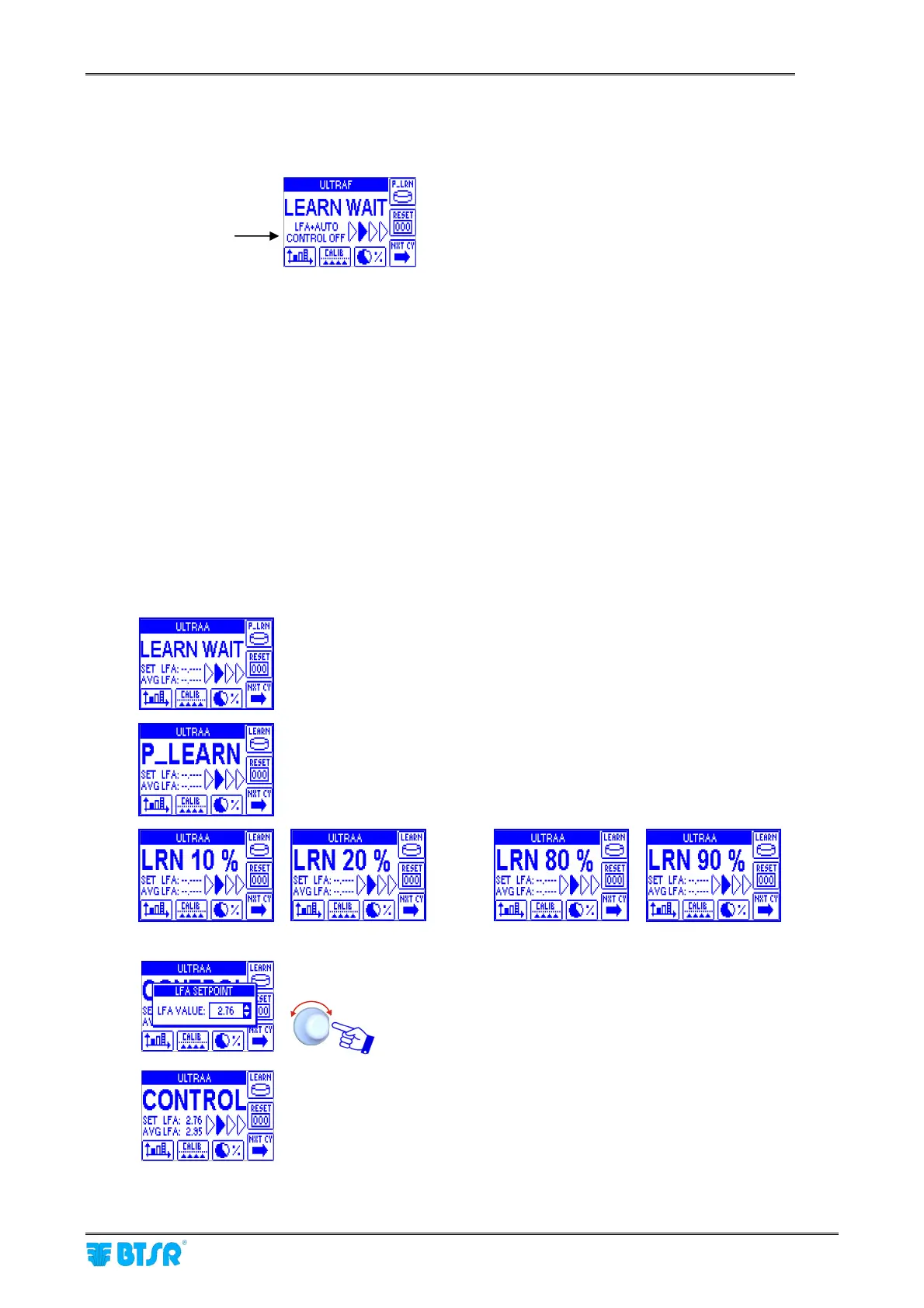
indication (LFA + AUTO) will appear on the screen, e.g.:
In this case too, after 10 consecutive “MINI CYCLE” or “LONGCYCLE” messages, a warning LEARN
MISS??? will appear and all the blue lamps will start blinking.
To continue, press RESET or click on rotary selector and repeat the LEARN operation.
LEARN function with JERSEY KNIT application.
If in SETUP-APPLICATION you selected the JERSEY KNIT application (which assumes the production of a
smooth continuous stitch with uniform yarn consumption), then the LEARN function shows several
differences with respect to the examples 2,3 and 4 described on previous pages.
1. the LFATOL window (STYLE EDIT) only includes the AUTOLFA option (the LFA option does not
appear).
2. the LEARN AUTOLFA function operates like the CALIBRATION function, in the sense that the
system after having completed the learning stage (10 PRX pulses), tries to progressively
compensate the tension deviations (if any), in order to obtain a uniform yarn consumption.
3. If you had previously performed the CALIBRATION function, then the compensation will be carried
out with respect to the values already corrected by the calibration itself.
4. the LEARN sequence will be the following:
System waiting for P_LRN button pressed by the operator.
P_LRN button pressed!
System waiting for PRX pulses (10 pulses)
…
Increase of percentage value upon each PRX pulse.
The LFA value can be either confirmed or changed.
to continue.
System in CONTROL status!
SET LFA = value acquired and/or modified by the operator.
AVGLFA = current average LFA value.
The AVGLFA value will blink until it reaches the SET LFA ± 1%, then it remains
steady.
LFA and AUTOLFA enabled



 To Next Page