Operation
- 3.2 - SMART WARP
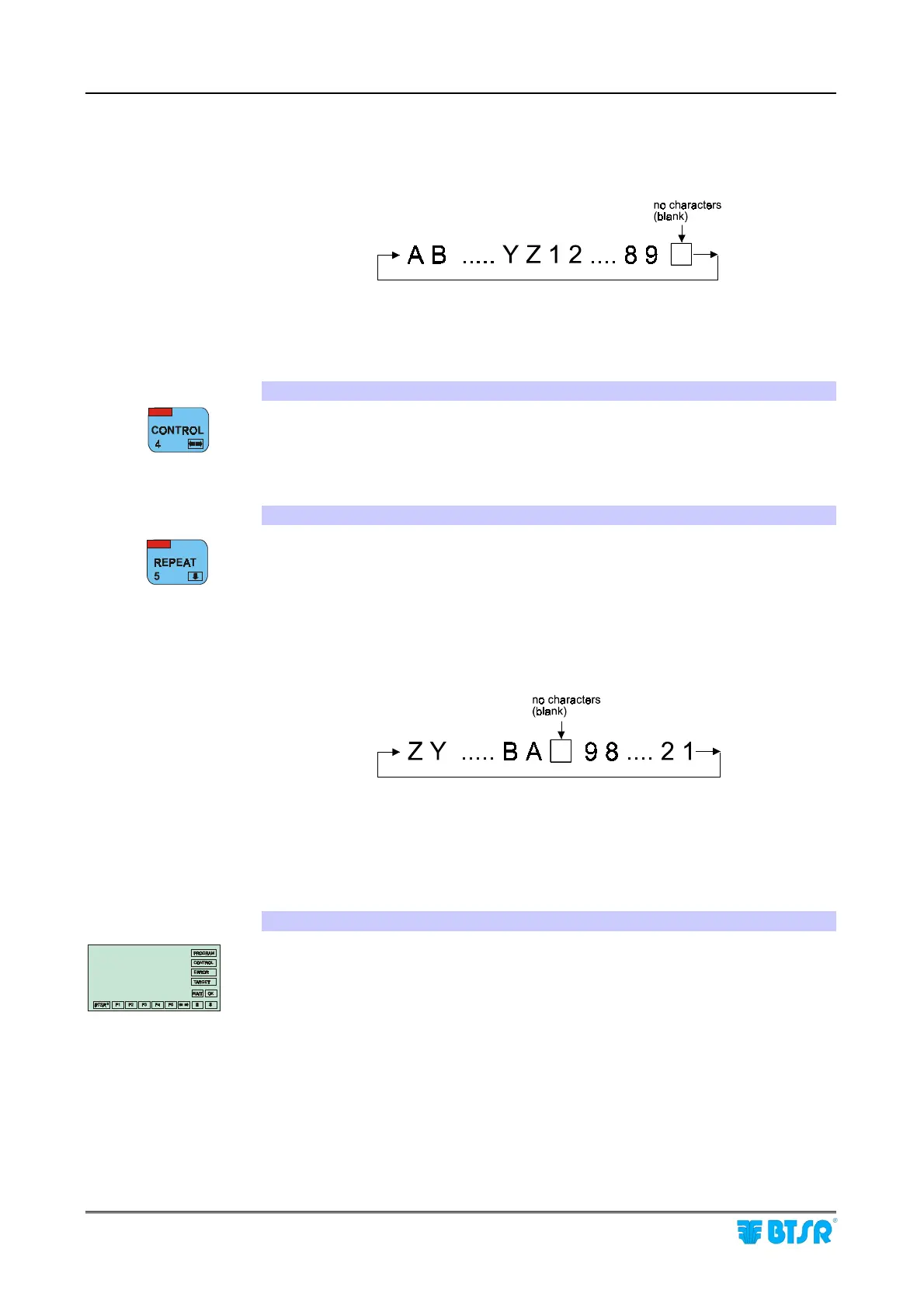
! When alphanumeric data are entered (for instance the access Keycode), this
button allows the increase of characters pointed by the cursor, according to the
following cyclic sequence:
! When entering numeric data (for example the number of sensors) it allows you
to increase the numeric value of the field. If it is held down continuously the
numeric field increments more rapidly.
4. CONTROL Button
During parameter programming, it allows changing the position of the cursor.
5. REPEAT button
! During navigation within the menus this button allows you to select the
previous option within the same menu level; this button has a cyclical function
in the sense that when the first choice of menu is selected it returns to the last
option of the same menu.
! When alphanumeric data are entered (for instance the access Keycode), this
button allows the decrease of characters pointed by the cursor, according to the
following cyclic sequence:
! When entering numeric data (for example the number of sensors) it allows you
to decrease the numeric value of the field. If it is held down continuously the
numeric field decrements more rapidly.
6. Operator’s Message Area:
The menu choices, or settings for the selected function during programming or
setup phase of the system as well as service messages are displayed with large size
fonts (1.5 x 0.8 cm), easy to read even from a distance, when the system is running
normally. In other words, it shows all the necessary information to guide the
operator step by step through the programming phase and interactive management
of the system.
When the displayed lines refer to the menu items, the selected one is indicated with
the symbol
>
.
The presence of a flashing cursor (---) indicates the position where the operator
can enter an alphanumeric character or variable setting which will replace the
value currently displayed.
SMART
WARP











 To Next Page