Troubleshooting and Maintenance
SMART WARP - 4.1 -
4
4 4
4 –
––
– TROUBLESHOOTING AND MAINTENANCE
TROUBLESHOOTING AND MAINTENANCE TROUBLESHOOTING AND MAINTENANCE
TROUBLESHOOTING AND MAINTENANCE
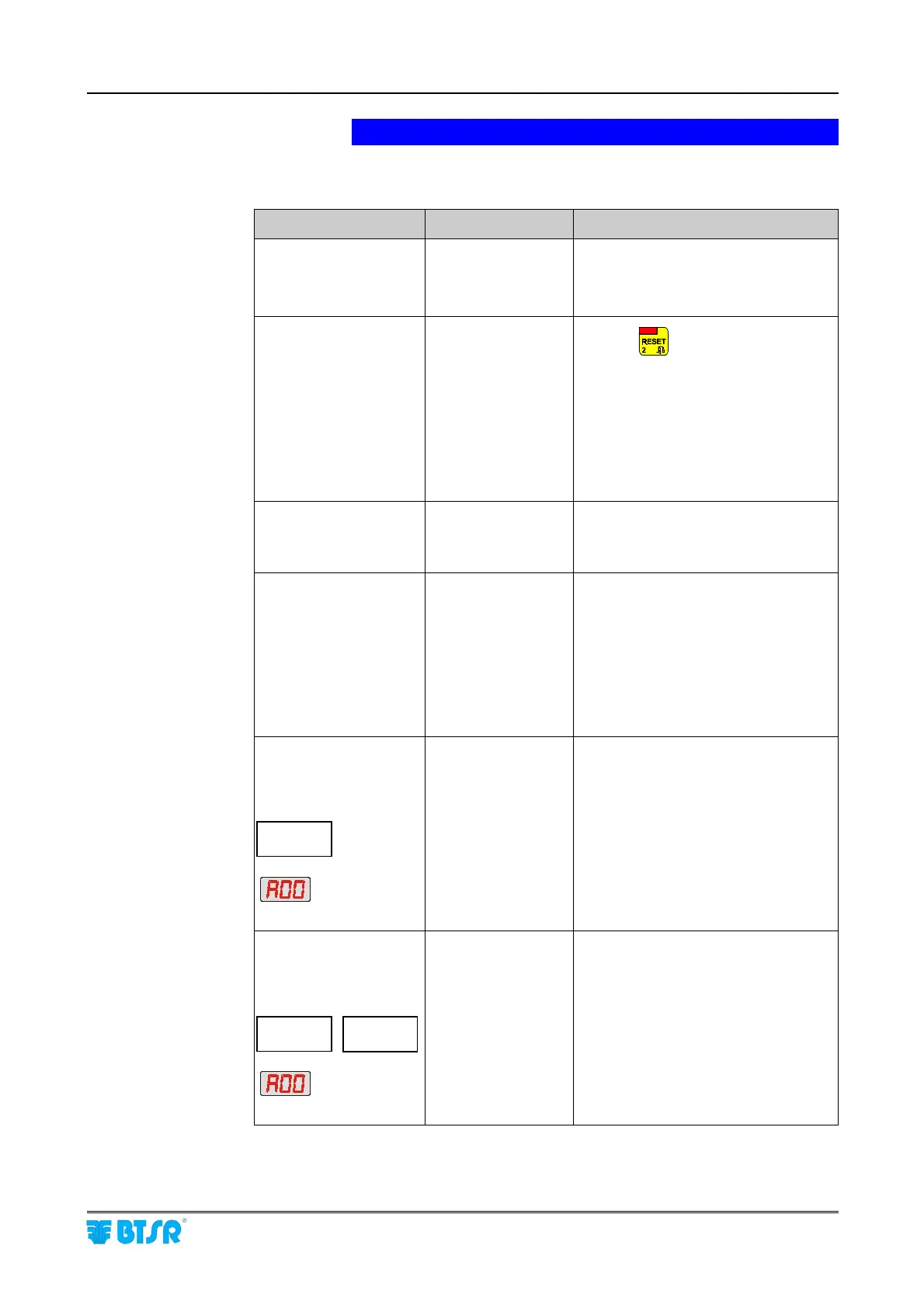
Troubleshooting
Faults Causes Solutions
The SMART display is
blank
System not powered. ! Confirm that the connector is correctly
plugged in and that there is a 24 Vdc
power voltage.
! Check the protection fuses
*ERROR RAM*
displayed on the SMART
display at power-on.
The self-diagnostics
detected an error in the
SMART system
memory
! Press
The system will erase all the user
settings and will reload the default
values. Reload parameters and user
settings through the SETUP menu. If
the problem persists, contact your
BTSR dealer.
!
It could be necessary to replace the
backup lithium battery.
The SMART terminal
does not accept
keyboard inputs.
System halted,
probably due to a
sudden over-voltage
load. (e.g. lightning)
! Turn the system off and on again. If
the problem persists, contact your
BTSR dealer.
The sensors numbering
procedure fails; the
number YYY does not
increase in the screen
DEVICE
YYY ZZZ
Communications line
problems
! Check that the sensors are correctly
connected.
!
Check for locked sensors
(green and
red LED simultaneously ON). Turn off
and on again the system. If the
problem persists, replace the sensor.
! If the problem persists, connect a set
of sensors at a time trying to isolate
the problem.
Wrong broken yarn
signaling.
Alternate messages on
display of SMART
terminal:
BROKE ROW aaa
SIDE X COL bbb
and message:
on display of the
involved MS-DIN module
A sensor detected a
wrong yarn broken
condition
Sensor on Side X,
Row aaa, Column
bbb
! Check the mechanical position of the
sensor
(the yarn must run within the
image area).
! Increase the Sensitivity and Delay
and/or decrease the Stop Frequency
settings to optimize the reading.
Wrong uncut yarn
signaling.
Alternate messages on
display of SMART
terminal:
UNCUT ROW aaa
SIDE X COL bbb
and message:
on display of the
involved MS-DIN module
A sensor detected a
wrong yarn uncut
condition
Sensor on Side X,
Row aaa, Column
bbb
!
Decrease the Sensitivity and/or
increase the Stop Frequency settings.











 To Next Page