Display information13
Logamax plus GB162-80 kW/100 kW - Subject to modifications resulting from technical improvements!72
13 Display information
13.1 Removing the control panel
To make it easier to use the buttons on the control panel
when the boiler door is open and to make it easier to read
the values in the display, you can disassemble the control
panel from the boiler door and hang it from the boiler frame.
z Open the boiler door.
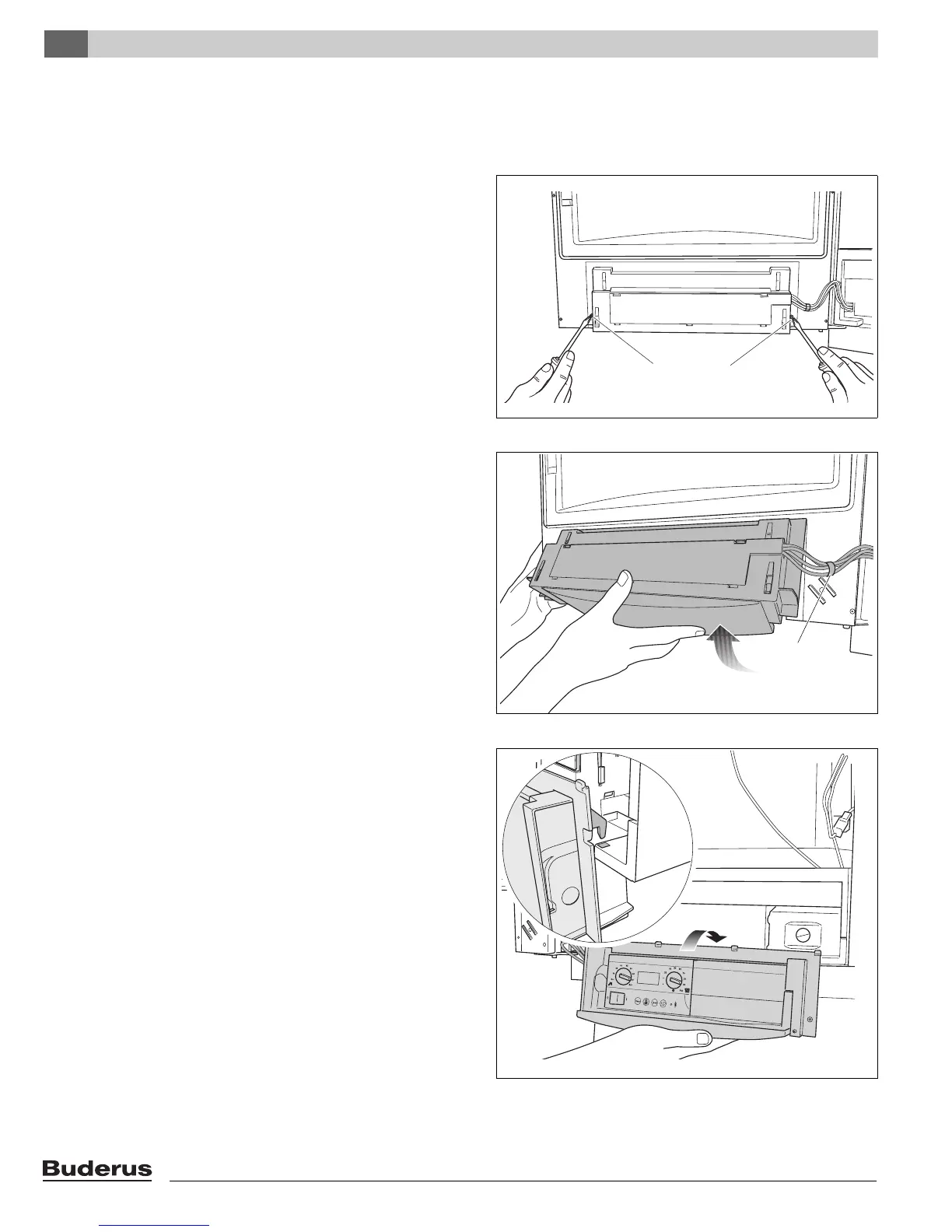
z Loosen the 2 screws of the control panel at the rear side
of the boiler door (fig. 96, pos. 1).
z Loosen the cable tie (fig. 97, pos. 1).
z Remove the control panel (fig. 97).
z Use the two hooks to hang the control panel from the
boiler (fig. 98).
Fig. 96 Loosening the screws
1 1
Fig. 97 Removing the control panel
1
Fig. 98 Hanging the control panel from the boiler frame







 To Next Page