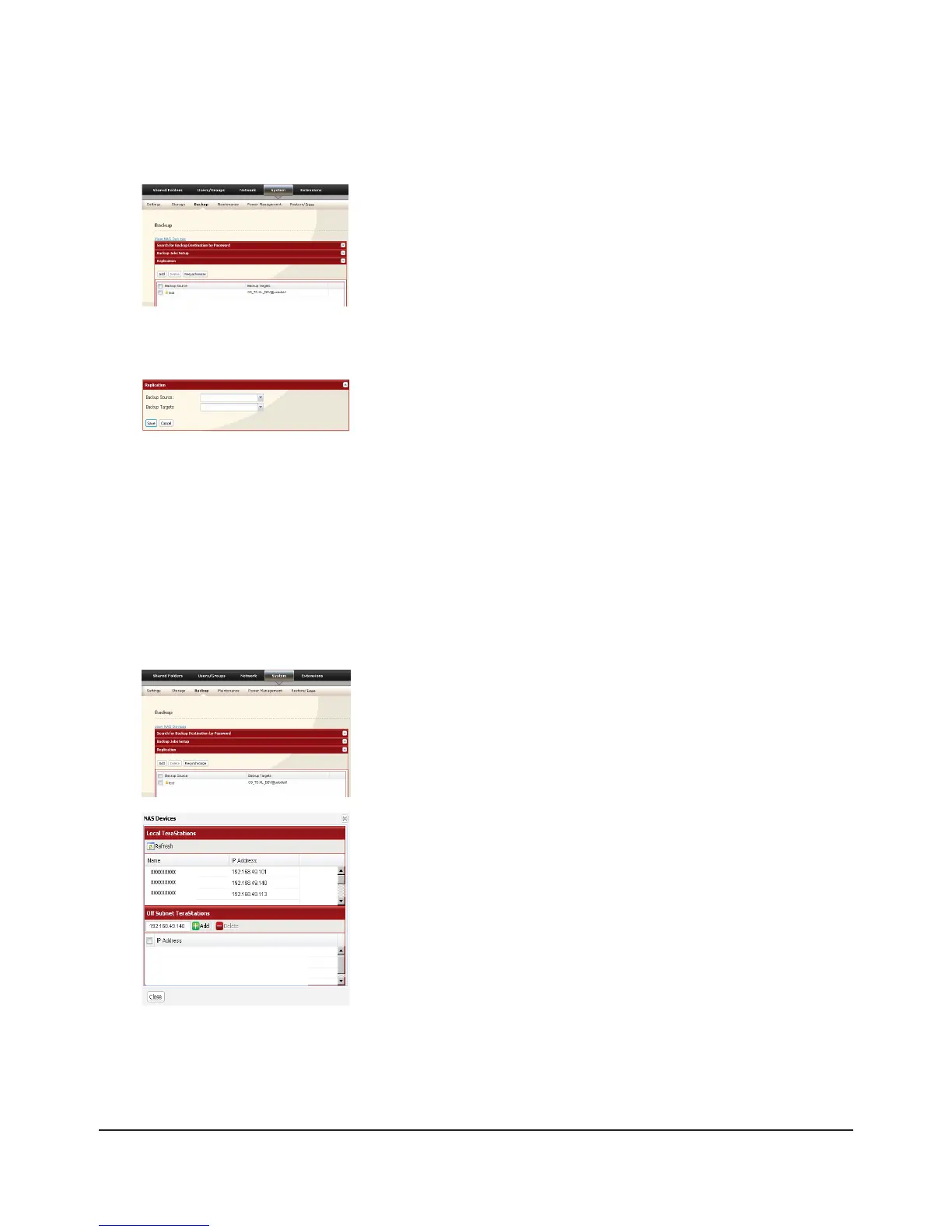
Congure replication as described below.
1
Click [Add].2
3
Read the alert message carefully and click [OK].4
Replication is congured.
Replication to a TeraStation on a dierent network
If your target TeraStation is on a dierent network or subnet, you may still congure replication as described above, but
you must rst add the target TeraStation to your list of o-subnet TeraStations as described below.
1
2
Click [Close].3
You can now congure Replication as described in the previous section.
Select replication source folder for [Backup Source].1
Select replication target folder for [Backup Targets].2
Click [Save].3
In the source TeraStation’s Web Admin interface, click [System] - [Backup] -
[Replication].
In the source TeraStation’s Web Admin interface, navigate to [System] -
[Backup]. Click on [View NAS Devices].
Under [O Subnet TeraStations], enter the target TeraStation’s IP address
in the [New IP Address] eld. Click [Add].
Note: If the Target TeraStation is behind a router, enter the router’s WAN
side IP address. You will need to map ports 873, 22938, 22939 to the target
TeraStation in the router for this to work correctly.

















 To Next Page