PrintServer
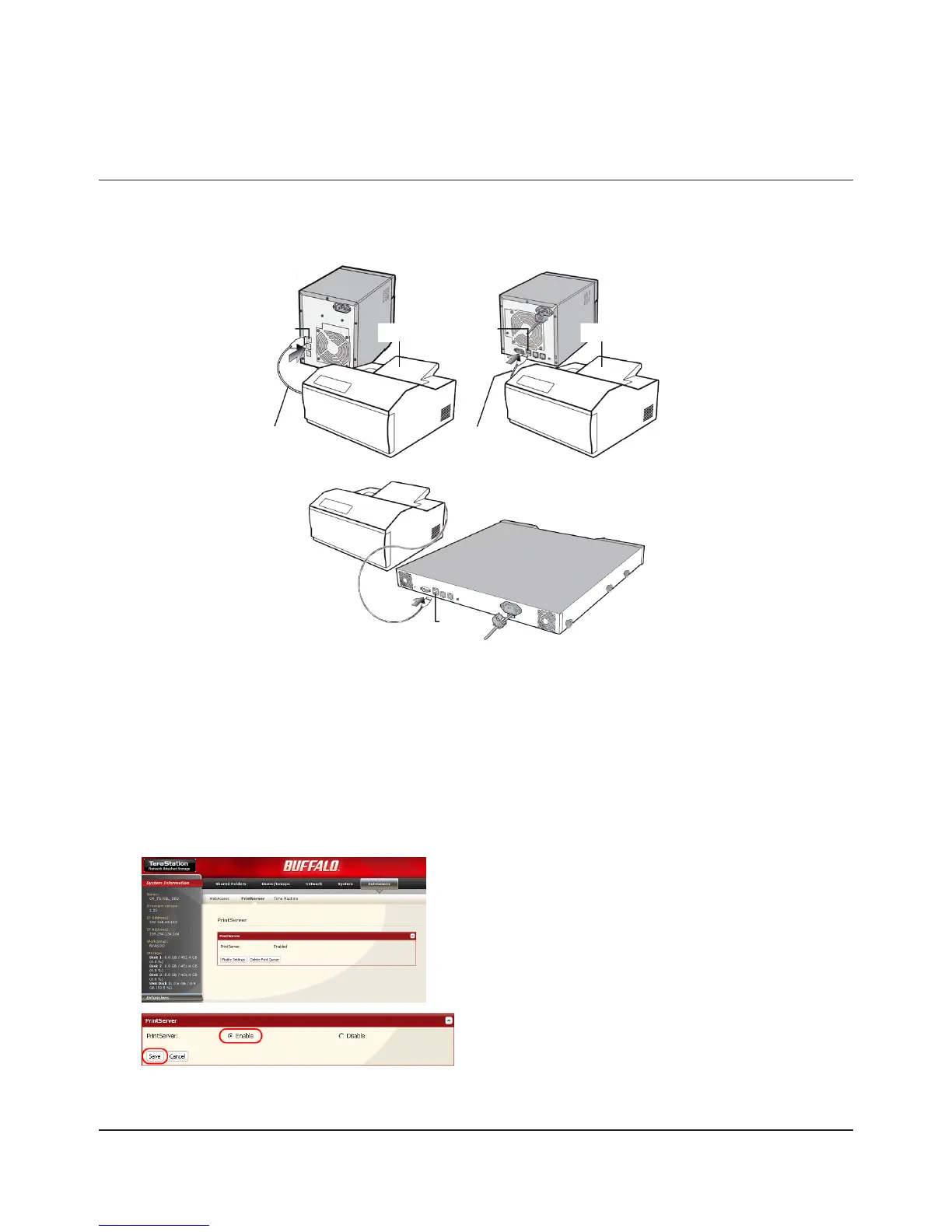
TeraStation is equipped with a USB connector on the back. You can connect a USB printer to the TeraStation as shown
below.
Notes:
• Only one printer can be connected to the TeraStation.
• The TeraStation does not support 2-way communication. For example, it cannot tell you the amount of ink left.
• Multi-function printers are not supported.
• Printers which only support 2-way communication or WPS (Windows Printing System) are not supported.
• Mac OS X cannot print to a printer connected to the TeraStation.
Setting up a printer on Windows 7/Vista
1
2
Refer to your printer’s manual installation instructions. You may need to install the printer driver from a software 3
disk.
Select [Enable] and click [Save].
In the Web Admin interface, navigate to [Extensions] -
[PrintServer] and click [Modify Settings].

















 To Next Page