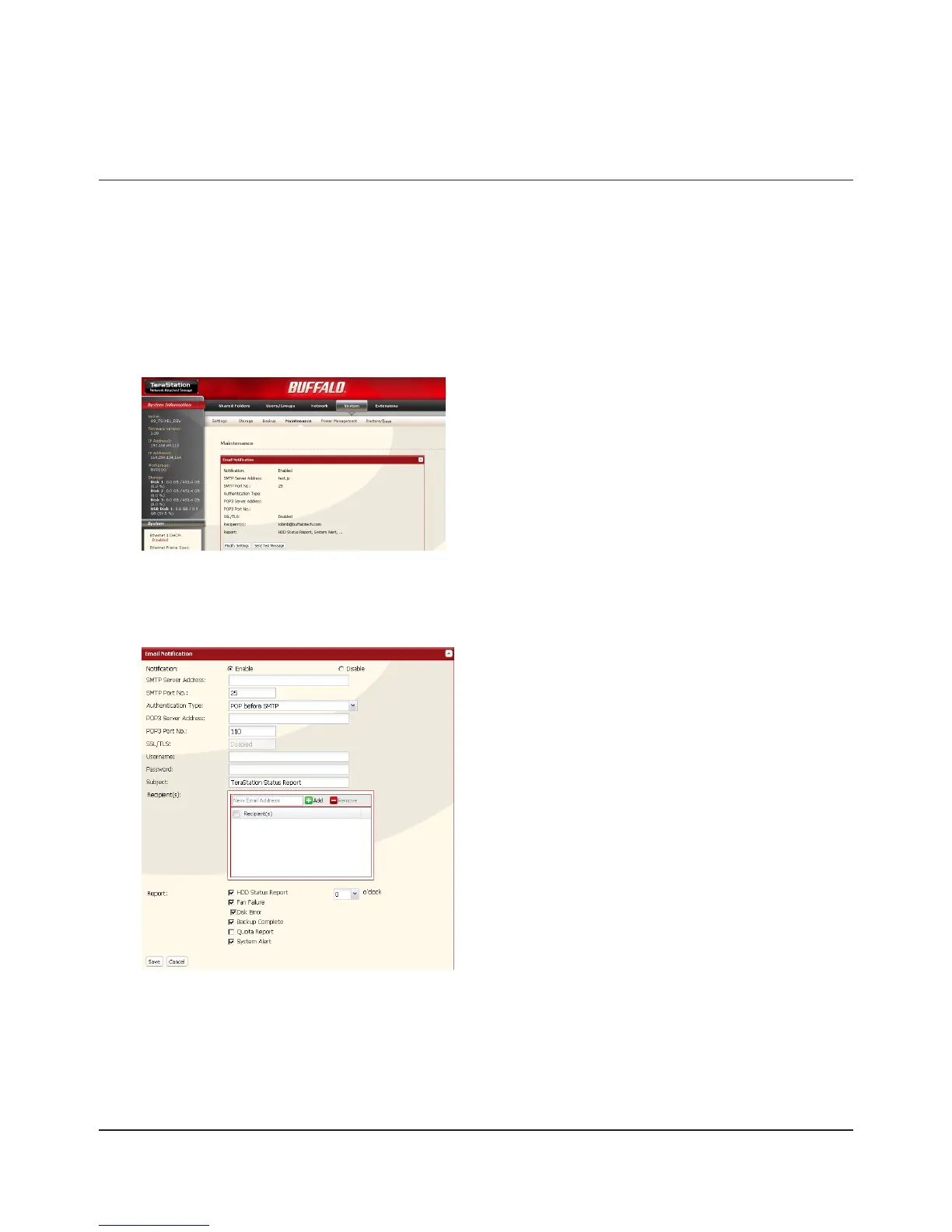
E-mail Notication
Your TeraStation can send you daily e-mail reports. It can also send you an e-mail when settings are changed or an error
occurs.
The following contents will be sent via E-mail.
Sends the status of hard drives at specied time•
Changes to RAID conguration•
Fan error alert•
Hard drive replacement alert•
Noties when backup jobs are completed•
RAID error alert•
Hard drive read error alert•
Notication of Quota changes or limits •
1
Click [Modify Settings] in [Email Notication].2
3
In the Web Admin interface, navigate to [System] -
[Maintenance].
Click [Enable] under [Notication].1
Type [SMTP Server Address] and [SMTP Port No.]. 2
Note:
If using [POP before SMTP], enter [POP3 Server Address]
and [POP3 Port No.].
Select [Authentication Type] from [Disabled], [POP 3
before SMTP], [LOGIN(SMTP-AUTH)], or [CRAM-
MD5(SMTP-AUTH / CRAM-MD5)].
Enter [Username].4
Enter [Password].5
To use a secured connection, select [SSL] or [TLS].6
Enter [Subject] for notication e-mail. 7
Enter an e-mail address in [New Email Address] eld, 8
then click [Add] . E-mails can be sent to up to 5
addresses.

















 To Next Page