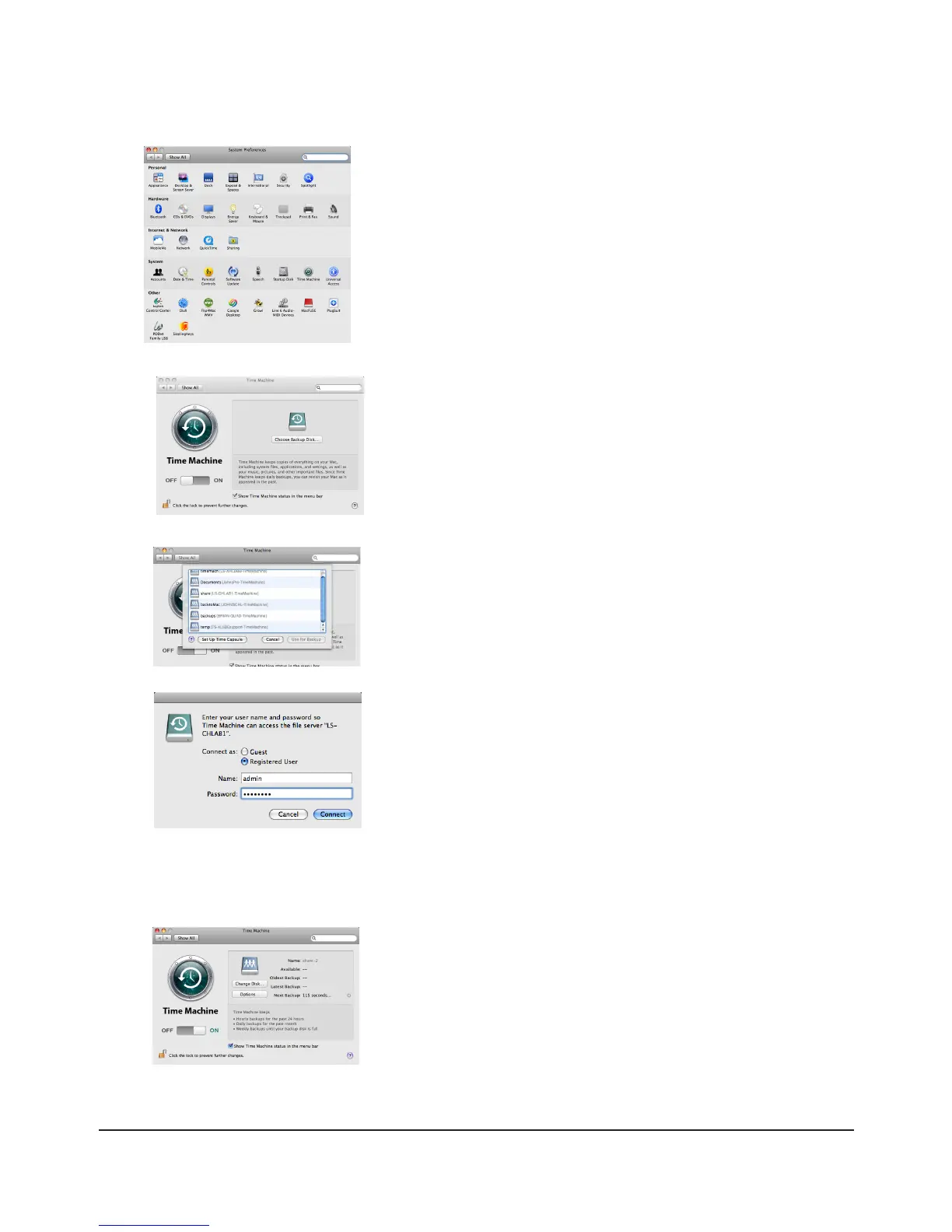
9 Click [Time Machine].
10 Click [Choose Backup Disk].
11 Select TeraStation, and click [Use for Backup].
12 Enter a user name and password with the rights to access the shared folder
of the TeraStation, and click [Connect].
Note:
If the backup target folder on the TeraStation does not have access restrictions congured, type “admin” for the
username and “password” for the Password.
13 Make sure that Time Machine is “on”. A backup will start in 120 seconds.
Time Machine will run in the background, and you can use your Mac as
usual. For information on using Time Machine, do a search for “Time
Machine” in your Mac’s help.
Your TeraStation is now congured for use with Time Machine.

















 To Next Page