44
Adjustment and commissioning
State of the relay output
deactivated
actived
Low threshold High threshold
m/s
Fig.37: Changeofstateoftherelayoutputinhysteresis
switchingwitharelaywiredasNC
→ Select the way of switching of the relay (see Fig.38 and
Fig.39).
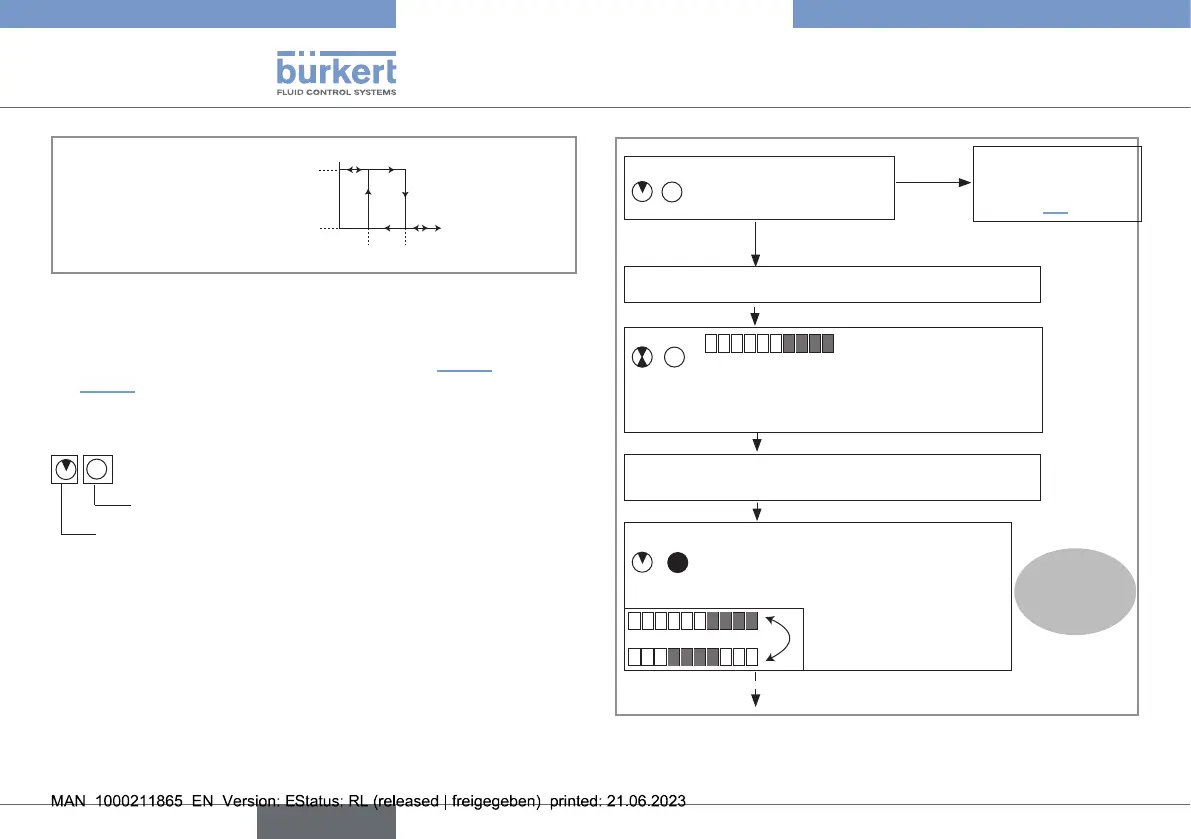
Notation convention for the following diagram:
Green LED state
Red LED state
NO
YES
→ 1 short press on push button.
See general con-
guration diagram,
chapter9.3
Device in Read mode?
1 2 3 4 5 6 7 8 9 10
Bargraph shows current way of switching (Hys-
teresis, by default)
→ Press and hold the push button.
After 2 s, device is in Parameterizing mode:
Bargraph alternates between:
Hysteresis switching
Window switching
1 2 3 4 5 6 7 8 910
Step1
Fig.38: Choosingtherelayswitchingway,part1
english
Type 8041



 To Next Page