37
Adjustment and start-up
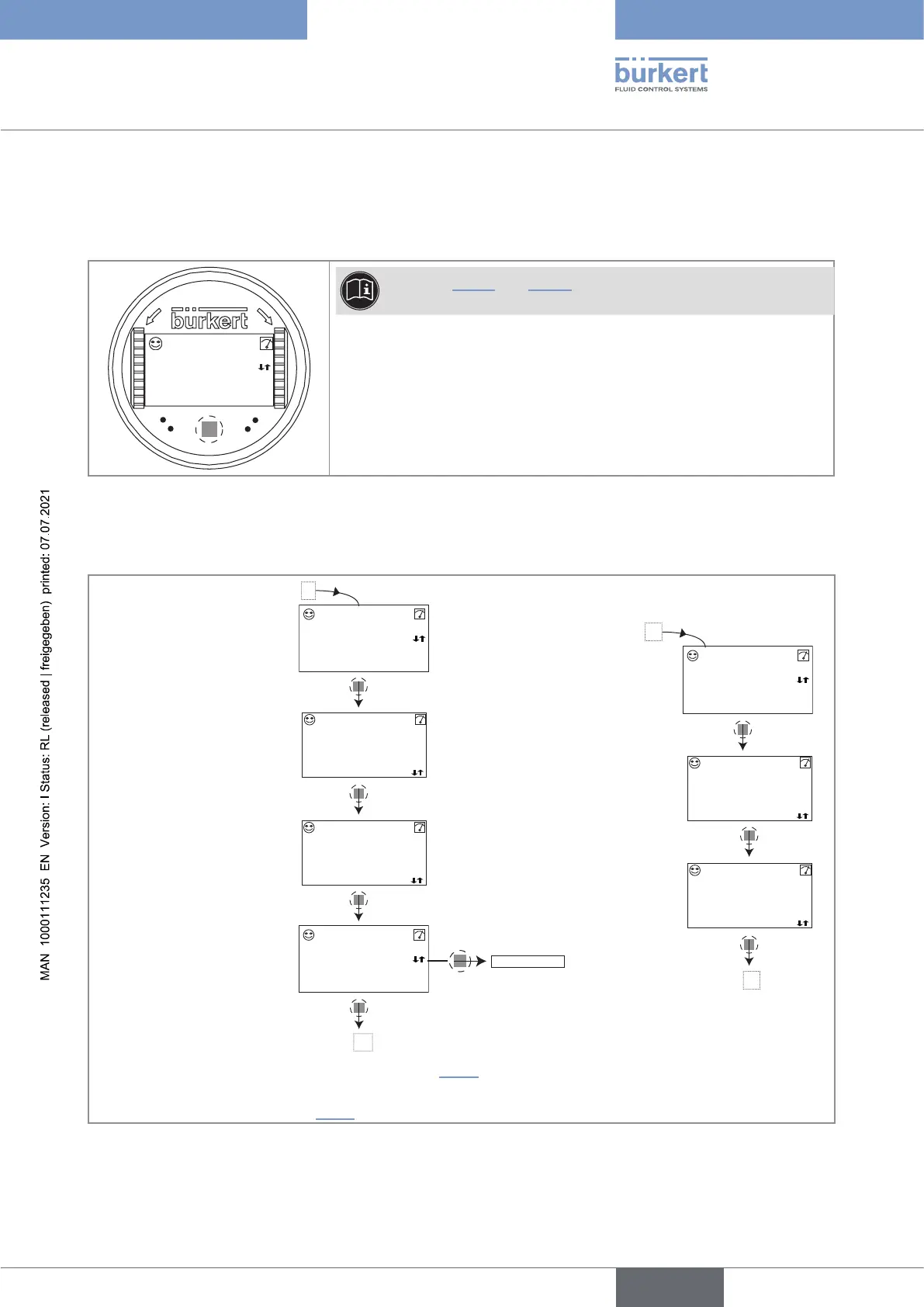
9.7.2 Knowing the display at the power-up of the device
When the device is powered up or the display module mounted on the electronic module, the display indicates
the software version of the display module. The display then shows the first screen of the Process level:
O
P
E
N
L
O
C
K
CondS
1.423 mS/cm
TempC
23.8 °C
See chpt. 9.11.5 and 9.11.6 to choose the data to be displayed in
the Process level.
Fig. 30 : Display indications after power-up of the device
9.8 Knowing the Process level
CondS
1.423 mS/cm
TempC
55 °C
CondS
1.423
mS/
18.3 mA
AC1
7.5 mA
AC2
A
1)
1)
1)
First view of the
Process level.
Zoom on the value
in the first line.
Zoom on the value in
the second line.
AC1
18.3 mA
AC2
7.5 mA
A
Display of the highest and
lowest values of the process
value chosen
Display of the cur-
rent outputs.
Zoom on the
value of the first
current output.
Zoom on the val-
ue of the second
current output.
TempC
55
°C
Max
1.450 mS/cm
Min
1.200 mS/cm
Reset Yes/No
B
B
2)
1)
To choose the process values to be displayed see chpt. 9.11.5.
2)
The display of the lowest and highest values in the Process level is deactivated by default
.
To activate the feature and
choose the process values see chpt. 9.11.6.
English
Type 8222 ELEMENT



 To Next Page