46
Adjustment and start-up
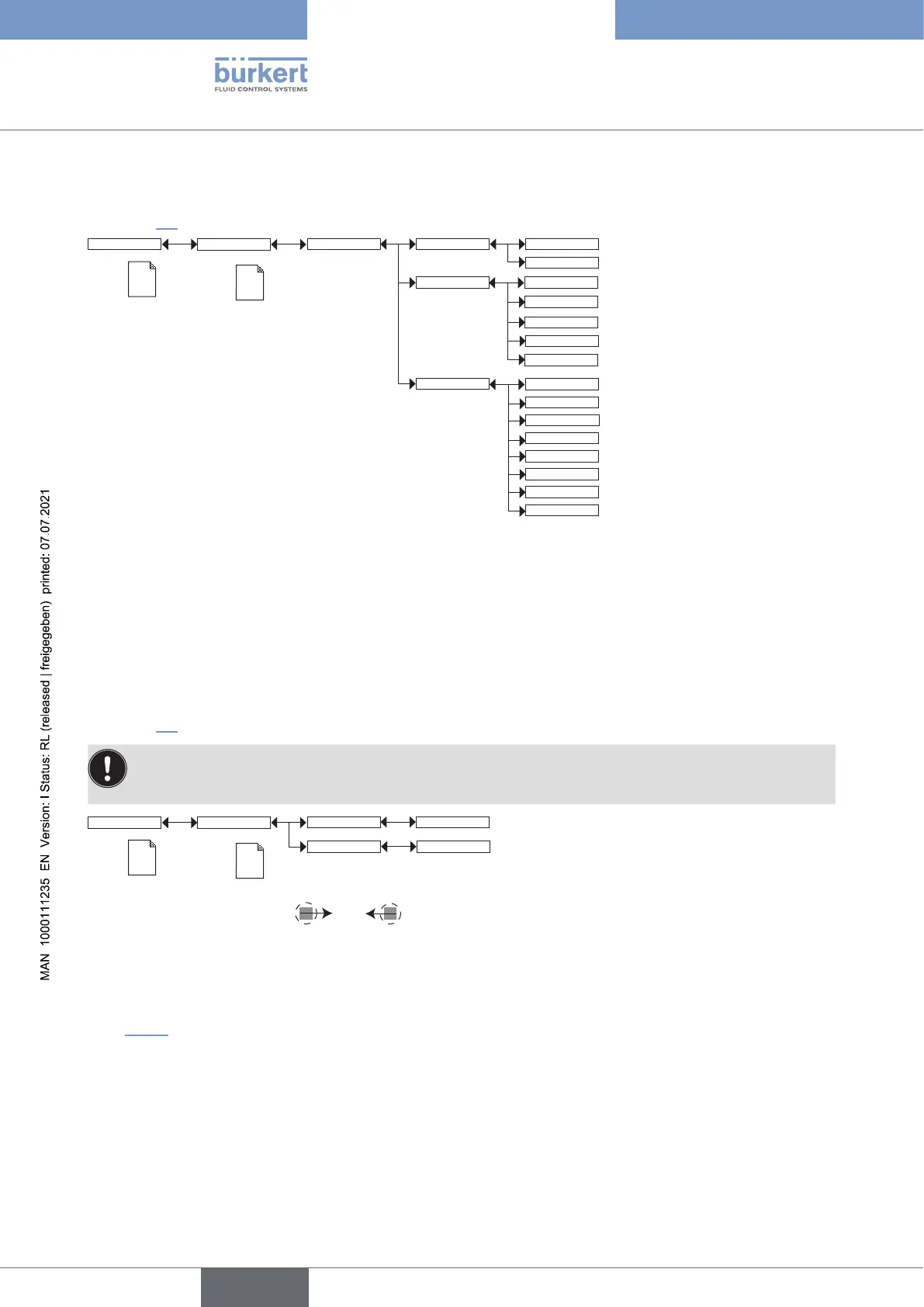
9.11.6 Displaying of the lowest and highest values measured
See chpt. 9.9 to access the Parameters menu.
CondS
TDSppm
Min/Max: EnabledStatus:
PVar:
Disabled
CondR
TempC
TempF
Unit:
µS/cm
°C
mS/cm
°F
If PVar = "TempC"
If PVar = "TempF"
If PVar = "CondS"
If PVar = "CondS"
W.cm
kW.cm
If PVar = "CondR"
If PVar = "CondR"
M
W.cm
If PVar = "CondR"
ppm
If PVar = "TDSppm"
Display
Param
This is
when the
device is be-
ing parame-
tered............
....................
This is
when the
device is be-
ing parame-
tered............
....................
STATUS: choose to display (choice “Enabled”) or not display (choice “Disabled”) the highest and lowest
measured values (of the process value chosen in PVAR hereafter) since the latest reset.
PVAR: choose the process value which highest and lowest measured values are displayed in the Process level.
UNIT: choose the preferred unit in which the lowest and highest measured values are displayed.
9.11.7 Setting the display contrast and brightness
See chpt. 9.9 to access the Parameters menu.
On a device variant with only one M12 fixed connector and when the power supply is less than 16 V DC,
make sure that the light intensity of the display (“Backlight” parameter) is set to a value lower than or equal
to 14 %, to not disturb the current outputs.
Contrast xx %
Backlight xx %
Display
This is
when the
device is be-
ing parame-
tered............
....................
Param
This is
when the
device is be-
ing parame-
tered............
....................
→ Set each percentage using and .
CONTRAST: choose the display contrast level (as a %).
BACKLIGHT: choose the light intensity of the display (as a %).
These settings only affect the display module. They are not factored in during a device data UPLOAD. Refer to
chpt. 9.11.1.
English
Type 8222 ELEMENT



 To Next Page