25
EN
8 Operation
In sleep mode, the touchscreen display is in ener-
to turn it on. The device status display (BWT logo)
-
in blue and the status display is activated only with
the touchscreen display.
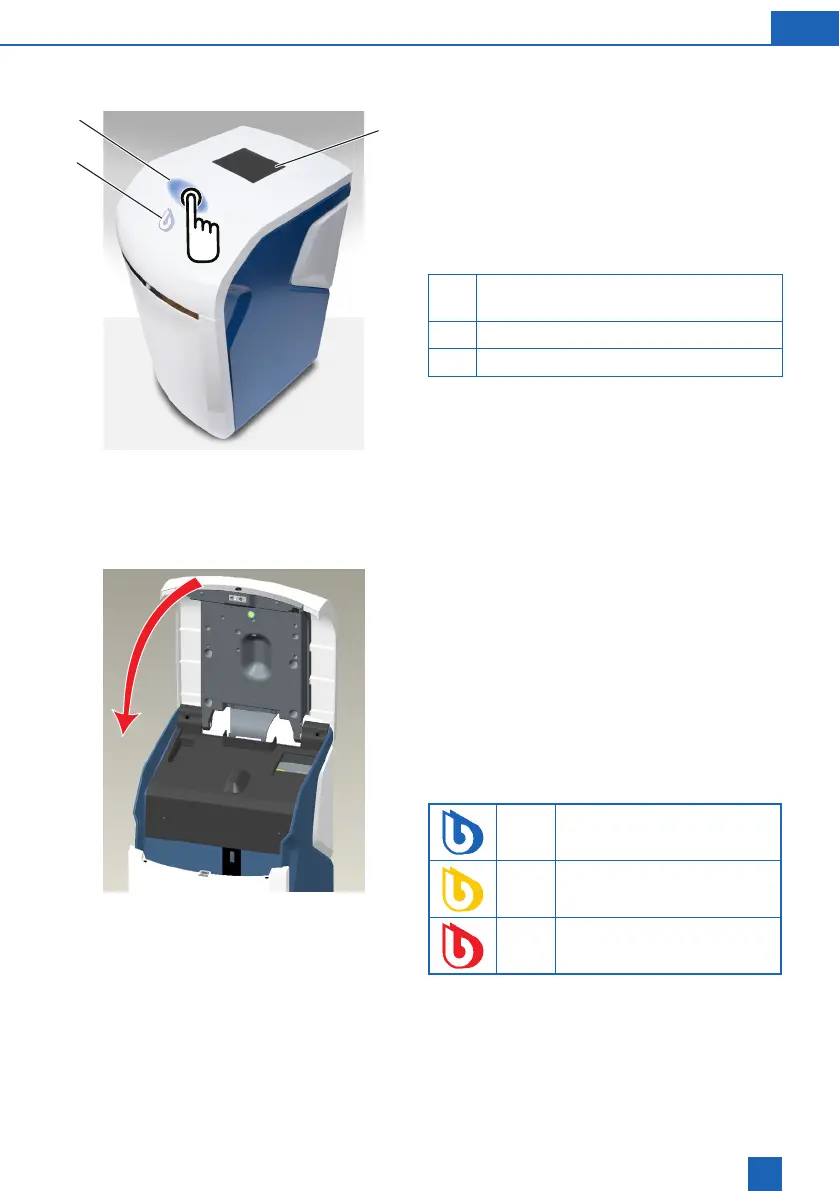
20 Touchscreen display, depending on the
model and market
21 Area for tip-on opening
22 Device status display
8.1 Opening the Easy Fill technology
cover
Easy Fill technology cover with handleless tip-on
function. To open, tap lightly on the white area of
the housing above the status display. The Easy Fill
technology cover then opens automatically thanks
to a built-in mechanism.
8.2 Closing the Easy Fill technology
cover
To close, press the Easy Fill technology cover down
gently until it snaps shut.
8.3 Device status display
The device status is indicated by the coloured BWT
logo on the device cover.
Blue Operation
Yellow
(e.g. regenerative empty)
Red Fault
20
22
21



 To Next Page