©2020 CAE 905K351052 v1.1 53
Using Apollo
To simulate realistic flashback, the system must be primed prior to use. Ensure all fluids have been
removed from previous uses before each new use to prevent overfilling.
IV Cannulation
Fluids and medications can be administered intravenously. Approximately 50 ml of fluid may be
infused.
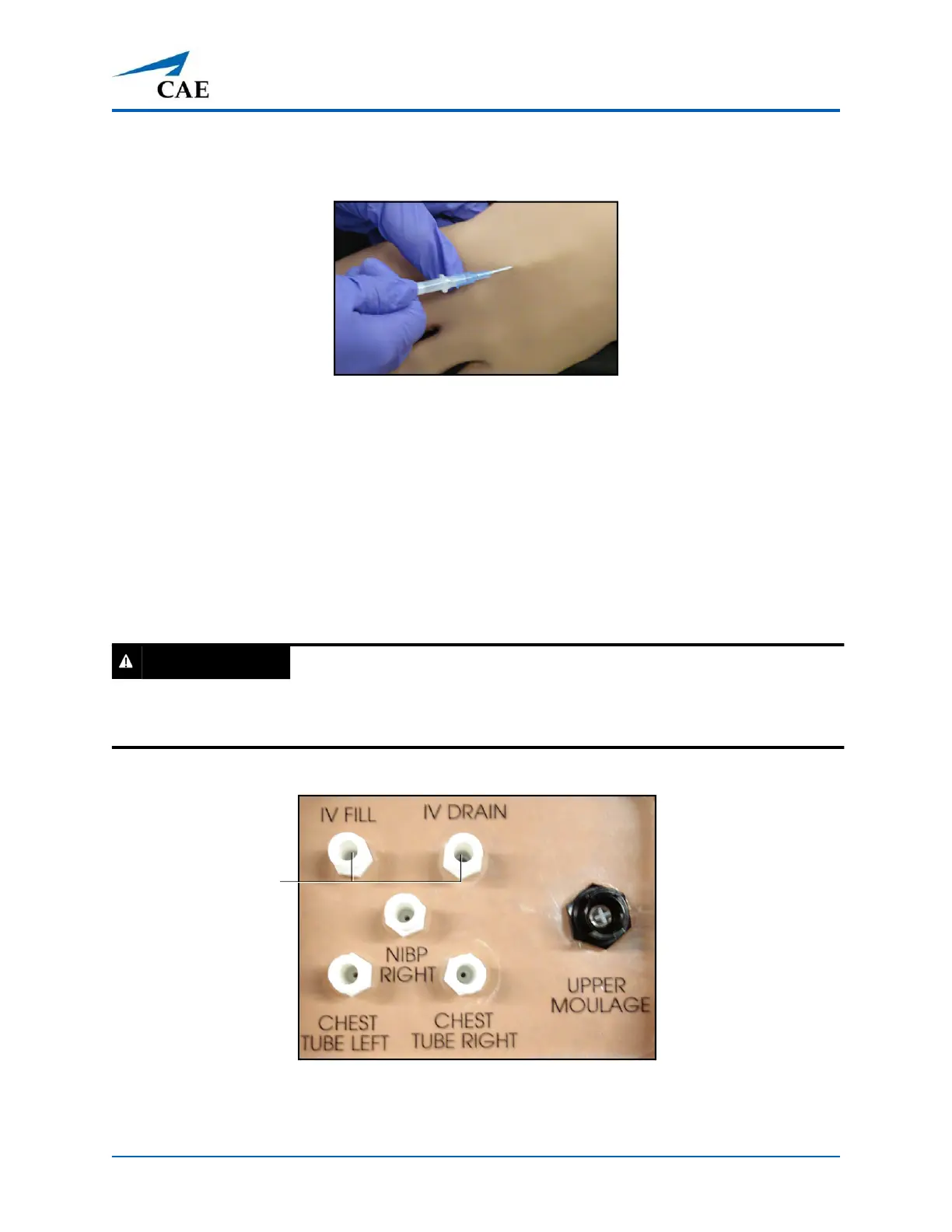
To support infusion of larger volumes, connect an empty IV bag or other receptacle to the IV DRAIN
port located on Apollo’s right shoulder.
To prime the IV access ports, connect a 50 ml syringe filled with distilled water (with clinically
appropriate food coloring if desired) to the IV FILL port on Apollo’s right shoulder and firmly inject
all 50 ml. This primes the arm and charges the system for Flashback and Venipuncture support.
Apollo’s Right Shoulder
Note: Cleanup is very important when using simulated fluids. For more information on removing
fluids from the manikin, see the Care and Maintenance section of this user guide.
WARNING
If flashback does not occur, do NOT inject any fluid and remove the needle immediately.
Repeat the priming directions and ensure you have injected the needle properly and into the
simulated vein.
IV FILL and IV
DRAIN ports



 To Next Page