©2021 CAE 905K351052 v1.1 33
Setup
Optional Step: Prepare the Bleeding System
ONLY distilled water or distilled water containing food coloring should be used with the secretion
system.
A mixture of no more than 29 ml (1 oz) red food coloring with 3.8 liters (1 gallon) of distilled water
should be used to create simulated blood. The blood mixture should be created in advance in a
separate distilled water container.
Note: The higher the ratio of food coloring, the greater the possibility of staining.
The trauma fill tank is used to fill the on-board blood reservoir.
Step a: Attach the Overflow Bottle to the Trauma Fill Tank Assembly
The overflow bottle is used to collect overflow when the Apollo on-board tank is filled.
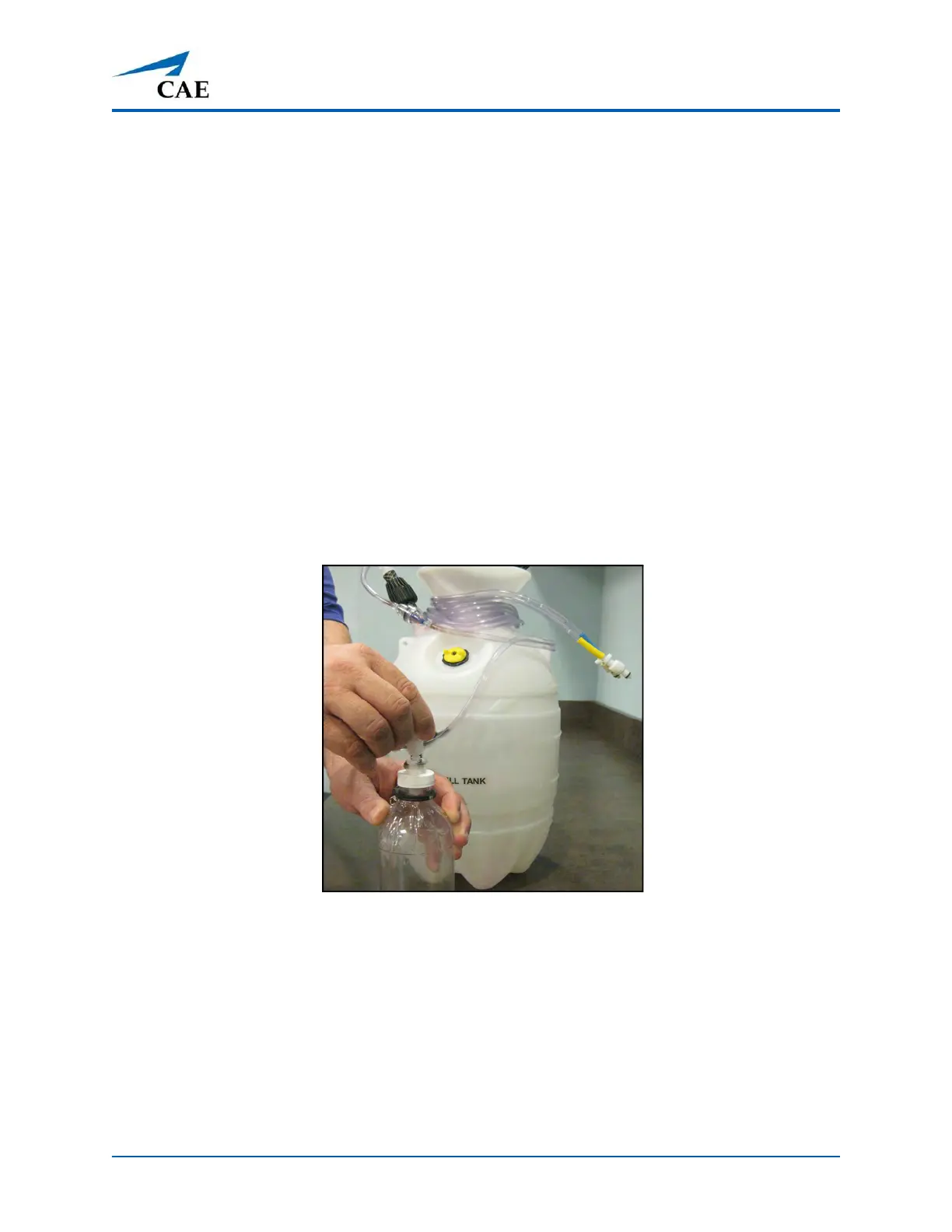
To attach the overflow bottle to the trauma fill tank:
1. Connect the clear trauma fill tank hose to the bottle lid fitting.
Connecting the Trauma Fill Tank Umbilical to the Overflow Bottle
2. Clip the bottle to the tank using the attached carabiner mechanism.
Be careful to complete the following steps correctly to ensure proper use and maintenance of the
Apollo and its peripherals.



 To Next Page