Using Apollo
56 ©2020 CAE 905K351052 v1.1
CAEApollo
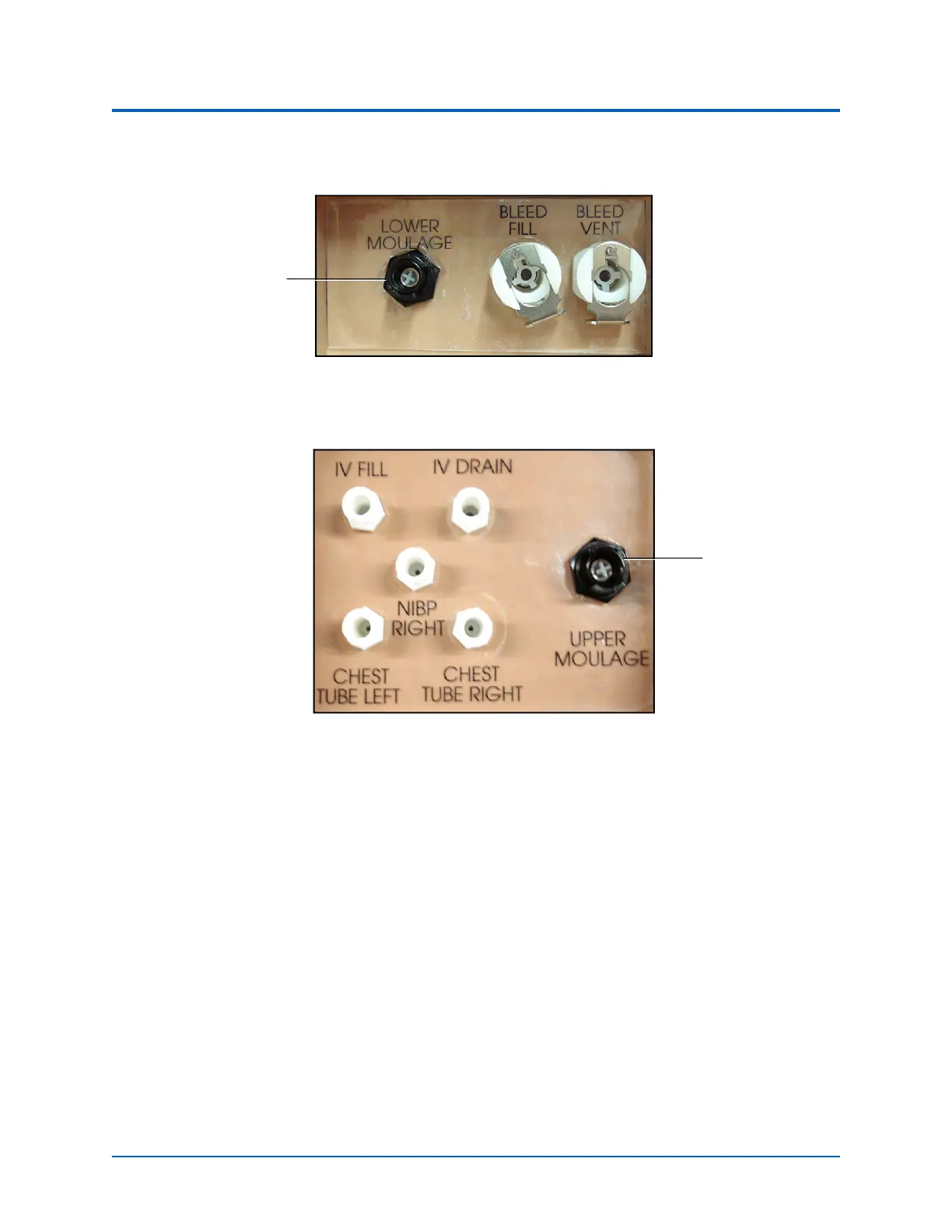
2. Connect the wound haptic to the one of the moulage ports. For lower
moulage, connect to LOWER MOULAGE on right hip.
Apollo’s Right Hip
For upper moulage, connect to UPPER MOULAGE port on Apollo’s right shoulder.
Apollo’s Right Shoulder
3. Enable Bleeding: Upper or Bleeding: Lower on the Fluids view of the software, as
desired for the scenario.
For more information setting up fluids on the manikin using the trauma fill tank, see the Setup section
of this user guide. For cleaning after using fluids, see Care and Maintenance section of the user guide.
For more information on how to operate the software, see the Maestro for Apollo User Guide.
Hemorrhage Control
When bleeding is controlled (e.g., hemostat, tourniquet), the action is detected and logged, and the
physiology responds accordingly.
For more information on tourniquet application, see the Wound Care section of this user guide.
LOWER
MOULAGE port
UPPER
MOULAGE port



 To Next Page