©2020 CAE 905K351052 v1.1 65
Using Apollo
5. Connect to the simulator by attaching the end of the IV spike set tubing to
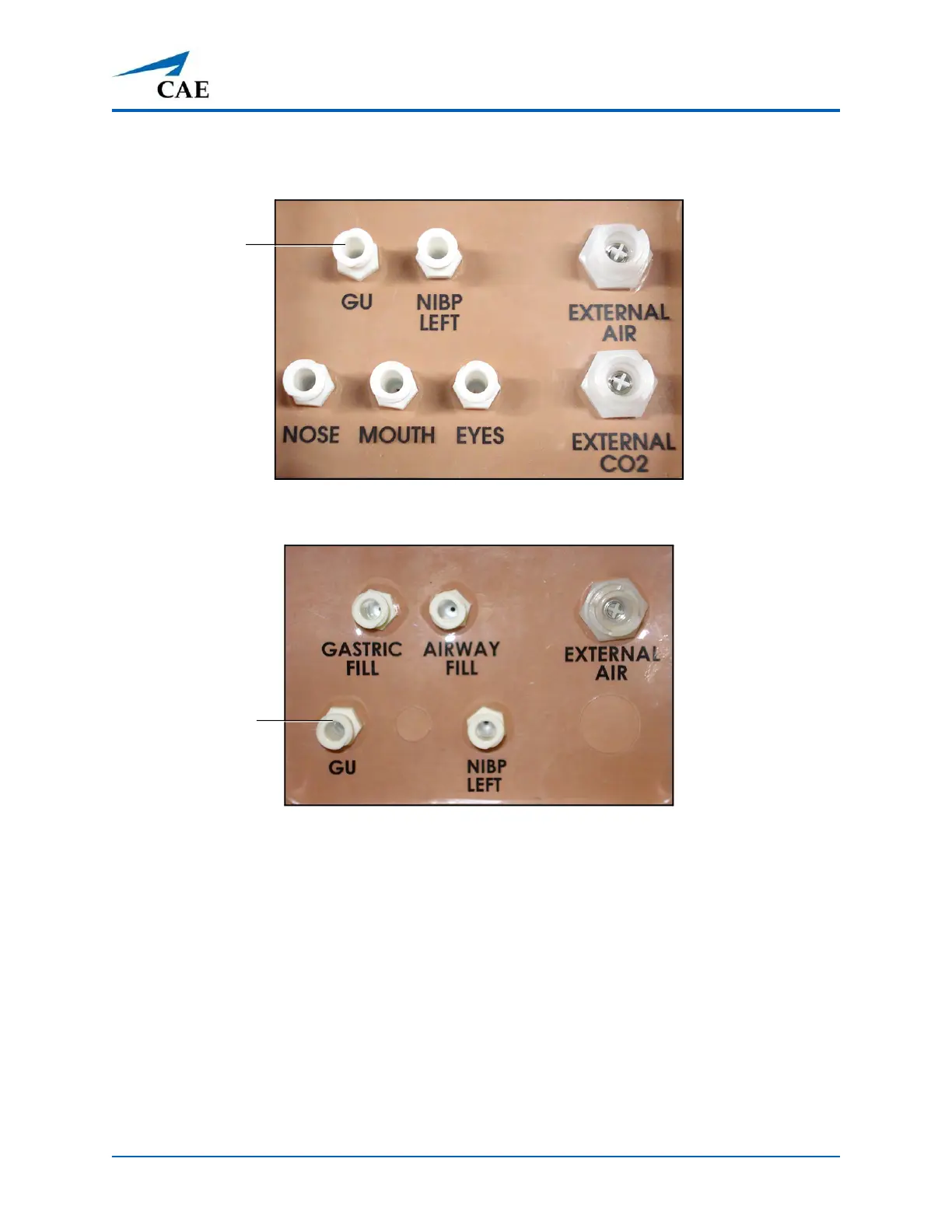
the GU port on the simulator’s left shoulder.
Apollo Prehosptial’s Left Shoulder
Apollo Nursing’s Left Shoulder
6. Open the clamp and allow fluid to flow into the simulator. There is a
reservoir inside the simulator that fills up with the fluid.
7. Keep the IV bag attached. Adjust the flow rate manually using the roller
clamp.
8. Catheterize the simulator using a urinary catheter lubricated with silicone spray.
Note: Cleanup is very important when using simulated fluids.
If a small volume of fluid is needed to simulate proper urinary catheterization in a field location, the
internal reservoir may be filled. To fill the genitourinary reservoir, attach a syringe with a Luer-lock
extension set (provided) and inject 50 ml of distilled water into the GU port on the simulator’s left
shoulder.
The GU port
The GU port



 To Next Page