©2021 CAE 905K690052 v1.0 73
Using Aria
Blood Glucose Fingers
Aria includes the ability to perform fingerstick blood glucose testing. The second and third fingers on
the left hand can be removed and filled with fluid.
To fill the glucose fingers with the simulated test blood:
1. Gently remove the glucose fingers from the hand.
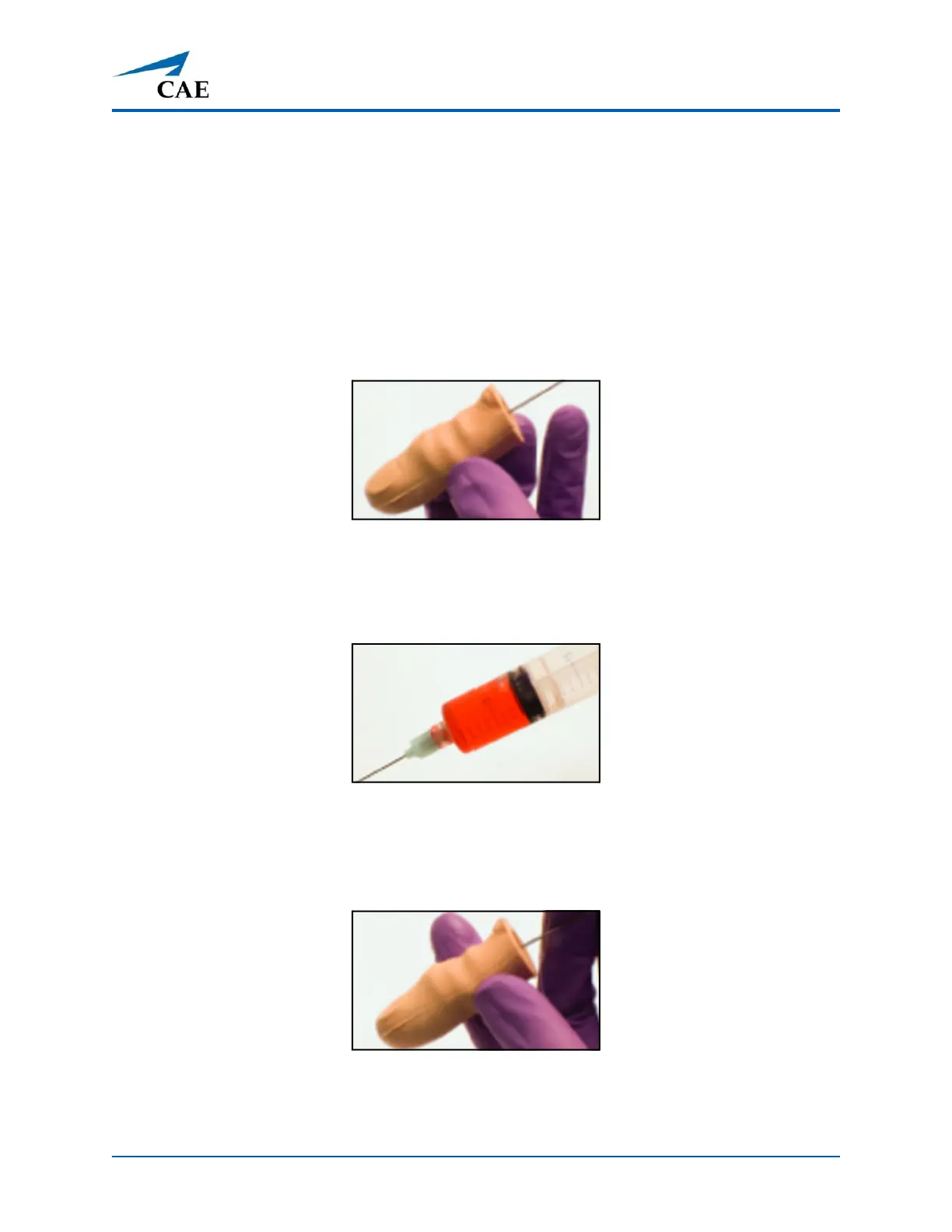
2. Insert a 1 ml syringe and needle into the bottom opening of the finger. Stop when you hit
the plastic stop wall and pull back slightly.
Inserting Syringe into Glucose Finger
3. Withdraw as much air or fluid as possible with the syringe and remove syringe.
4. Fill a syringe with 0.5 ml of the simulated test blood.
Syringe Filled with Simulated Test Blood
5. Insert the syringe and needle into the bottom opening of the glucose finger until you hit
the plastic stop wall and pull back slightly. Inject 0.2 ml of the simulated test blood and
remove syringe.
Injecting Simulated Test Blood into Glucose Finger
6. Reattach the glucose fingers to the simulator hand.



 To Next Page