Setup
26 ©2021 CAE 905K690052 v1.0
CAEAria
Step 6: Power On the Aria Manikin
Follow this procedure to power on the manikin.
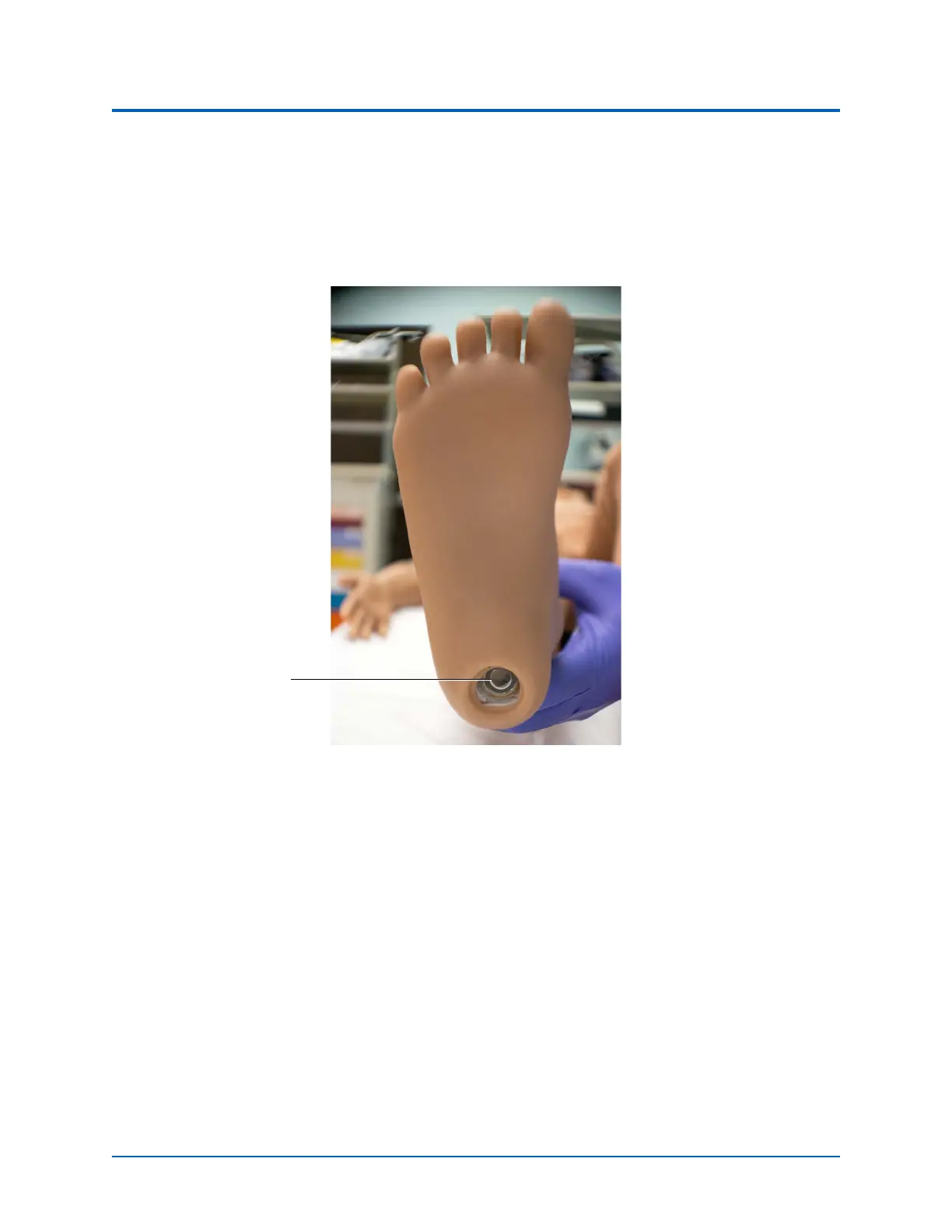
1. Press the power button located on the bottom of the manikin’s right foot for one second
and release.
Powering on the Aria Manikin
The power light will flash Blue three times, then the light will turn solid Green while the
unit is powering on. During this time, the manikin’s compressor will start running and the
SymEyes will open to display blue eyes.
2. Wait for the power-up initialization to be complete. When the initialization is successfully
completed the power light will turn a solid Orange if plugged into a power source and the
manikin will say, “Hello.” After the manikin says, “Hello”, the SymEyes will go blank until a
simulation session starts.
If you are running the manikin untethered (not connected to a power source), the power
light on the foot will remain a solid Green. When the battery capacity shown in Maestro is
below 11%, the power light will be Red.
Note: You can also view the manikin power status via the manikin power icon on the CAE
Maestro run screen.
The manikin battery run time is approximately 5 hours.
Power Button



 To Next Page