Mod. NIM8304 12 slot 7U(5+2) Switching NIM Crate
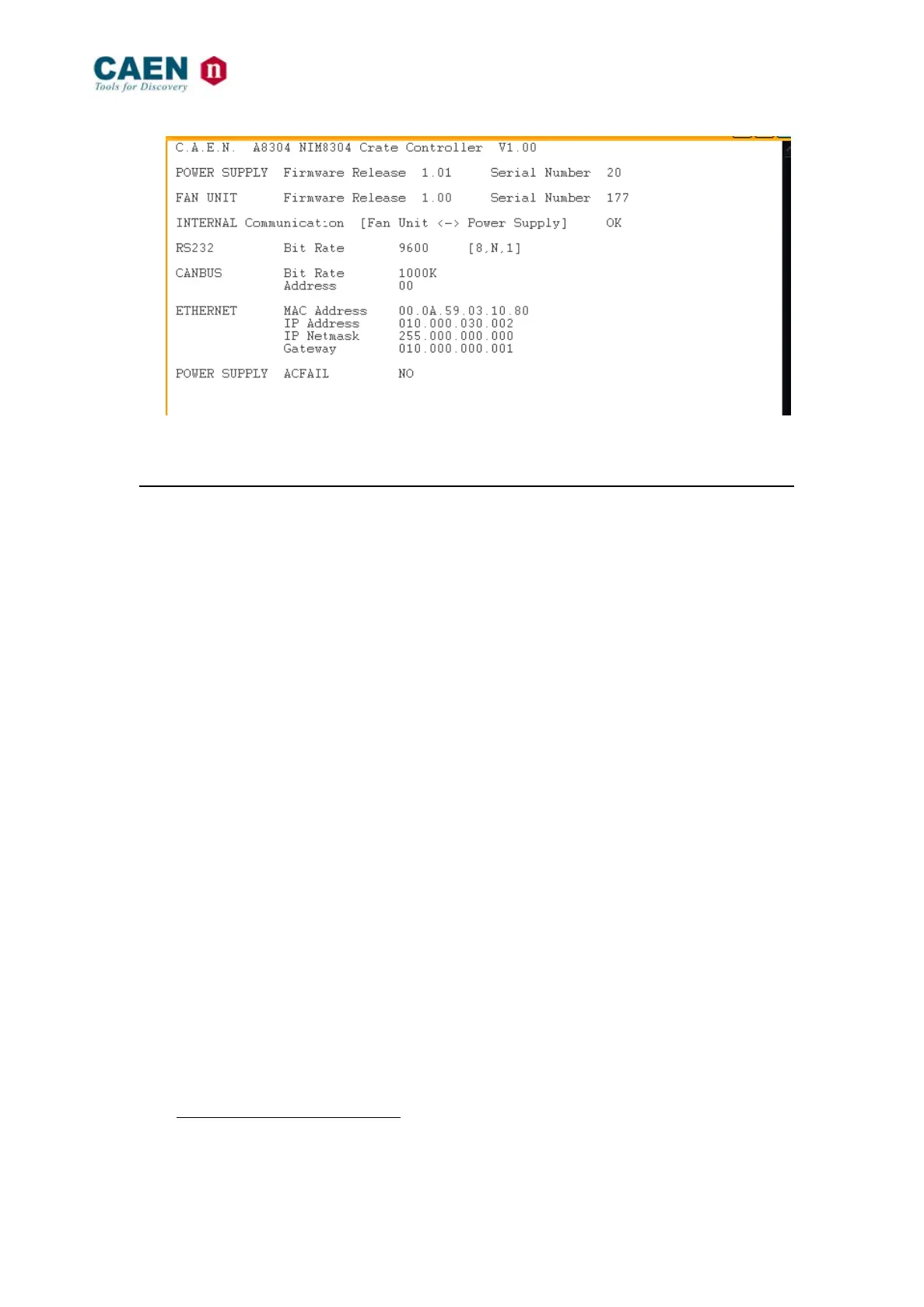
Fig. 6.9: Mod. NIM8304 PS & General Status window
6.4.3 Firmware Update menus
This option is available only with Ethernet connection.
These menus allows to upgrade the firmware of the Mod. NIM8304 FAN Tray/Power
Supply control boards.
The files can be retrieved from a computer connected to the crate via TCP/IP protocol by
using a TFTP (Trivial File Transfer Protocol) Server Software
1.
In order to add a file in the system flash memory via TFTP, follow this procedure:
- check if the system is connected via TCP/IP protocol to a computer able to run a
TFTP (Trivial File Transfer Protocol) Server Software and configured properly;
- run the TFTP Server Software and select the directory containing the file you
want to add;
- enter the Update Menu by pressing “U” in the Mod. NIM8304 Terminal Menu
window.
1
The TFTP Server is usually available on Unix workstations. In case of PCs with Windows
XP/2000/7/Vista, there are various shareware programs available on Internet, e.g. the program
Pumpkin by the KLEVER GROUP INC. (www.klever.net).



 To Next Page