13
Windows
E
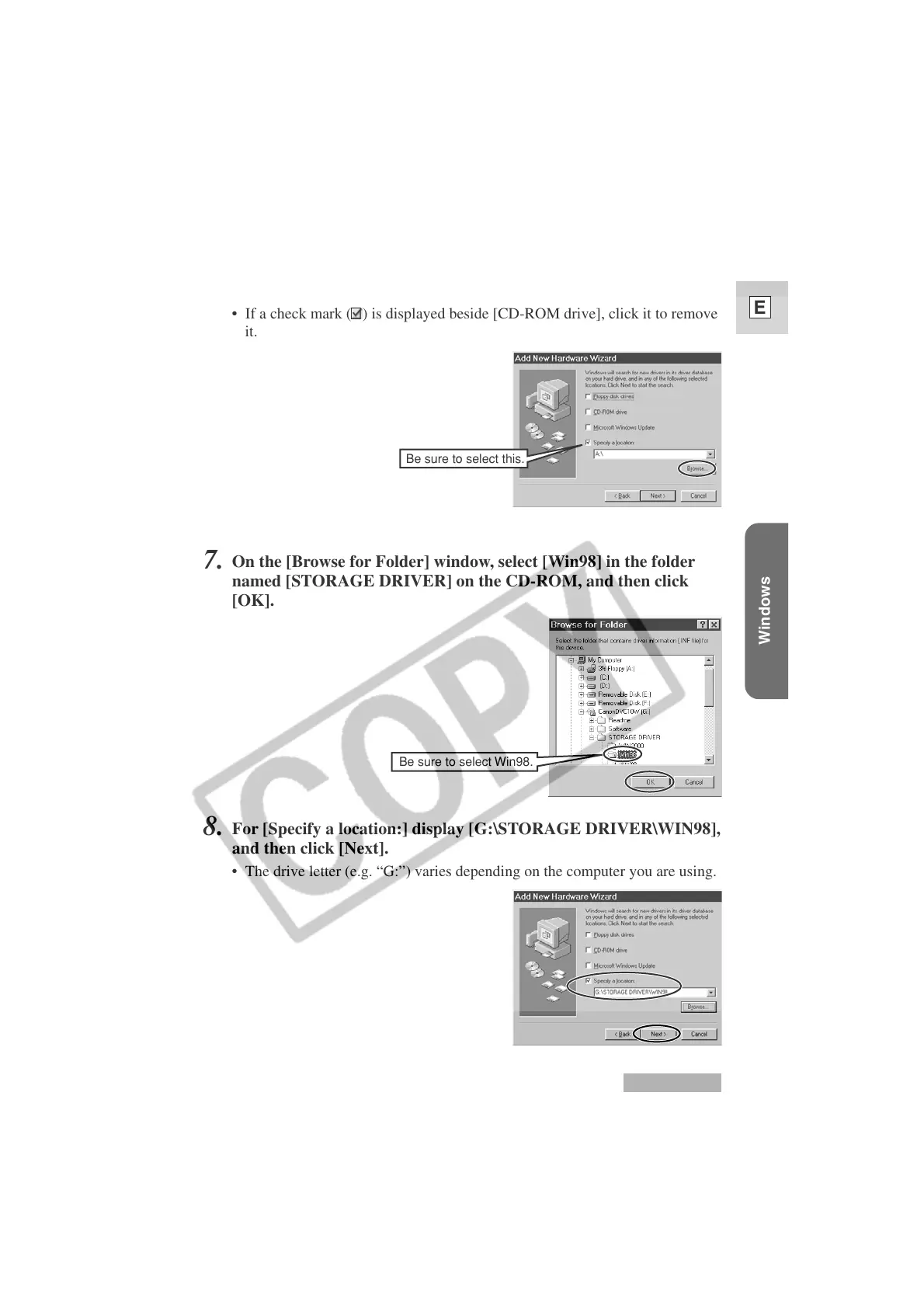
6.
Select [Specify a location:] and then click [Browse...].
• If a check mark ( ) is displayed beside [CD-ROM drive], click it to remove
it.
7.
On the [Browse for Folder] window, select [Win98] in the folder
named [STORAGE DRIVER] on the CD-ROM, and then click
[OK].
8.
For [Specify a location:] display [G:\STORAGE DRIVER\WIN98],
and then click [Next].
• The drive letter (e.g. “G:”) varies depending on the computer you are using.
Windows 98
Be sure to select this.
Be sure to select Win98.












 To Next Page