27
Windows
E
Windows XP
Installing the DVC Storage Driver
User of Windows XP Professional must first log in as an Administrator to install
programs.
1.
Connect the camcorder to an AC outlet.
2.
Attach the supplied USB cable to the computer’s USB port and the
camcorder’s USB terminal. (
32)
3.
Set the camcorder to CARD PLAY(VCR) mode.
• “Found New Hardware” will appear on the display.
4.
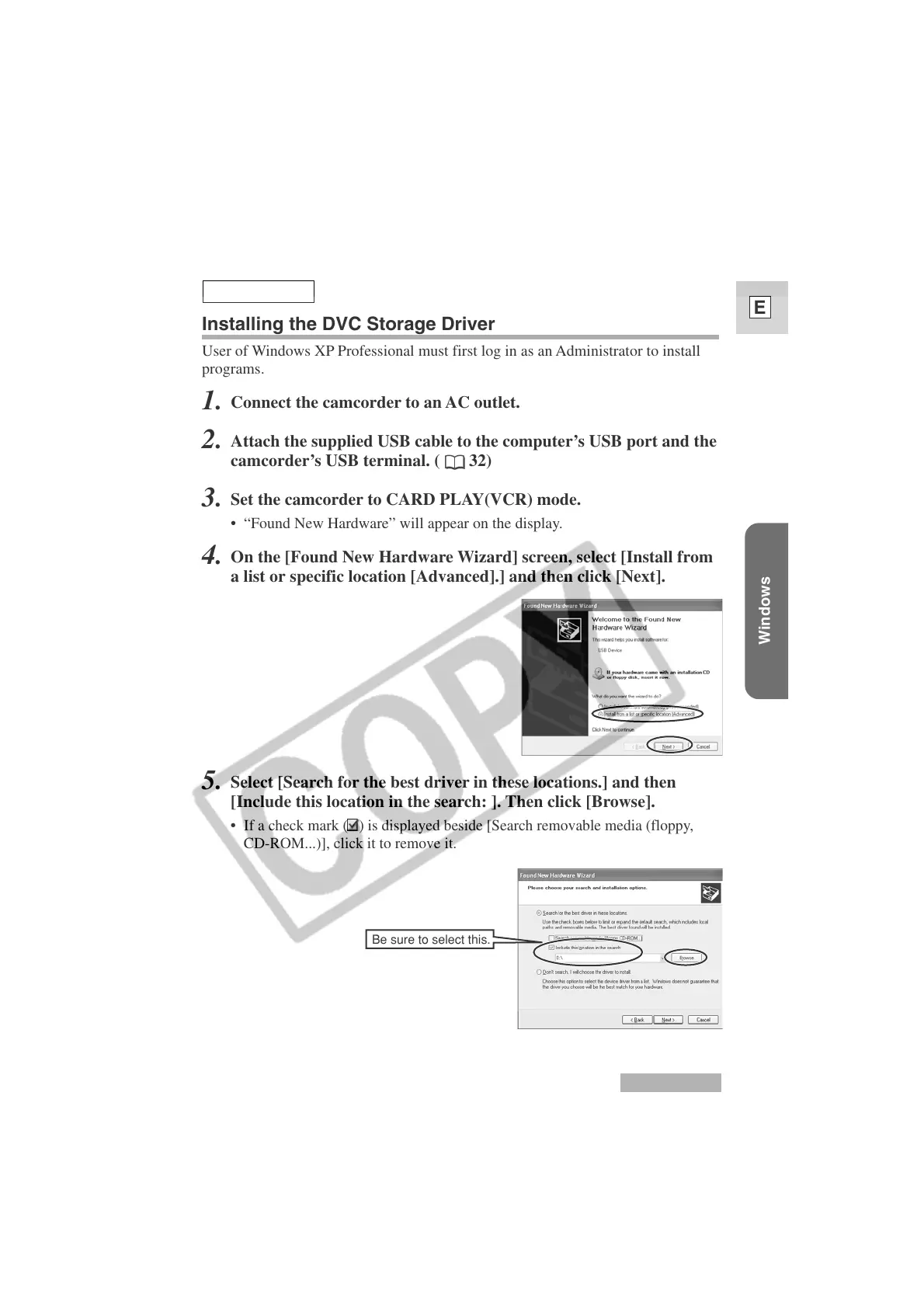
On the [Found New Hardware Wizard] screen, select [Install from
a list or specific location [Advanced].] and then click [Next].
5.
Select [Search for the best driver in these locations.] and then
[Include this location in the search: ]. Then click [Browse].
•
If a check mark ( ) is displayed beside [Search removable media (floppy,
CD-ROM...)], click it to remove it.
Be sure to select this.
Windows XP












 To Next Page