60
Downloading Images to a Computer (ImageBrowser)
Notes:
About the other buttons
• [SELECT]: You can select all of the images or deselect images, etc.
[ROTATE]: You can rotate (90 degrees counterclockwise/90 degrees clockwise/
180 degrees) the images.
[IMAGE INFO]: You can confirm the number of pixels or the file size of the
selected image.
• You can not use the [SETUP OPTIONS] and [CONNECT CAMERA] functions.
• You cannot use the [SLIDE] function (to select images for inclusion in a
slideshow) of the [SLIDE/DPOF] button.
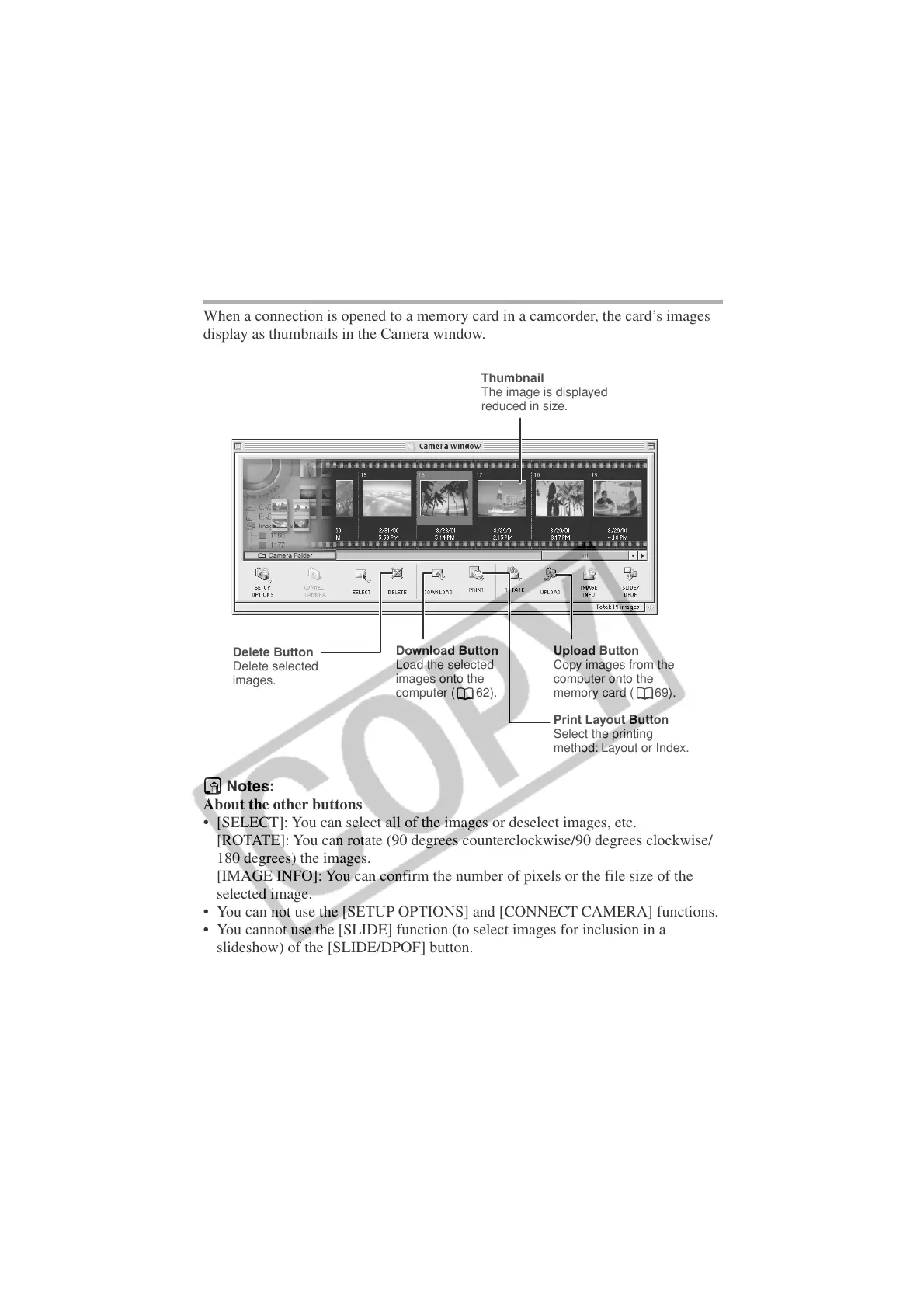
Thumbnail
The image is displayed
reduced in size.
Delete Button
Delete selected
images.
Download Button
Load the selected
images onto the
computer ( 62).
Upload Button
Copy images from the
computer onto the
memory card ( 69).
Print Layout Button
Select the printing
method: Layout or Index.
The ImageBrowser Camera Window
When a connection is opened to a memory card in a camcorder, the card’s images
display as thumbnails in the Camera window.












 To Next Page