42
4.
In the next dialog, set the paper size and other settings and click
[Next].
5.
In the last dialog, set the fine settings and click [Finish].
• The PhotoRecord window will display.
• If you wish to change the layout, set the printing settings in the PhotoRecord
window.
6.
Click the PhotoRecord [Print] button.
• The Print dialog will display.
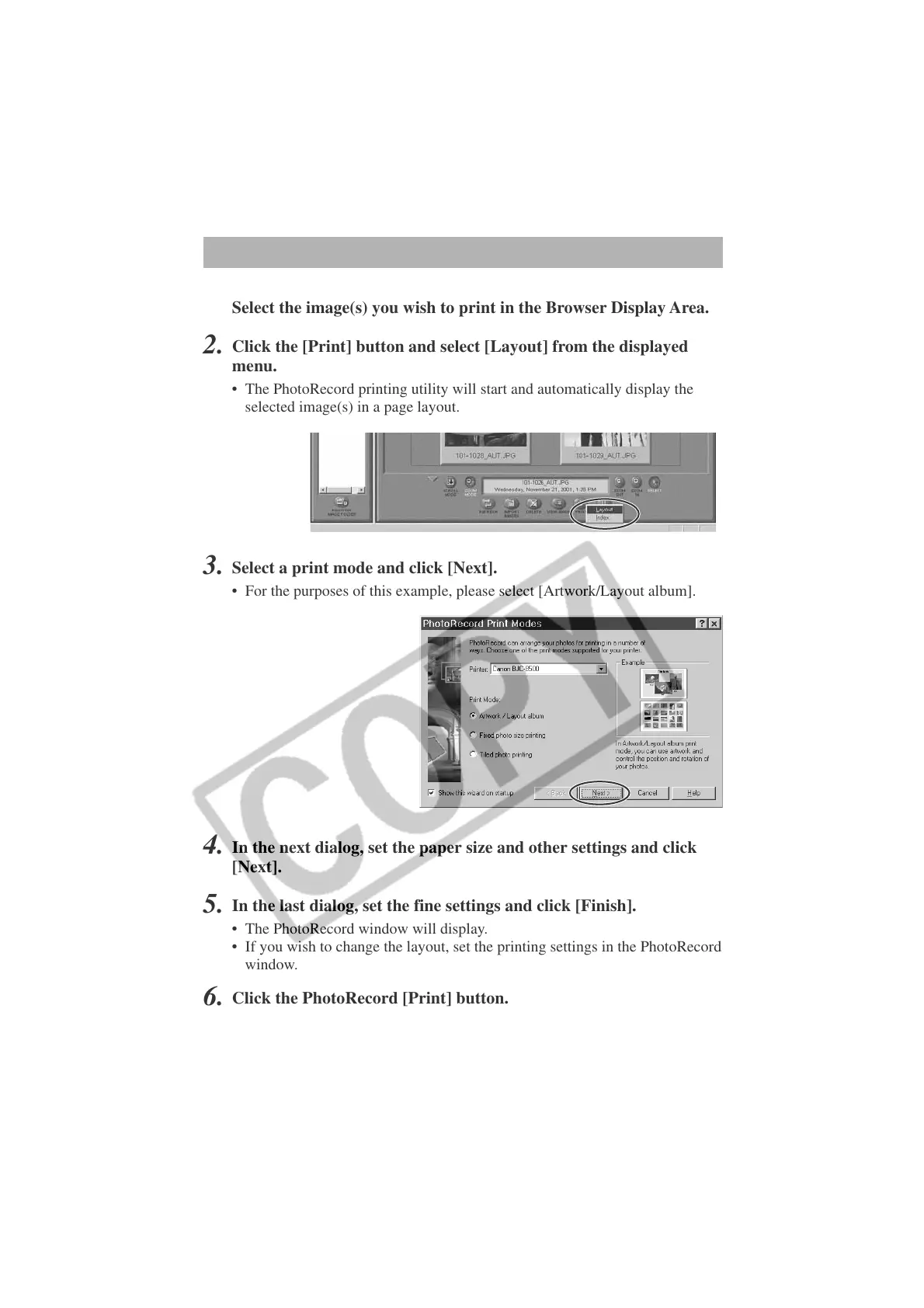
3.
Select a print mode and click [Next].
• For the purposes of this example, please select [Artwork/Layout album].
Printing Images (PhotoRecord)
1.
Select the image(s) you wish to print in the Browser Display Area.
2.
Click the [Print] button and select [Layout] from the displayed
menu.
• The PhotoRecord printing utility will start and automatically display the
selected image(s) in a page layout.












 To Next Page