61
E
Macintosh
Understanding the Browser Window
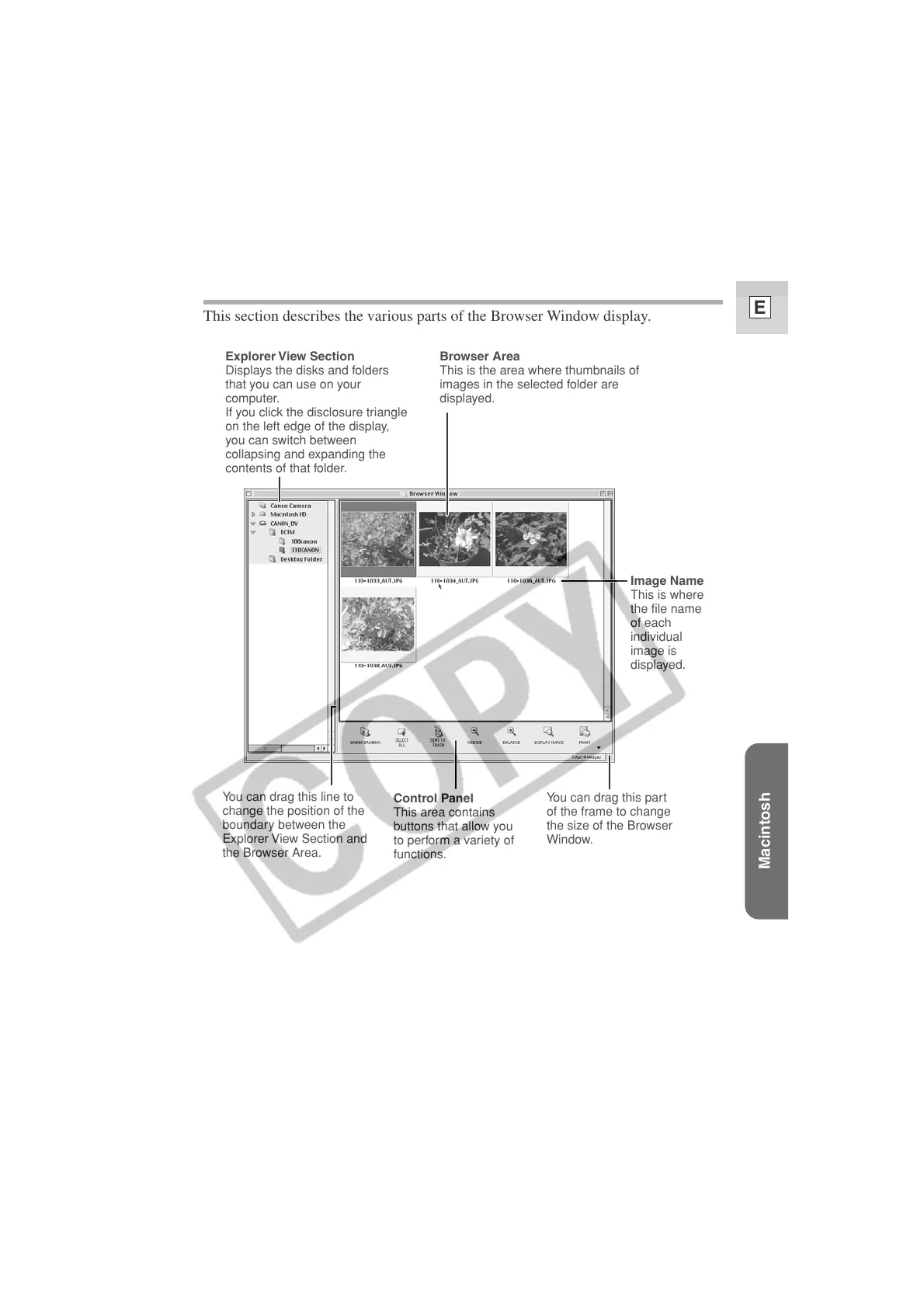
This section describes the various parts of the Browser Window display.
Image Name
This is where
the file name
of each
individual
image is
displayed.
Explorer View Section
Displays the disks and folders
that you can use on your
computer.
If you click the disclosure triangle
on the left edge of the display,
you can switch between
collapsing and expanding the
contents of that folder.
You can drag this line to
change the position of the
boundary between the
Explorer View Section and
the Browser Area.
You can drag this part
of the frame to change
the size of the Browser
Window.
Control Panel
This area contains
buttons that allow you
to perform a variety of
functions.
Browser Area
This is the area where thumbnails of
images in the selected folder are
displayed.












 To Next Page