62
Downloading and Saving Images from the Camcorder
1.
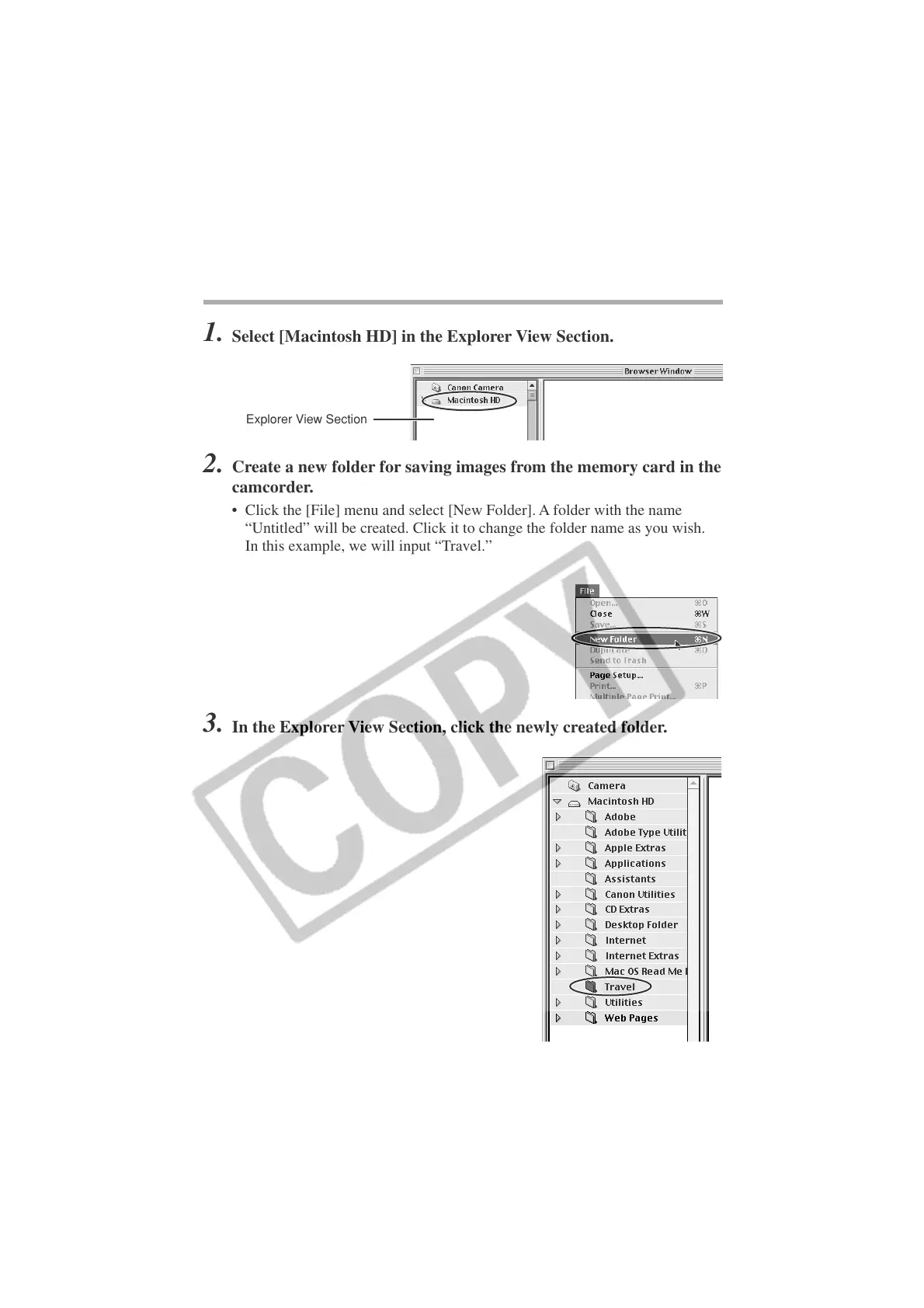
Select [Macintosh HD] in the Explorer View Section.
Explorer View Section
2. Create a new folder for saving images from the memory card in the
camcorder.
• Click the [File] menu and select [New Folder]. A folder with the name
“Untitled” will be created. Click it to change the folder name as you wish.
In this example, we will input “Travel.”
3.
In the Explorer View Section, click the newly created folder.
Downloading Images to a Computer (ImageBrowser)












 To Next Page