30
Installing the DVC Storage Driver
Windows XP
● When Uninstalling the DVC Storage Driver
If DVC Storage Driver installation has not been done correctly, or when otherwise
necessary, uninstall the driver.
1.
Attach the supplied USB cable to the computer’s USB port and the
camcorder’s USB terminal. (
32)
2.
On the [Start] menu, select [Control Panel (C)].
3.
Select [Performance and Maintenance] > [System].
4.
Click the [Hardware] tab in the [System Properties] dialog.
5.
Click [Device Manager].
6.
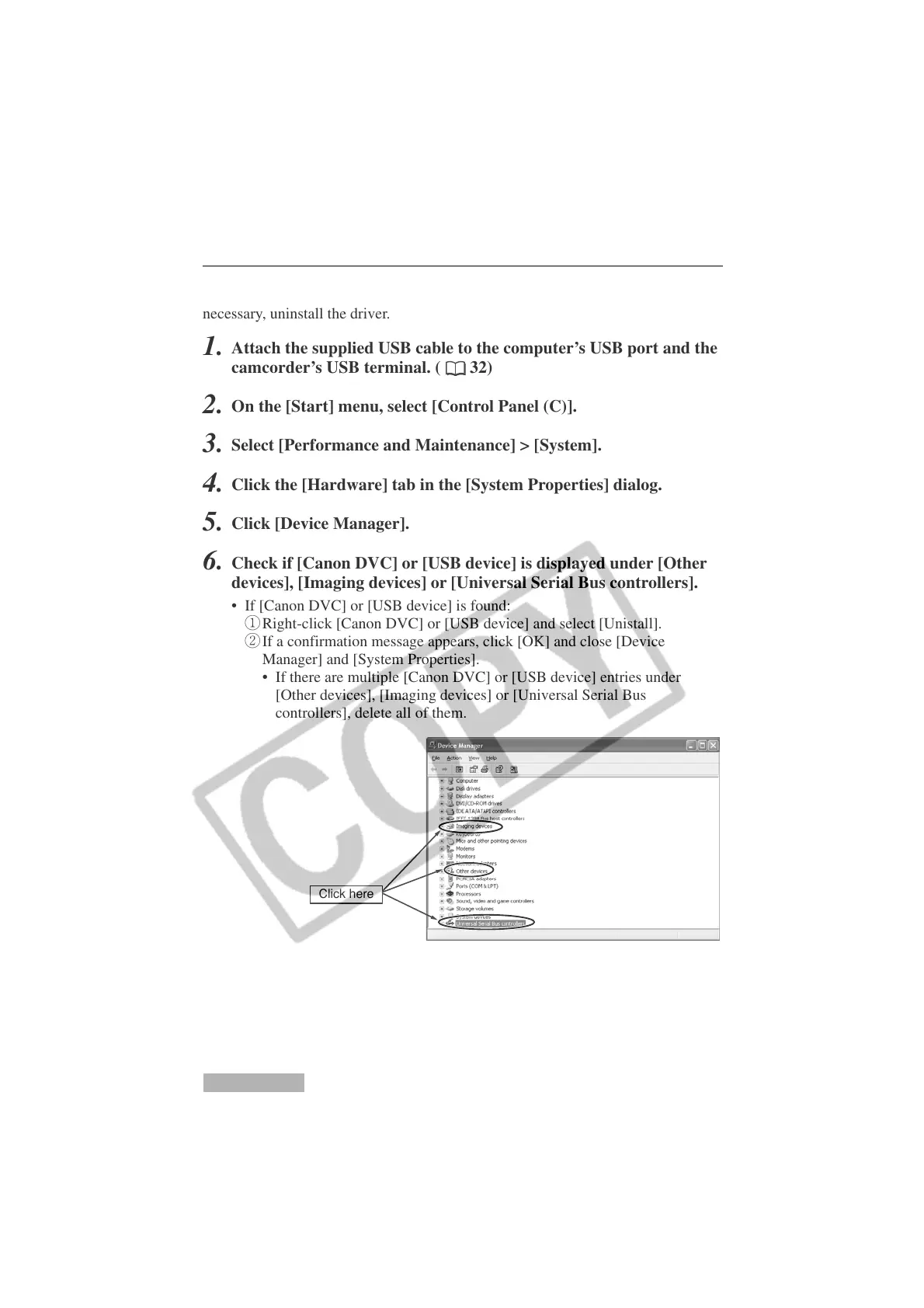
Check if [Canon DVC] or [USB device] is displayed under [Other
devices], [Imaging devices] or [Universal Serial Bus controllers].
• If [Canon DVC] or [USB device] is found:
q Right-click [Canon DVC] or [USB device] and select [Unistall].
w If a confirmation message appears, click [OK] and close [Device
Manager] and [System Properties].
• If there are multiple [Canon DVC] or [USB device] entries under
[Other devices], [Imaging devices] or [Universal Serial Bus
controllers], delete all of them.
Click here












 To Next Page