35
Windows
E
Notes:
About the other buttons
• [SELECT]: You can select all of the images or deselect images, etc.
[ROTATE]: You can rotate (90 degrees counterclockwise/90 degrees clockwise/
180 degrees) the images.
[IMAGE INFO]: You can confirm the number of pixels or the file size of the
selected image.
• You cannot use the [SETUP OPTIONS] and [CONNECT CAMERA] functions.
• You cannot use the [SLIDE] function (to select images for inclusion in a slide
show) of the [SLIDE/DPOF] button.
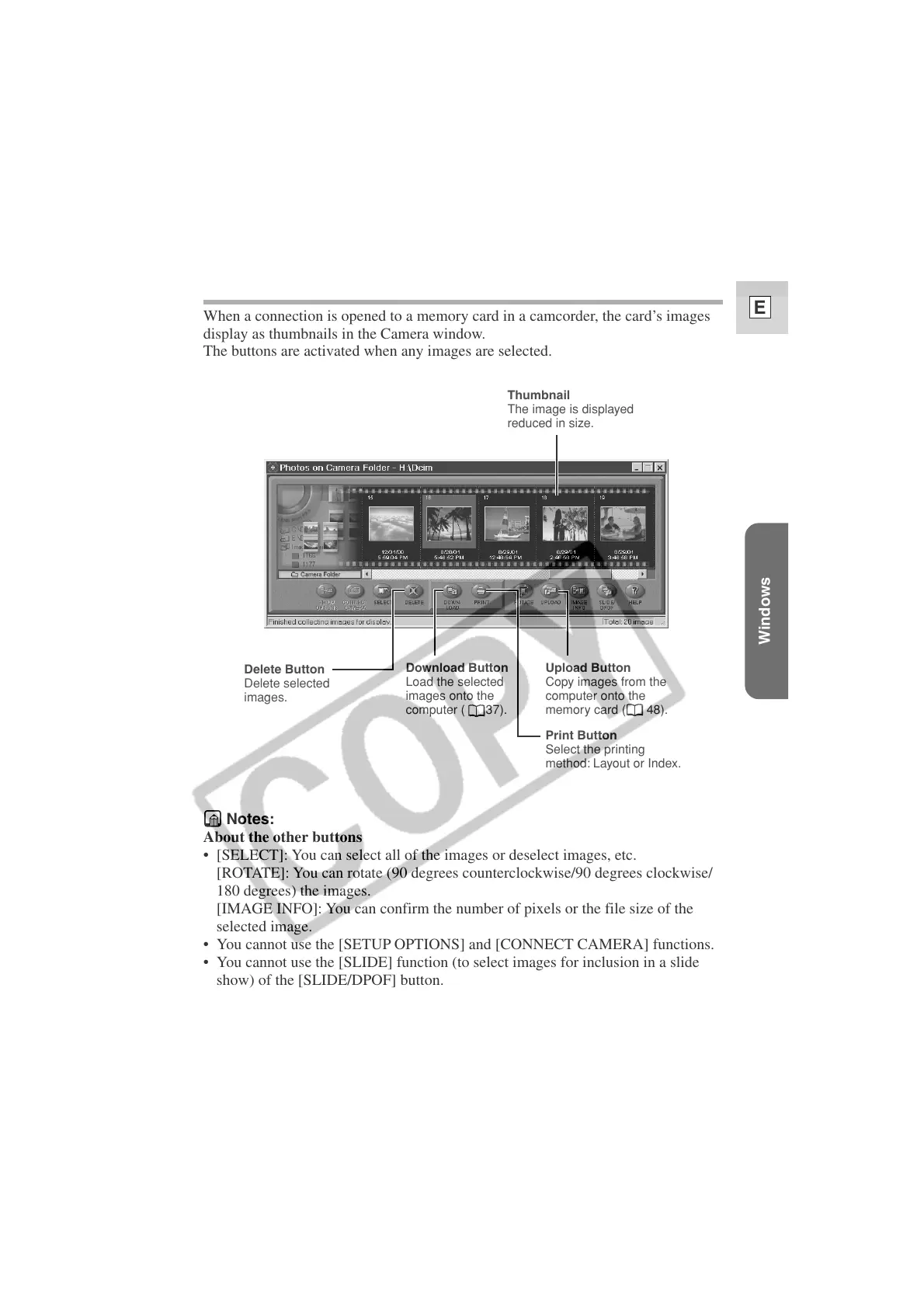
The ZoomBrowser EX Camera Window
When a connection is opened to a memory card in a camcorder, the card’s images
display as thumbnails in the Camera window.
The buttons are activated when any images are selected.
Thumbnail
The image is displayed
reduced in size.
Delete Button
Delete selected
images.
Download Button
Load the selected
images onto the
computer ( 37).
Upload Button
Copy images from the
computer onto the
memory card ( 48).
Print Button
Select the printing
method: Layout or Index.












 To Next Page