34
Downloading Images to a Computer (ZoomBrowser EX)
Note:
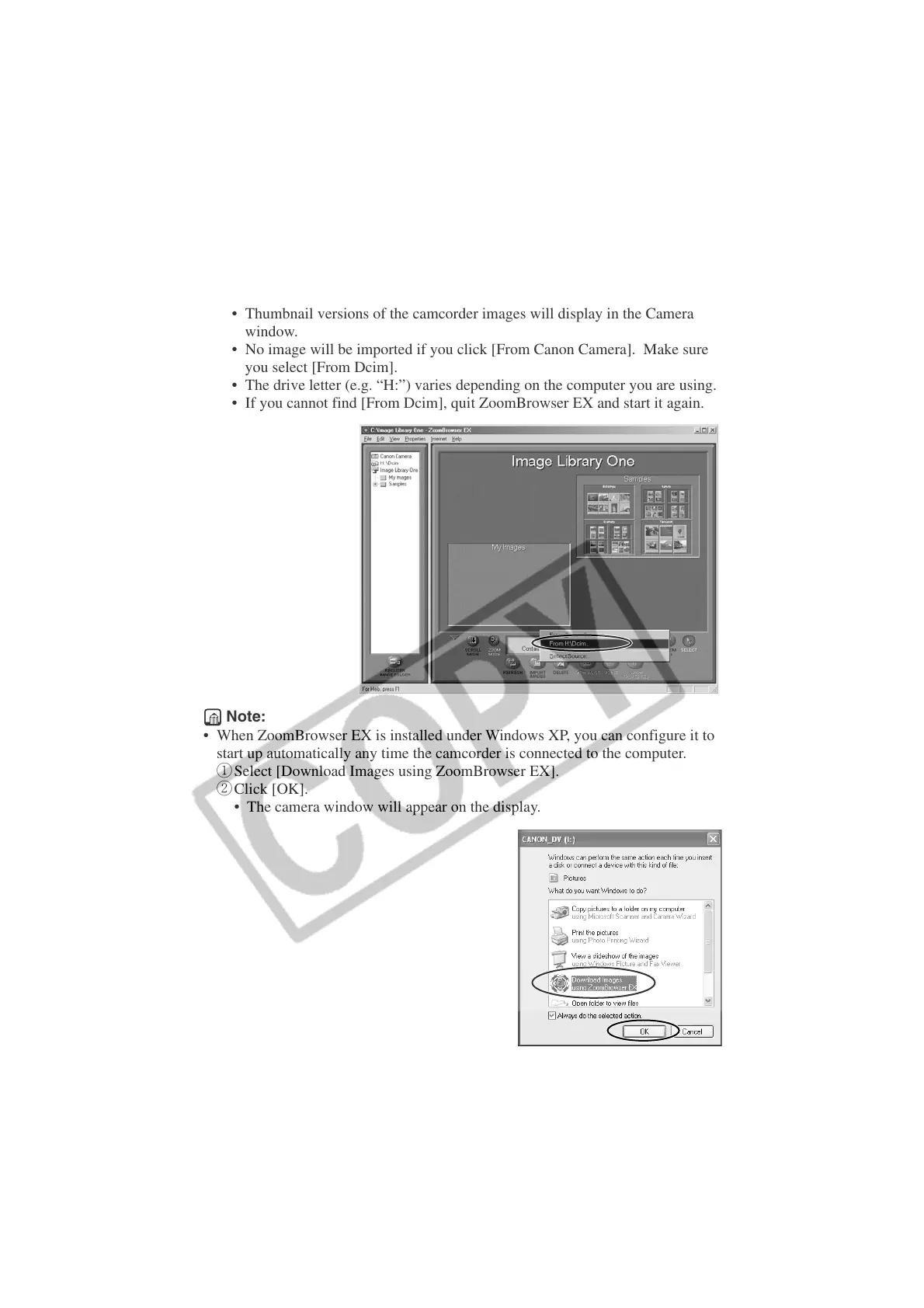
• When ZoomBrowser EX is installed under Windows XP, you can configure it to
start up automatically any time the camcorder is connected to the computer.
q Select [Download Images using ZoomBrowser EX].
w Click [OK].
• The camera window will appear on the display.
6.
Click the [IMPORT IMAGES] button and select [From Dcim...].
• Thumbnail versions of the camcorder images will display in the Camera
window.
• No image will be imported if you click [From Canon Camera]. Make sure
you select [From Dcim].
• The drive letter (e.g. “H:”) varies depending on the computer you are using.
• If you cannot find [From Dcim], quit ZoomBrowser EX and start it again.












 To Next Page