55
E
Macintosh
Installing from the Canon DIGITAL VIDEO SOLUTION DISK
1.
Close any programs that are running.
2.
Set the Canon DIGITAL VIDEO SOLUTION DISK in the compu-
ter’s CD-ROM drive.
3.
Double-click the CD-ROM icon and the [Canon Digital Video
Installer] icon.
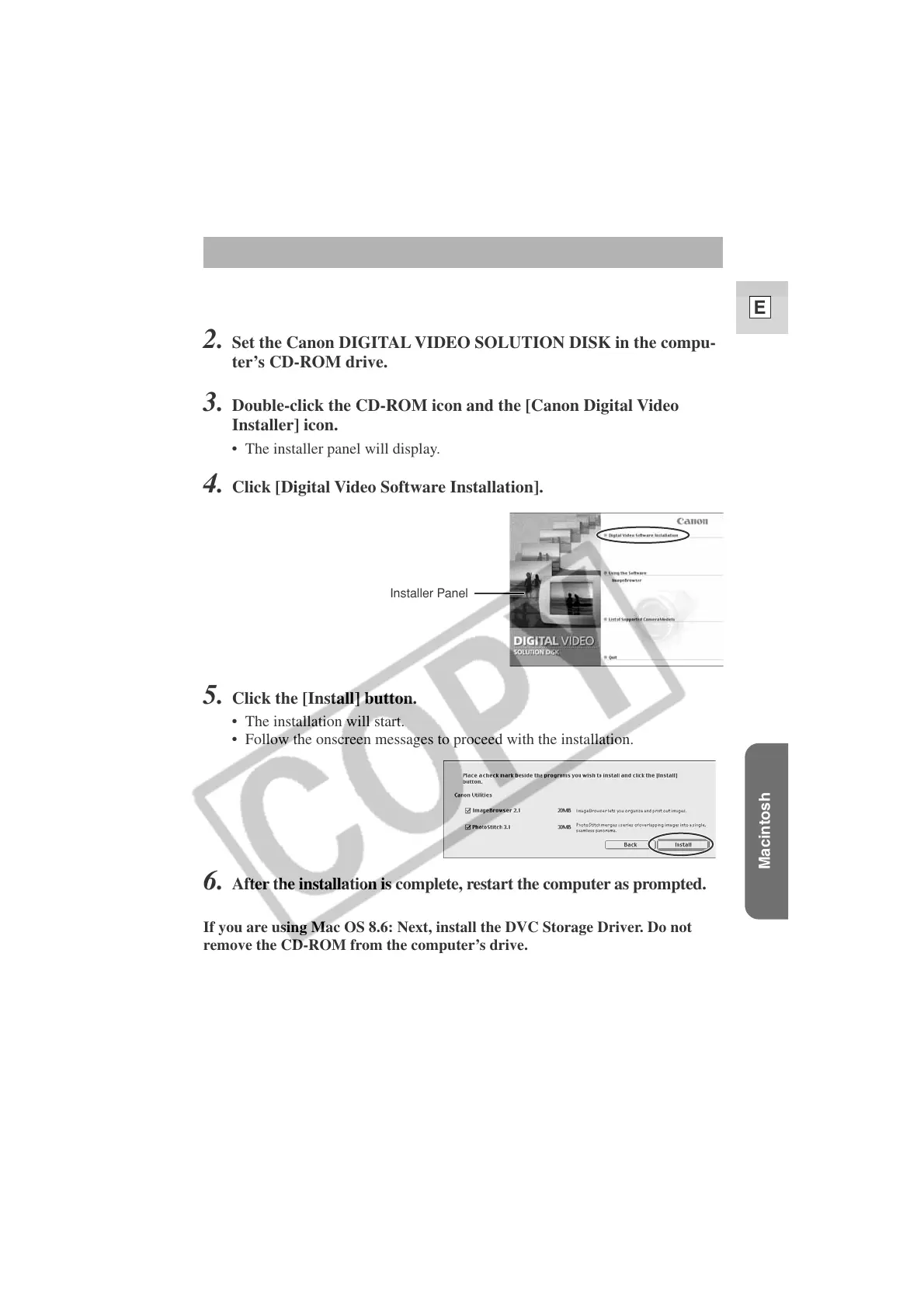
• The installer panel will display.
4.
Click [Digital Video Software Installation].
6.
After the installation is complete, restart the computer as prompted.
If you are using Mac OS 8.6: Next, install the DVC Storage Driver. Do not
remove the CD-ROM from the computer’s drive.
5. Click the [Install] button.
• The installation will start.
• Follow the onscreen messages to proceed with the installation.
Installer Panel












 To Next Page