28
Installing the DVC Storage Driver
7.
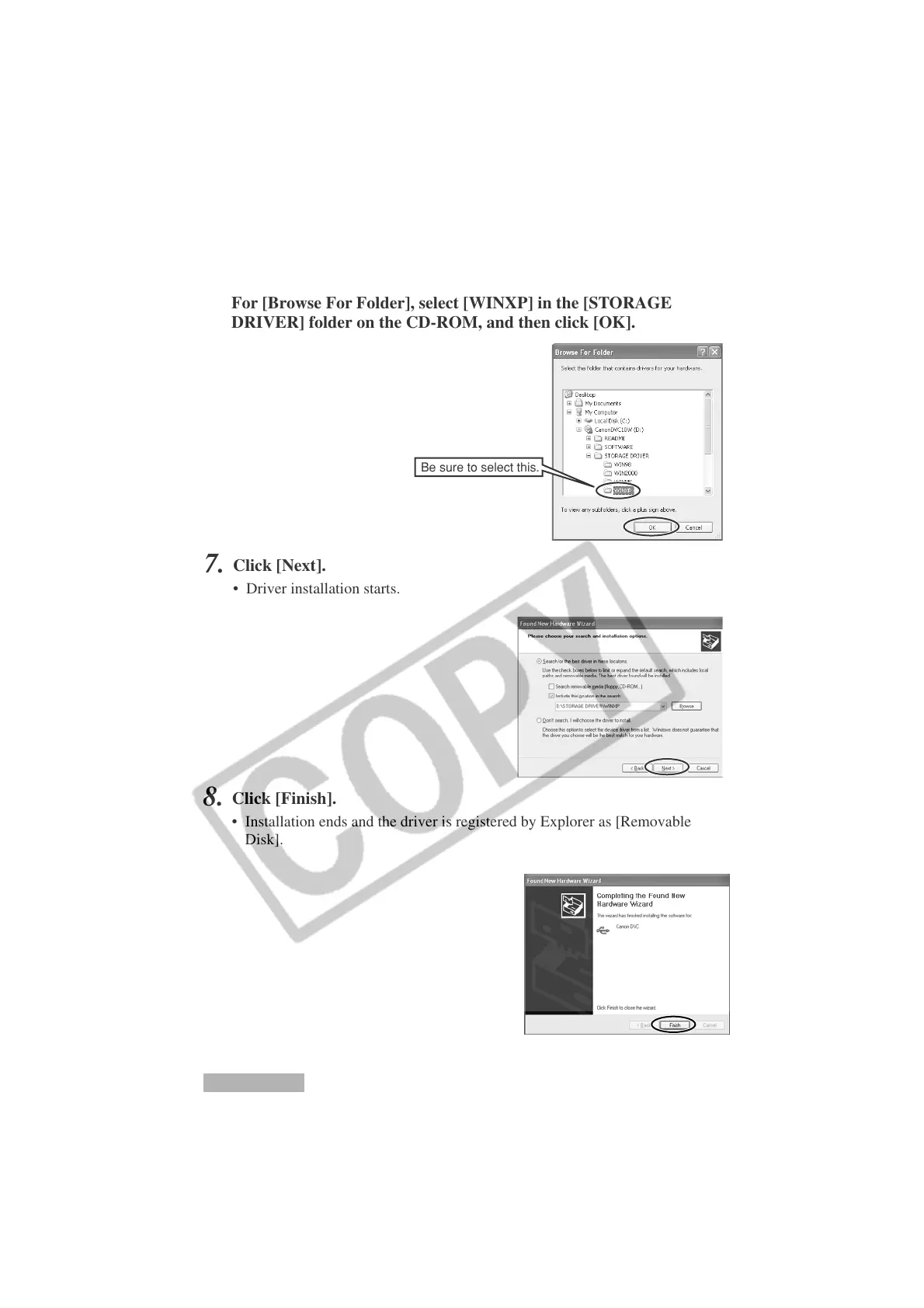
Click [Next].
• Driver installation starts.
6.
For [Browse For Folder], select [WINXP] in the [STORAGE
DRIVER] folder on the CD-ROM, and then click [OK].
Be sure to select this.
8.
Click [Finish].
• Installation ends and the driver is registered by Explorer as [Removable
Disk].
Windows XP












 To Next Page