16
6.
From [My Computer] on the desktop, double-click q [C:], w the
[WINDOWS] folder, e the [INF] folder, and then r the [OTHER]
folder.
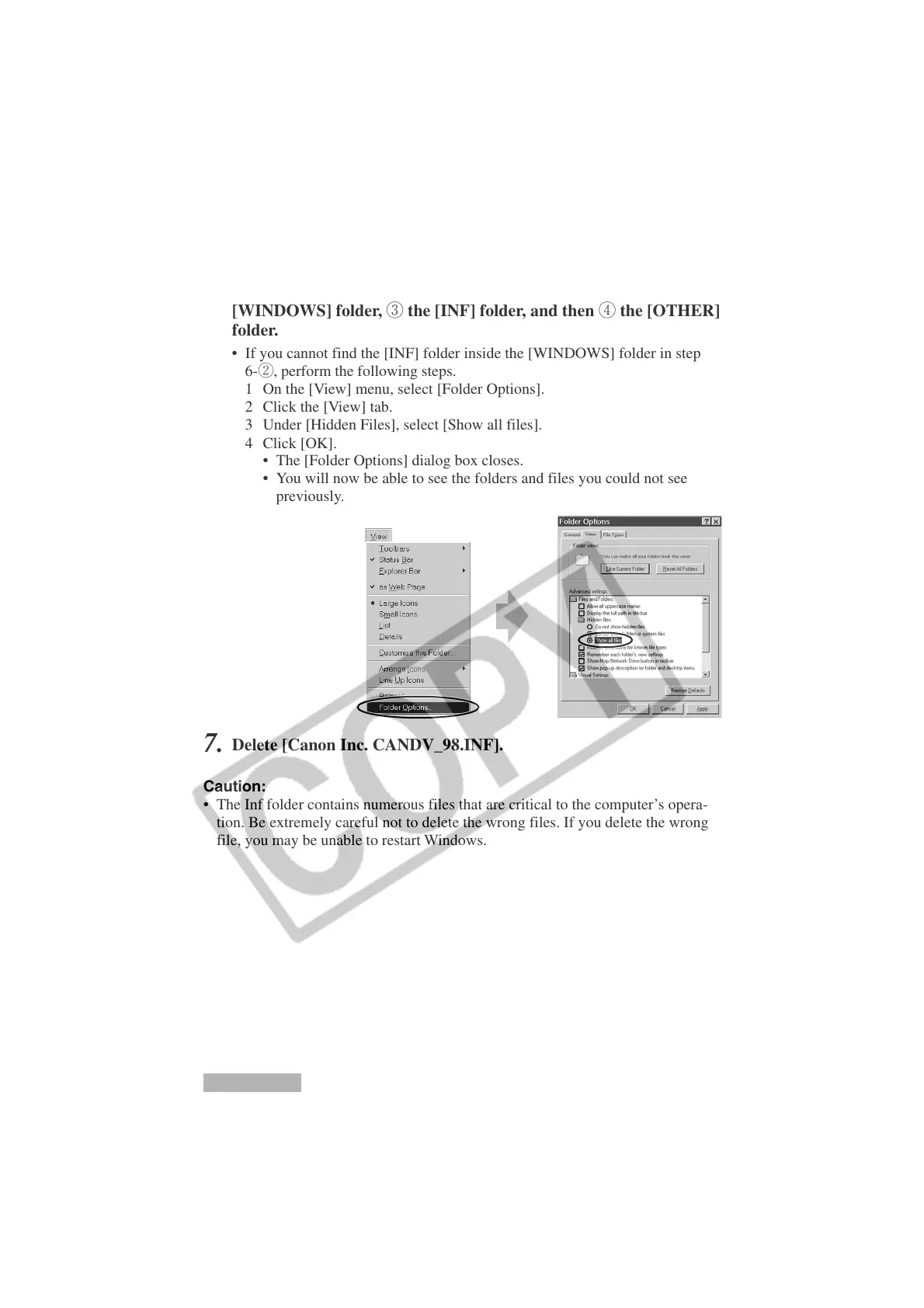
• If you cannot find the [INF] folder inside the [WINDOWS] folder in step
6-w, perform the following steps.
1 On the [View] menu, select [Folder Options].
2 Click the [View] tab.
3 Under [Hidden Files], select [Show all files].
4 Click [OK].
• The [Folder Options] dialog box closes.
• You will now be able to see the folders and files you could not see
previously.
7.
Delete [Canon Inc. CANDV_98.INF].
Caution:
• The Inf folder contains numerous files that are critical to the computer’s opera-
tion. Be extremely careful not to delete the wrong files. If you delete the wrong
file, you may be unable to restart Windows.
Installing the DVC Storage Driver
Windows 98












 To Next Page