25
Windows
E
6.
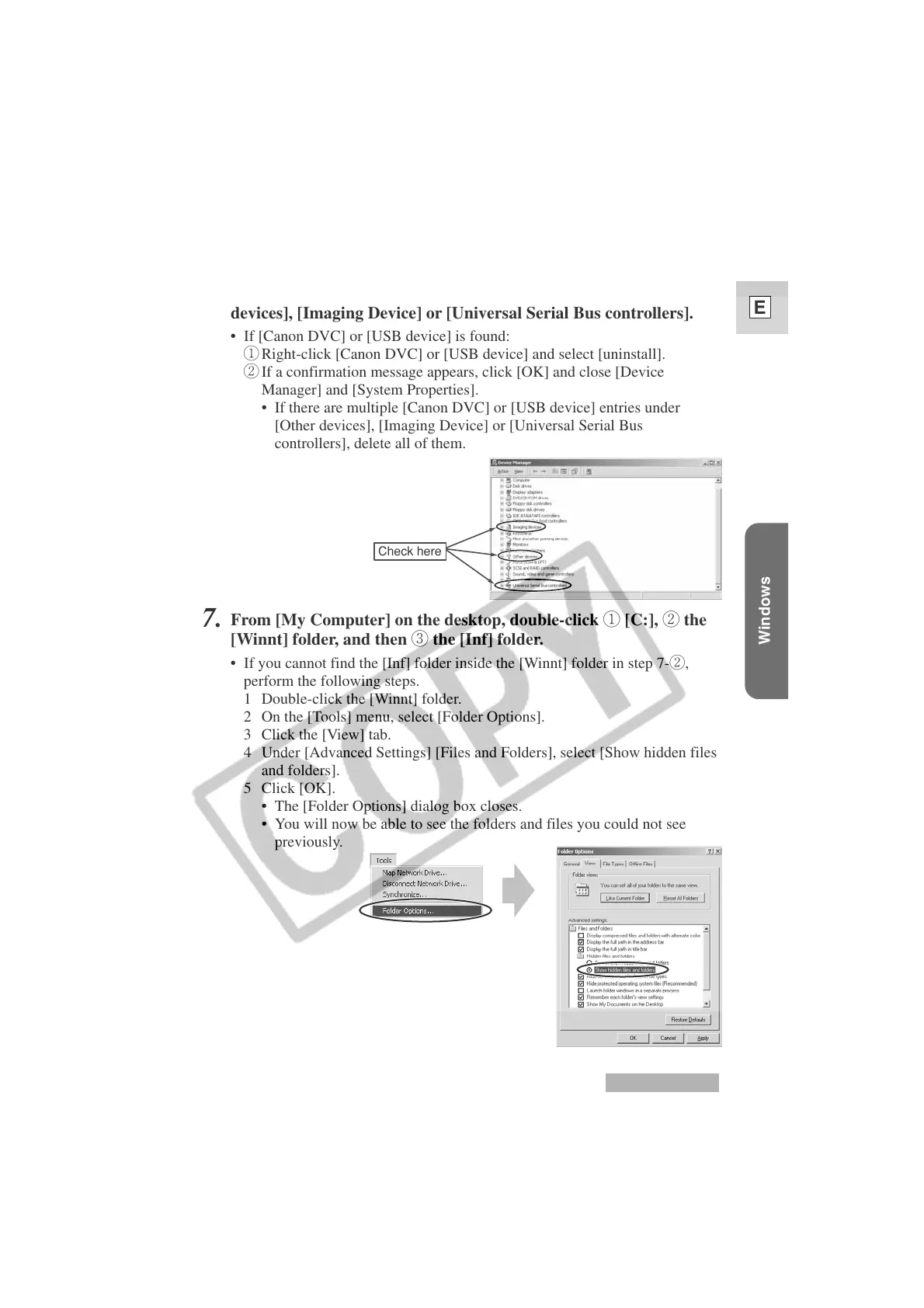
Check if [Canon DVC] or [USB device] is displayed under [Other
devices], [Imaging Device] or [Universal Serial Bus controllers].
• If [Canon DVC] or [USB device] is found:
q Right-click [Canon DVC] or [USB device] and select [uninstall].
w If a confirmation message appears, click [OK] and close [Device
Manager] and [System Properties].
• If there are multiple [Canon DVC] or [USB device] entries under
[Other devices], [Imaging Device] or [Universal Serial Bus
controllers], delete all of them.
7.
From [My Computer] on the desktop, double-click q [C:], w the
[Winnt] folder, and then e the [Inf] folder.
• If you cannot find the [Inf] folder inside the [Winnt] folder in step 7-w,
perform the following steps.
1 Double-click the [Winnt] folder.
2 On the [Tools] menu, select [Folder Options].
3 Click the [View] tab.
4 Under [Advanced Settings] [Files and Folders], select [Show hidden files
and folders].
5 Click [OK].
• The [Folder Options] dialog box closes.
• You will now be able to see the folders and files you could not see
previously.
Windows 2000
Check here












 To Next Page